
Your design portfolio is more than just a gallery of your work; it’s a strategic career asset, a visual resume, and your most compelling pitch to potential clients and employers. It’s where you prove your skills, articulate your design process, and showcase your unique creative voice. A well-crafted portfolio doesn’t just display final products; it tells the story of how you solve problems, turning complex challenges into elegant, effective solutions. It’s your opportunity to demonstrate how you think, collaborate, and deliver results, which is especially critical for securing remote roles where clear communication and documented processes are paramount.
This curated guide is built to help you move from inspiration to action. We’ve compiled an in-depth list of outstanding design portfolio examples from platforms like Behance, Dribbble, and Webflow. We go beyond surface-level showcases by providing a strategic breakdown for each example, analyzing what makes it effective, and offering actionable takeaways you can apply to your own work immediately. Your design portfolio is instrumental in demonstrating your professional style and skill, effectively showing how you create a brand identity for yourself as a designer.
Instead of just presenting a list, this article provides:
- In-depth analysis of what makes each portfolio stand out.
- Actionable insights into storytelling, project presentation, and user experience.
- Replicable strategies to highlight your skills, especially for remote-first environments.
- Direct links to live portfolios and templates to jumpstart your process.
Our goal is to equip you with the insights needed to build or refine a portfolio that not only impresses but also actively works to land you your next great opportunity. Let’s dive into the examples that set the standard.
1. Behance (Adobe)
Behance is arguably the largest and most well-known creative network for showcasing and discovering design work. Acquired by Adobe in 2012, it has become the default discovery platform for millions of designers and recruiters. More than just a gallery, it functions as a social network where creatives can share detailed, end-to-end case studies, follow their favorite artists, and get feedback on their work.
Its sheer volume and diversity make it an unparalleled resource for anyone looking for design portfolio examples. You can find inspiration across every conceivable discipline, from UX/UI and product design to industrial design, motion graphics, and typography. The platform’s project-based structure encourages designers to present not just the final product but the entire creative process, including initial research, wireframes, and iterations.
Why It Stands Out
Behance’s primary strength is its integration with the Adobe Creative Cloud ecosystem. This allows for seamless syncing of projects from apps like Photoshop and Illustrator directly to a Behance profile. It also integrates with Adobe Portfolio, enabling users to build a polished, custom portfolio website using their Behance projects as a foundation. This two-in-one functionality saves time and ensures consistency across platforms.
Another key differentiator is its community and curation features. Behance’s editorial team curates galleries (called “Curated Galleries”) across different fields, highlighting the best work on the platform. This feature acts as a powerful quality filter, making it easier to find top-tier talent and exemplary case studies. For job seekers, being featured can provide a massive visibility boost.
Platform Access and Tiers
Behance is fundamentally a free platform. Anyone can create an account, upload unlimited projects, and browse the entire library of work. However, there is a premium subscription called Behance Pro, which unlocks advanced features.
| Feature | Standard (Free) | Behance Pro ($9.99/month, billed annually) |
|---|---|---|
| Project Uploads | Unlimited | Unlimited |
| Adobe Portfolio | Included | Included with advanced features |
| Project Analytics | Basic views and appreciations | Advanced analytics, source tracking, custom date ranges |
| Link Sharing | Public links | Password-protected and expiring links |
| Transaction Fees | 10-30% platform fee on services/assets sold | 0% platform fee on transactions |
Practical Tips for Effective Use
- Study the Structure: Pay close attention to how top-ranked projects are structured. Most follow a clear narrative: problem statement, research, process, solution, and outcomes. Emulate this storytelling format in your own case studies.
- Leverage High-Quality Visuals: Behance is a visual-first platform. Use high-resolution mockups, GIFs, and even embedded videos (via YouTube/Vimeo) to make your project engaging and dynamic.
- Tag Strategically: Use relevant tags for your industry, tools used (e.g., “Figma,” “Adobe XD”), and project type (“UX/UI,” “Branding”). This is crucial for discoverability by recruiters and clients using the platform’s search function.
- Engage with the Community: Don’t just post and ghost. Follow other designers, leave thoughtful comments, and appreciate work you admire. Active participation can increase your profile’s visibility.
2. Dribbble
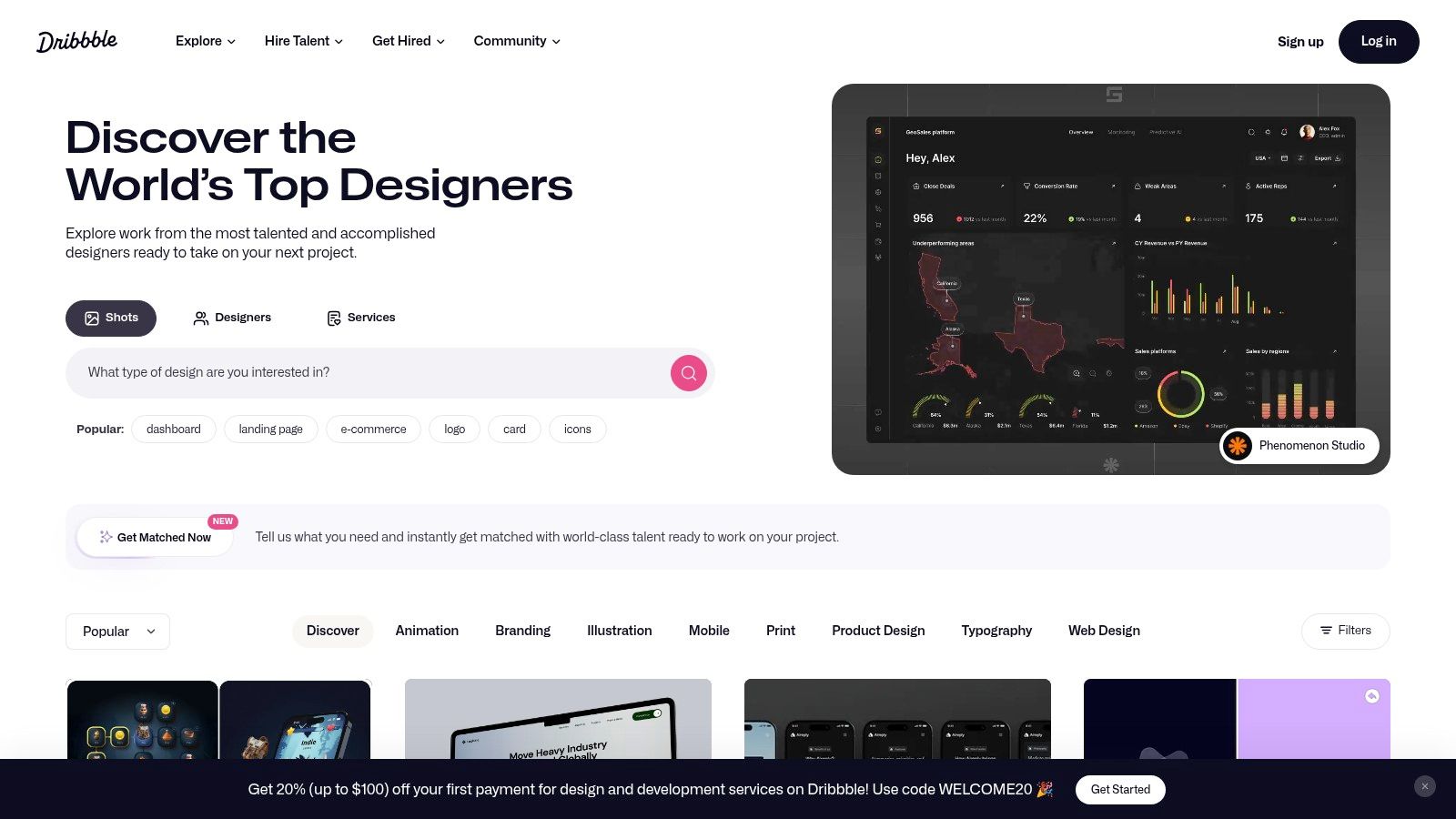
Dribbble is a leading social network and showcase platform primarily for visual designers. Often described as the “show and tell for designers,” it’s famous for its “shots,” which are small, digestible snapshots of design work. This format makes it an exceptional resource for quick inspiration, benchmarking visual styles, and discovering trends in UI, illustration, branding, and motion graphics.
While known for single-shot visuals, Dribbble has evolved to support richer project formats, allowing designers to build out full case studies and comprehensive profiles. Its focus on aesthetics and micro-interactions makes it an ideal place to find polished design portfolio examples that excel in visual execution. The platform also has a robust hiring layer, connecting companies with top-tier creative talent for freelance and full-time opportunities.
Why It Stands Out
Dribbble’s main strength is its highly visual, feed-based interface, which allows for rapid discovery of design trends and styles. Unlike platforms that demand long-form case studies for every post, Dribbble’s shot format encourages designers to share work-in-progress, small details, and single-screen designs. This creates a vibrant, fast-moving stream of inspiration that is unparalleled for visual brainstorming.
Another key differentiator is its powerful marketplace and hiring tools. The “Hiring” section provides a dedicated space for clients to post briefs and find talent, while features like InstantMatch connect them with available designers. This direct line to potential clients makes it a valuable lead-generation tool, especially for freelancers. Finding remote work on Dribbble is common, as many companies use the platform specifically to source designers for distributed teams.
Platform Access and Tiers
Dribbble offers a free tier for browsing and basic profile creation, but its most valuable features for professional designers are unlocked with a Pro subscription. The Pro plans enhance visibility, provide analytics, and offer tools for monetization.
| Feature | Standard (Free) | Dribbble Pro ($5/month, billed annually) |
|---|---|---|
| Project Uploads | Limited | Unlimited shots, multi-shot projects, and videos |
| Profile | Basic profile | Advanced profile with custom URL and portfolio |
| Job Board Access | Basic | Advanced job filtering and application tools |
| Marketplace | Higher transaction fees | Reduced or 0% platform fees on sales (annual plan) |
| Visibility | Standard | Priority placement in search results |
Practical Tips for Effective Use
- Focus on the “Shot”: Since the single shot is Dribbble’s core format, make sure your thumbnail is visually stunning and grabs attention. Use vibrant colors, clear typography, and dynamic compositions.
- Showcase Motion: Animated GIFs and short videos perform exceptionally well. Use them to showcase micro-interactions, loading animations, or screen transitions to bring your UI designs to life.
- Use the First Comment: Use the first comment on your shot to add context, explain your design process, or link to the full case study on Behance or your personal website. This overcomes the visual-first limitation.
- Tag Effectively: Use a mix of broad and niche tags. Include the software used (“Figma,” “Procreate”), the design discipline (“UI,” “Branding,” “Illustration”), and the specific style or feature (“Neumorphism,” “Dashboard,” “Onboarding”).
3. Awwwards
Awwwards is a prestigious competition body that recognizes and promotes the talent and effort of the world’s best web designers, developers, and agencies. It serves as a high-quality, curated gallery of award-winning websites, making it an essential resource for finding cutting-edge and inspirational design portfolio examples, particularly those pushing the boundaries of interaction and visual design.
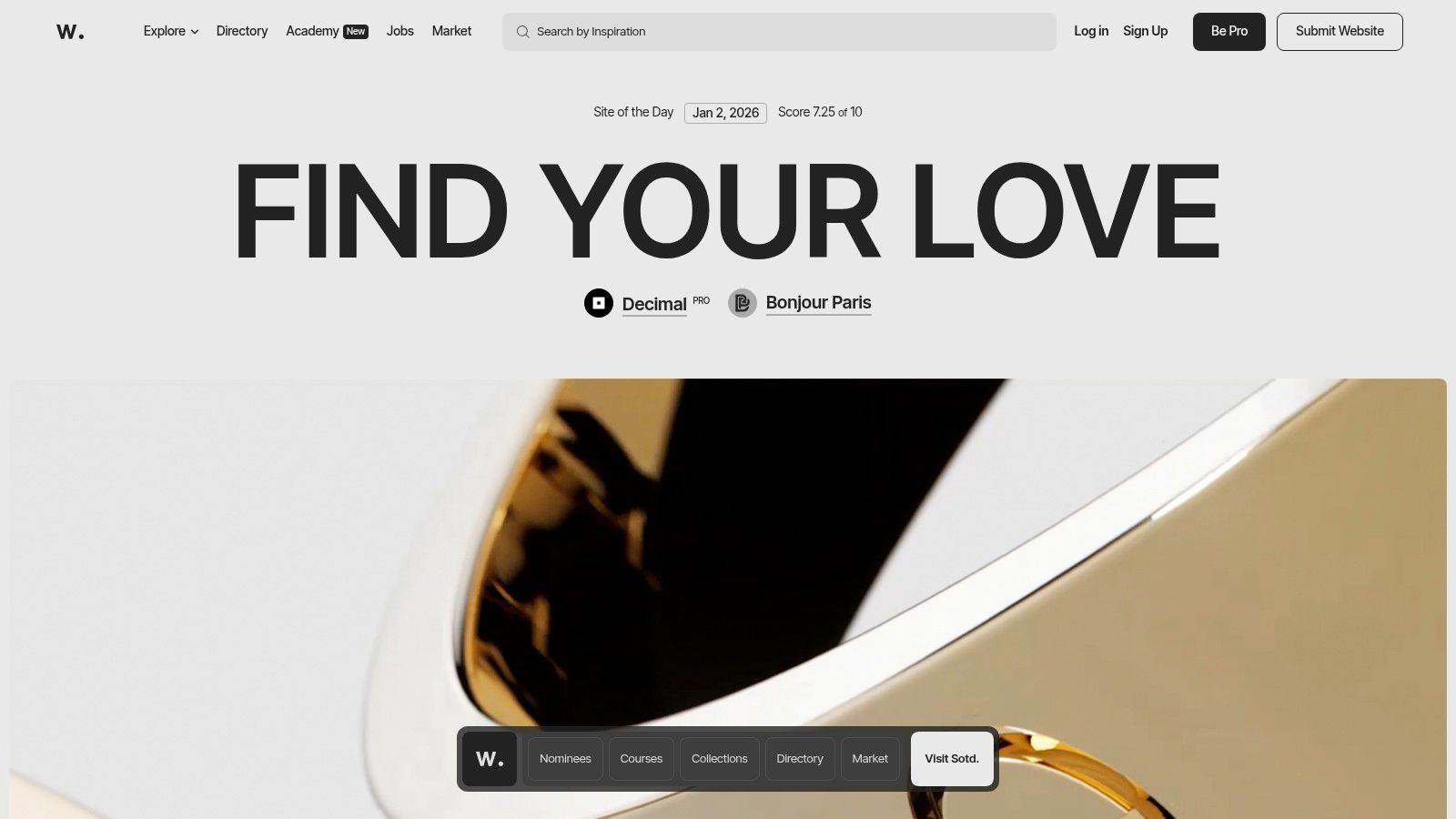
Unlike portfolio platforms where anyone can upload work, Awwwards is a merit-based showcase. Sites are submitted and then judged by an international jury of experts based on design, usability, creativity, and content. The winners (Site of the Day, Month, and Year) represent the pinnacle of modern web design, offering a look into emerging trends, advanced animations, and innovative user experiences.
Why It Stands Out
Awwwards’ primary strength is its rigorous curation process. The high bar for entry means you are only browsing the best of the best, which is invaluable for designers seeking to understand what top-tier, world-class work looks like. It is especially strong for seeing examples of advanced front-end development, including WebGL, 3D graphics, and complex motion design, which are less common on standard portfolio sites.
The platform also allows users to filter extensively by category (e.g., “Portfolio”), tags, technologies, and colors, making it a powerful research tool. You can create personal collections (mood boards) to save and organize your favorite examples, helping you build a reference library for your own projects. Its focus on agencies and established freelancers provides a different perspective compared to platforms geared toward individual case studies.
Platform Access and Tiers
Browsing the awarded sites on Awwwards is completely free. However, submitting a site for consideration requires a fee, and a Pro plan offers enhanced features for professionals looking to engage more deeply with the platform and its resources.
| Feature | Standard (Free) | Pro Plan (€150/year, approx. $160/year) |
|---|---|---|
| Browse Sites | Unlimited access to all galleries | Unlimited access to all galleries |
| Collections | Create public collections | Create private collections |
| Directory Profile | Not available | Professional profile in the Awwwards Directory |
| Courses/Books | Standard pricing | Discounts on Awwwards Academy courses and e-books |
| Site Submission | Submission fee applies (€50) | One free site submission per year |
Practical Tips for Effective Use
- Filter for Portfolios: Use the “Categories” filter and select “Portfolio” to narrow your search specifically to personal and agency portfolios. This is the fastest way to find relevant examples.
- Study the “Details” Section: Every winning site has a “Details” tab where you can see the technologies used (e.g., GSAP, Three.js, React). This is crucial for understanding how a specific effect was achieved.
- Deconstruct Interactions: Don’t just look at the aesthetics. Pay close attention to hover states, page transitions, and loading animations. These micro-interactions are often what set Awwwards-level sites apart.
- Balance Aspiration with Practicality: Many featured sites have large budgets and development teams. Draw inspiration from the concepts and art direction, but adapt them to a scale that is realistic for your own portfolio.
4. Webflow (Showcase + Templates)
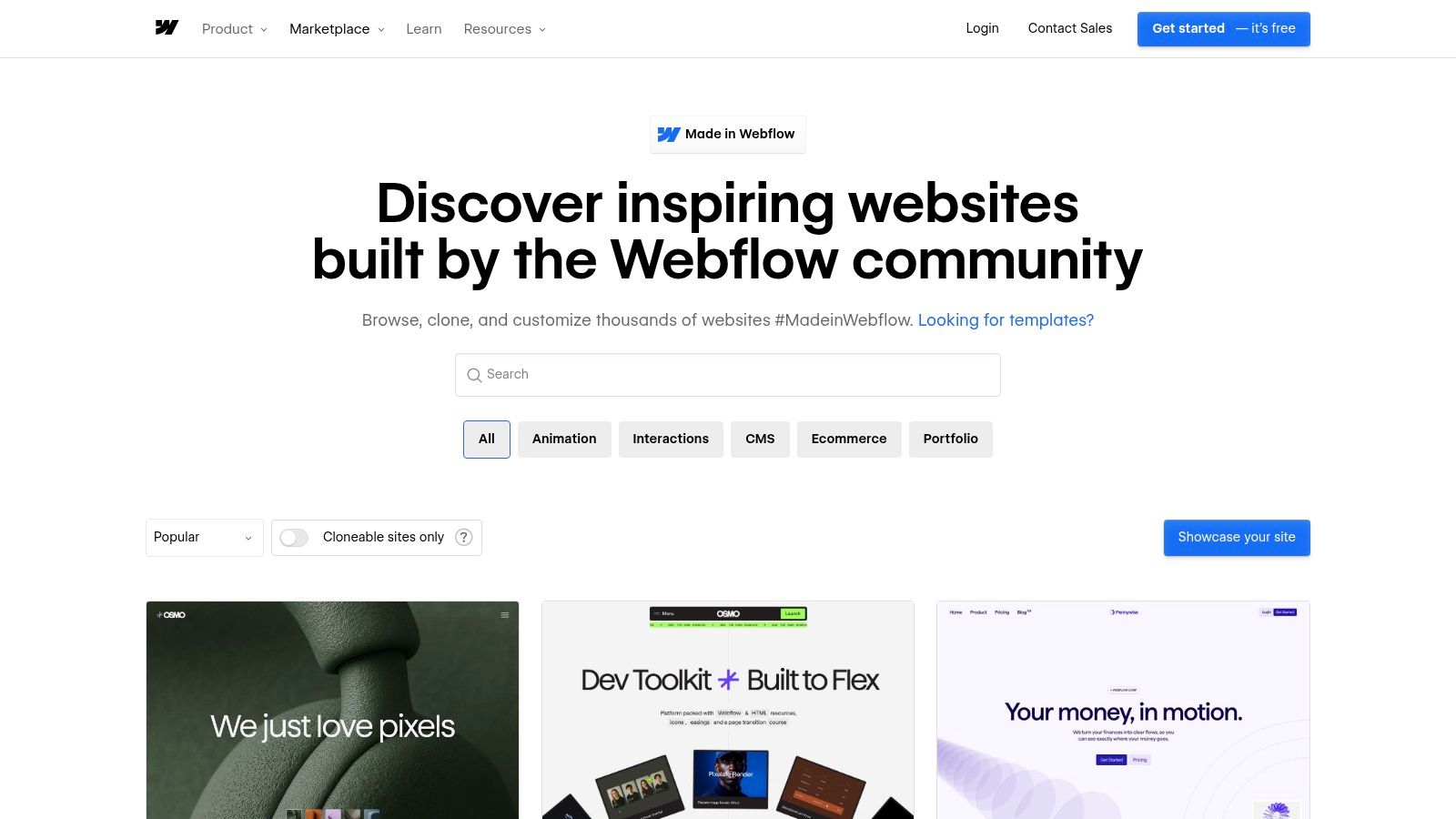
Webflow offers a powerful, hands-on approach to building a portfolio by providing two distinct paths: its “Made in Webflow” Showcase and an official Template Marketplace. The Showcase is a gallery of thousands of live sites built by the community, many of which are “cloneable,” allowing you to copy the entire project into your own Webflow account for free customization. This makes it an exceptional platform for finding high-quality design portfolio examples that you can immediately deconstruct and adapt.
The platform combines a visual, no-code editor with a robust CMS and built-in hosting, enabling designers to go from inspiration to a live, custom-coded website without writing a single line of code. This unique blend of discovery and creation empowers you to not only see what’s possible but to build it yourself, making it a favorite among product designers and UX professionals who want full control over the final presentation.
Why It Stands Out
Webflow’s key advantage is its “cloneable” ecosystem. Unlike platforms where you can only view examples, Webflow lets you dive into the backend of expertly designed portfolios, see how they are structured, and reuse the entire framework. This learn-by-doing approach is invaluable for understanding responsive design, animations, and CMS collections. When utilizing platforms like Webflow to construct your portfolio, understanding the principles of effective interface design for websites is crucial for achieving superior user experience.
The official Template Marketplace provides a second, more direct route. These paid, production-ready templates are vetted for performance and quality, offering a polished starting point for those on a tighter schedule. The combination of a visual editor, CMS, and integrated hosting means you can manage your entire portfolio from a single dashboard, from design and content updates to deployment.
Platform Access and Tiers
While browsing the Showcase is free, building and publishing a site on Webflow involves a subscription. You can build and stage a site for free, but a paid plan is required to connect a custom domain and go live.
| Feature | Free Staging | Site Plans (from $14/month, billed annually) |
|---|---|---|
| Project Creation | Up to 2 unhosted sites | Varies by plan; starts with 1 live site |
| Custom Domain | No (uses a webflow.io subdomain) | Yes |
| CMS Items | 50 items | Starts at 2,000 items |
| Made in Webflow Showcase | Full access to browse and clone | Full access to browse and clone |
| Template Marketplace | Access to purchase and use templates | Access to purchase and use templates |
Practical Tips for Effective Use
- Filter for “Cloneable”: When browsing the Made in Webflow Showcase, use the filter to find cloneable portfolio projects. This is the fastest way to get a professional-grade structure you can customize with your own content.
- Analyze the Navigator Panel: Once you clone a project, spend time in the Webflow Designer studying the Navigator panel. This shows you the exact HTML structure and CSS classes used, offering deep insight into how professionals build clean, scalable layouts.
- Start with a Simple CMS: Use Webflow’s CMS to manage your case studies. Create a “Projects” collection with fields for a title, description, cover image, and rich text for the case study body. This makes adding and editing projects incredibly efficient.
- Optimize Your Images: Webflow is powerful, but large, unoptimized images can slow your site down. Use tools like TinyPNG to compress your visuals before uploading to ensure a fast, smooth user experience for recruiters.
5. Squarespace Templates (Portfolio)
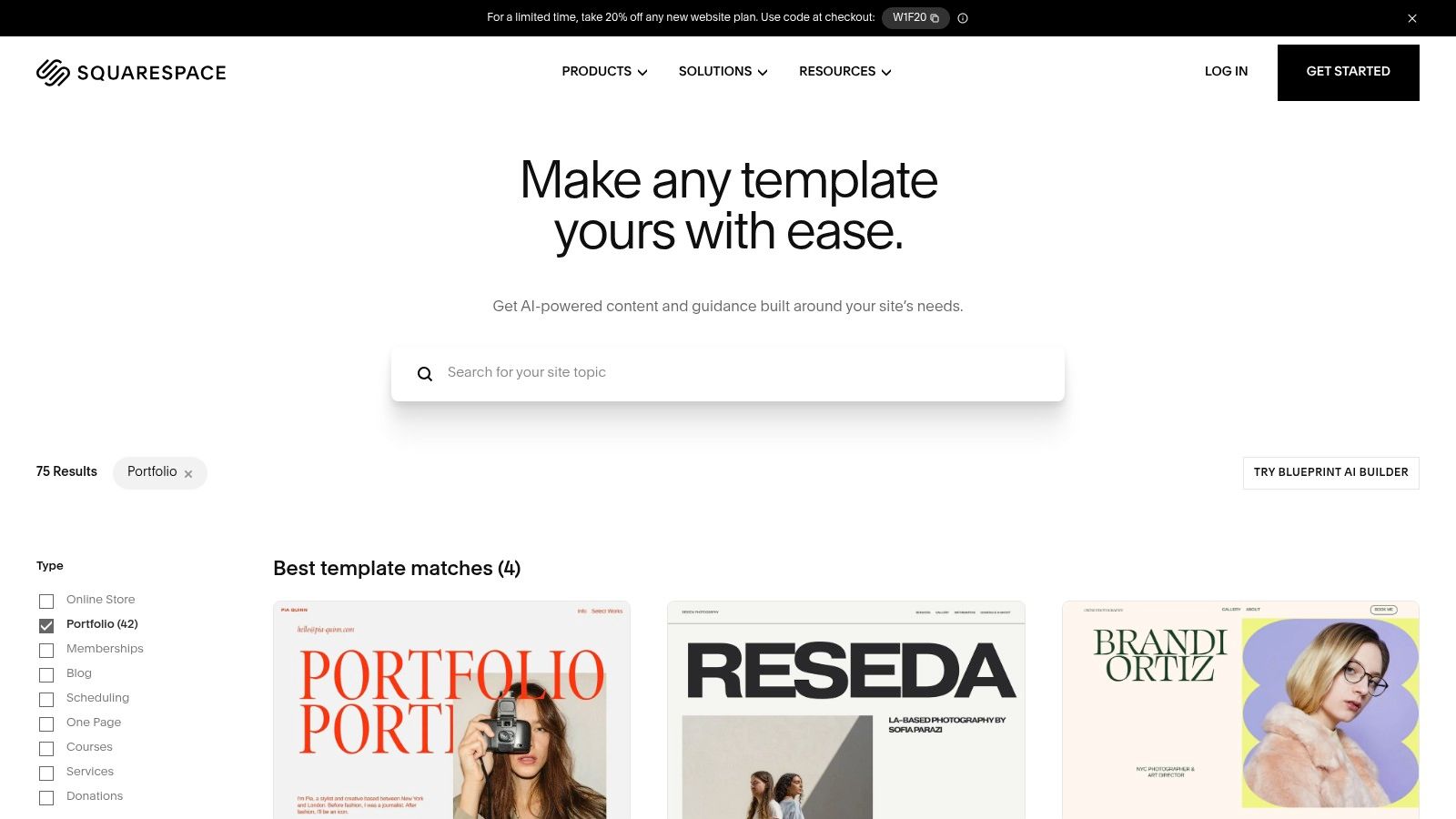
Squarespace is a leading all-in-one website builder renowned for its designer-made templates and ease of use. For designers seeking a fast, professional, and low-maintenance way to build a portfolio, Squarespace offers a curated selection of templates specifically tailored for creative work. It removes the technical overhead of hosting, security, and updates, allowing creators to focus purely on content and presentation.
Unlike platforms focused on community discovery, Squarespace provides the tools to build a standalone, personal brand destination. Its templates offer a strong foundation of clean typography, ample white space, and grid-based layouts that let visual work shine. This makes it an excellent source for design portfolio examples that prioritize polish and a boutique feel, appealing to individual freelancers, photographers, and multidisciplinary artists who need a polished web presence without a steep learning curve.
Why It Stands Out
Squarespace’s core strength is its balance of simplicity and aesthetic quality. The visual, drag-and-drop editor (“Fluid Engine”) allows for intuitive page building, while the pre-designed templates ensure that the final result adheres to modern design principles. This makes it accessible for designers who may not have deep web development skills but still demand a high-end look. Recruiters often appreciate the clean, consistent, and predictable user experience of a Squarespace site.
Furthermore, its integrated ecosystem is a major advantage. You can buy a domain, set up a professional email, view analytics, and even add e-commerce functionality to sell prints or digital assets all within one dashboard. This unified approach simplifies website management and is backed by reliable 24⁄7 customer support, a significant benefit for solo designers who can’t afford downtime.
Platform Access and Tiers
Squarespace is a subscription-based service and does not offer a free-forever plan, though it provides a 14-day free trial. Access to the platform requires an active subscription, with different tiers unlocking more advanced features like e-commerce and custom code injection.
| Feature | Personal ($16/month, billed annually) | Business ($23/month, billed annually) |
|---|---|---|
| Templates | Full access to all templates | Full access to all templates |
| Custom Domain | Free for the first year | Free for the first year |
| Analytics | Basic website analytics | Advanced website analytics |
| Custom Code | Not available | Available (CSS & JavaScript injection) |
| E-commerce | Not available | Fully integrated e-commerce with a 3% transaction fee |
Practical Tips for Effective Use
- Choose a Content-First Template: Select a template that best showcases your specific type of work. If your portfolio is heavy on large visuals, pick a template with full-bleed image galleries. If it’s UX-focused, choose one with strong text and case study layouts.
- Customize Beyond the Basics: While templates are a great start, customize fonts, colors, and spacing to match your personal brand. Use the “Fluid Engine” editor to create unique, asymmetrical layouts that help your site stand out from the default look.
- Optimize for SEO: Use Squarespace’s built-in SEO tools. Write descriptive page titles, meta descriptions for each project, and add alt text to all your images. This helps recruiters and clients find you through search engines.
- Create a Compelling “About” Page: This is often the second most-visited page after your homepage. Go beyond a simple bio; tell your story, explain your design philosophy, and include a professional headshot to build a personal connection.
6. Creative Market
Creative Market is a bustling online marketplace for ready-to-use design assets, created by a global community of independent creators. While not a portfolio hosting platform itself, it is an indispensable resource for designers looking to create stunning, professional-grade portfolio documents, presentations, and case studies without starting from scratch. It offers a vast library of high-quality templates for applications like InDesign, Canva, and PowerPoint.
This platform is the perfect pit stop for designers who need to create a polished PDF portfolio to attach to an application or a compelling slide deck for an interview. Instead of building layouts, master pages, and paragraph styles from the ground up, you can purchase a template that aligns with your personal brand. This approach provides a shortcut to a polished final product, making it an excellent source for tangible design portfolio examples that you can adapt and make your own.

Why It Stands Out
Creative Market’s primary advantage is its sheer variety and the time it saves. The platform features thousands of portfolio templates catering to every design discipline, from graphic and brand designers to UX/UI and product designers. You can find minimalist layouts, bold and expressive designs, and everything in between. This massive selection ensures you can find a starting point that truly reflects your style.
Another key differentiator is the quality and user-friendliness of the assets. Most templates are sold by professional designers and come with well-organized layers, master pages, and clear instructions. This allows you to simply drop in your content (images, text, and data) and focus on telling your project’s story rather than wrestling with layout design. The inclusion of seller ratings and detailed customer reviews also provides a layer of quality control, helping you invest in a reliable product.
Platform Access and Tiers
Creative Market operates on a per-product purchase model. There is no subscription fee to browse or buy assets. You create a free account and purchase templates, fonts, or mockups individually. Prices are set by the independent creators and can range from a few dollars to over a hundred, depending on the complexity and license.
| Feature | Standard License | Extended License |
|---|---|---|
| Usage | For personal or commercial use in one project | For personal or commercial use in unlimited projects |
| End Product for Sale | Not permitted | Permitted, can be used in a product sold to end-users |
| Pricing | Base price set by the creator | Higher price, typically 2-5x the standard license fee |
| Accessibility | Instant download after purchase | Instant download after purchase |
| Support | Varies by seller; many offer direct support | Varies by seller; many offer direct support |
Practical Tips for Effective Use
- Read the Fine Print: Before purchasing, carefully check the template’s specifications. Note which software it requires (e.g., InDesign CC, Canva, Figma), if fonts are included, and the terms of the license.
- Check Previews and Reviews: Scrutinize the product mockups and live previews to ensure the layout meets your needs. Read customer reviews to gauge the quality of the file organization and the helpfulness of the seller.
- Customize to Make It Your Own: A template is a starting point, not the final destination. Change the colors, typography, and layout elements to align with your personal brand. The goal is to make it look like your portfolio, not a generic template.
- Pair with High-Quality Mockups: Many sellers on Creative Market also offer device and branding mockups. Using a consistent set of high-quality mockups (also available on the platform) will elevate the professionalism of your final portfolio document.
7. Etsy (Digital Templates for Portfolios)
Etsy is a global marketplace known for handmade and vintage items, but it’s also a treasure trove of digital goods created by independent designers. For those needing a polished portfolio quickly and on a budget, Etsy offers thousands of instant-download templates for tools like Adobe InDesign, Canva, and even PowerPoint. These templates are especially useful for creating print-ready or static PDF portfolios, a format still requested by some traditional agencies and for in-person interviews.
While not a portfolio hosting platform itself, Etsy provides the raw materials to build high-quality design portfolio examples without starting from scratch. You can find templates tailored to specific roles like UX designer, graphic designer, or photographer. The marketplace model means you can find a vast range of aesthetic styles, from minimalist and corporate to bold and artistic, all at highly accessible price points.
Why It Stands Out
Etsy’s primary strength is its combination of affordability, variety, and instant access. Unlike subscription-based template services, most Etsy templates are a one-time purchase, often for less than the cost of a monthly software subscription. This makes it an ideal resource for students, new graduates, or designers on a tight budget. The direct-to-creator model also allows for a level of personalization not found elsewhere; many sellers offer customization services or are available to answer questions via direct message.
Another key differentiator is the focus on tangible or distributable formats. While web portfolios are the standard, having a professionally designed PDF version is invaluable. Many Etsy templates include different layouts (A4 and US Letter), page templates for various project types (case studies, about me, resume), and often come with helpful PDF guides or video tutorials from the creator, explaining how to customize the files effectively.
Platform Access and Tiers
Etsy is a marketplace, so access is free for buyers. The cost is per-template, set by the individual seller. Prices are generally low, but quality and included features can vary significantly.
| Feature | Buying on Etsy | Key Considerations |
|---|---|---|
| Cost Structure | One-time purchase per template/digital asset | Prices typically range from $5 to $50 |
| Access | Instant download via a web browser after purchase | Digital downloads are not supported on the Etsy mobile app |
| Support | Direct messaging with the shop owner/creator | Response times and support quality vary by seller |
| File Formats | InDesign, Canva, PDF, PowerPoint, etc. | Always check the item description for software requirements |
| Licensing | Varies by seller; typically for personal use only | Review the seller’s terms before purchasing |
Practical Tips for Effective Use
- Read Reviews and Check Ratings: A seller’s reputation is your best indicator of quality. Look for shops with numerous positive reviews that mention ease of use, good documentation, and helpful customer service.
- Analyze the Template Previews: Scrutinize the preview images. Do the layouts match the kind of projects you want to showcase? Check for typographic consistency, grid structure, and overall design quality before you buy.
- Verify Software Compatibility: Double-check that the template is for a program you own and know how to use. A beautiful InDesign template is useless if you only work in Canva.
- Customize to Make It Your Own: Use the template as a starting point, not a final product. Change the colors, fonts, and layout to reflect your personal brand. The goal is to make your work shine, not to showcase the template itself.
7-Platform Design Portfolio Comparison
| Platform | Implementation Complexity 🔄 | Resource Requirements ⚡ | Expected Outcomes 📊⭐ | Ideal Use Cases 💡 | Key Advantages ⭐ |
|---|---|---|---|---|---|
| Behance (Adobe) | Low 🔄 — quick profile & uploads | Low cost to browse; Pro paid for analytics/features ⚡ | High visibility to recruiters; broad case-study variety ⭐⭐📊 | Research end-to-end projects; public portfolio sharing 💡 | Massive searchable library; Adobe integration ⭐ |
| Dribbble | Low 🔄 — simple visual posts | Free tier; Pro for leads/fees removed; time to craft shots ⚡ | Strong visual exposure; fast trend spotting ⭐⭐📊 | Style benchmarking, micro-interactions, freelance leads 💡 | Visual-first feed; active marketplace for gigs ⭐ |
| Awwwards | Medium–High 🔄🔄 — curated, advanced sites | Higher resources to reproduce (dev/design); some paid features ⚡⚡ | Top-tier, experimental inspiration; award benchmarks ⭐⭐📊 | Study cutting-edge interactions, art direction, agency work 💡 | Curated award winners; high-quality references ⭐ |
| Webflow (Showcase + Templates) | Medium 🔄🔄 — learning curve for CMS/editor | Subscription for hosting; time to learn editor; cloneables speed work ⚡⚡ | Production-ready, interactive portfolios; fast to publish ⭐⭐📊 | Clone & customize live sites; no-code publishing 💡 | Cloneables + CMS + hosting; robust no-code editor ⭐ |
| Squarespace Templates (Portfolio) | Low 🔄 — drag-and-drop setup | Subscription hosting; limited custom code on lower tiers ⚡ | Polished, recruiter-friendly sites with consistent design ⭐📊 | Quick, low-complexity personal portfolios with support 💡 | All-in-one builder; reliable templates & support ⭐ |
| Creative Market | Low 🔄 — buy & customize templates | One-time purchases; may need InDesign/Photoshop/Canva ⚡ | High-quality printable/PDF portfolios and slide decks ⭐⭐📊 | Create PDFs/slides, printable portfolios, brand decks 💡 | Huge variety; time-saving polished layouts ⭐ |
| Etsy (Digital Templates) | Low 🔄 — instant downloads | Very affordable; seller-dependent file requirements ⚡ | Budget-friendly PDFs/prints; quality varies ⭐📊 | Students/early-career quick portfolios and printables 💡 | Low-cost templates; seller customization/help possible ⭐ |
Turn Your Portfolio Into Your Next Opportunity
We’ve journeyed through a diverse landscape of powerful tools and inspiring design portfolio examples, from the community-driven showcases of Behance and Dribbble to the polished, custom-built sites made possible by Webflow and Squarespace. Each platform offers a unique pathway to present your work, but the underlying principles of a successful portfolio remain constant. It’s not just about what you show, but how you show it.
The standout portfolios we analyzed share a common DNA. They move beyond simply displaying final visuals and instead craft compelling narratives. They articulate the problem, detail the process, and quantify the impact. This strategic storytelling is what transforms a collection of images into a powerful career-building asset.
Key Takeaways: From Inspiration to Action
Your portfolio is your single most important professional tool. It’s your resume, your case study, and your personal brand all rolled into one. To ensure it works for you, focus on these core principles drawn from the examples in this guide:
- Prioritize Story Over Style: A beautiful design is expected, but a compelling story is what captivates hiring managers. Use the STAR method (Situation, Task, Action, Result) or a similar framework to structure each case study, ensuring you clearly communicate your role and the value you delivered.
- Show, Don’t Just Tell: Instead of just describing your process, visualize it. Include wireframes, user flow diagrams, and even snippets of user feedback. This behind-the-scenes look demonstrates your strategic thinking and collaborative nature, which is especially critical for remote roles.
- Quantify Your Impact: Whenever possible, connect your design decisions to measurable outcomes. Did your redesign increase user engagement by 15%? Did your new feature reduce support tickets by a third? Data-backed results provide concrete proof of your effectiveness.
- Tailor to Your Audience: A one-size-fits-all portfolio is a missed opportunity. Curate the projects you display to align with the specific roles and companies you are targeting. Emphasize the skills and experiences that are most relevant to their needs.
Choosing the Right Tool for Your Story
The best platform for your portfolio depends entirely on your goals, skills, and the story you want to tell. Your tool choice should empower your narrative, not constrain it.
Consider these factors when making your decision:
- For Community and Exposure: If your goal is to be discovered and gain industry recognition, platforms like Behance and Dribbble are invaluable. They put your work in front of a massive, engaged audience of peers and recruiters.
- For Ultimate Customization and Control: If you want a unique, brand-aligned portfolio and have some technical comfort, Webflow is the gold standard. It offers unparalleled design freedom without needing to write code from scratch.
- For Speed and Professional Polish: If you need to get a beautiful, professional portfolio online quickly, Squarespace is an excellent choice. Its curated templates provide a strong foundation that you can easily customize.
- For Quick-Start Templates: If you want a budget-friendly and fast solution, exploring templates on Creative Market or Etsy can provide a well-designed starting point for platforms like Figma, Keynote, or even Canva.
No matter which tool you choose, the goal is the same: to create a clear, compelling, and authentic representation of your skills and potential. The best design portfolio examples are living documents, continuously updated to reflect new skills and accomplishments. Let this guide serve as your blueprint to not only build a portfolio but to craft your next great career opportunity.
Now that your portfolio is ready to impress, it’s time to find the remote opportunities that value your design expertise. Remote First Jobs specializes in connecting talented designers like you with innovative, remote-first companies. Find your next role and build your career from anywhere by exploring our curated job board at Remote First Jobs.