
A job application tracker is your command center. It’s the single place where you can manage every application, follow-up, and interview. This simple tool turns the chaos of browser tabs and forgotten emails into an organized, strategic campaign to land your next role. Using a spreadsheet is the quickest way to get a handle on your search and know exactly where you stand with every single opportunity.
Why a Spreadsheet Is Your Secret Weapon in a Crowded Job Market
Let’s be real—the modern job search, especially for remote roles, can feel like shouting into the void. You spend hours tailoring your resume, crafting the perfect cover letter, and hitting “submit,” often to be met with complete silence. It’s a frustrating cycle known as the ‘spray and pray’ approach, and it’s a one-way ticket to burnout.
The truth is, you’re competing in a hyper-competitive market. Without a system, it’s so easy for critical details to fall through the cracks. You forget which resume version you sent where, when you actually applied, or if you even heard back. A simple job application tracker solves all of this by turning your search from a passive waiting game into an active campaign you control.
The Shift from Applicant to Project Manager
It’s time to stop thinking of yourself as just a job seeker and start acting like the project manager of “Operation: Get Hired.” Your spreadsheet is your project dashboard. It’s where you log every move, track the status of each application, and plan your next step. This methodical approach gives you a sense of clarity and control that’s impossible to get from memory alone.
By meticulously tracking every step, you transform a disorganized, reactive process into a proactive strategy. This mental shift is just as important as the tool itself; it empowers you to make data-driven decisions about where to focus your energy.
This organized mindset is especially crucial when you’re going after those high-value remote jobs. The competition is fierce, with some remote positions getting swamped with applications. Without a solid tracking system, you’re just another name in a database of thousands.
A well-kept tracker empowers you to manage over 50 applications a week, helping you prioritize roles you find on direct company career pages—like the 44,000+ verified remote jobs on platforms that scan thousands of companies for fresh listings daily. A strategic follow-up, prompted by a note in your tracker, can be the very thing that boosts your interview callback rate. You can dive deeper into remote work statistics and trends to truly understand the competitive landscape you’re navigating.
A Clear View of Your Job Search Funnel
Your tracker also gives you a bird’s-eye view of your entire job search funnel, revealing patterns you’d otherwise miss completely. You might discover that applications sent through a specific job board lead to more interviews, or notice you consistently pass the first screening for a certain type of role. This feedback loop is pure gold for refining your strategy on the fly.
Just look at the stark difference between an unorganized job search and a strategically tracked one.
Manual vs. Tracked Job Application Outcomes
| Metric | Manual ‘Spray and Pray’ Approach | Strategic Tracking Approach |
|---|---|---|
| Follow-Up Rate | Inconsistent, often forgotten | Systematic and timely (e.g., 7-10 days) |
| Application Quality | Generic, one-size-fits-all resumes | Tailored resumes for each role |
| Interview Rate | Low, unpredictable | Higher, due to targeted follow-ups |
| Overall Stress | High, feeling of chaos and uncertainty | Lower, sense of control and clarity |
The results speak for themselves. Taking a few moments to log each application doesn’t just get you organized; it fundamentally changes the outcome of your job search, putting you in the driver’s seat.
Download Your Free Job Application Tracking Template
This is where your job search gets organized. Say goodbye to scattered notes, endless browser tabs, and that nagging feeling you’ve forgotten to follow up on a promising role. We’ve put together a powerful job application tracking template designed to bring some much-needed order to the chaos.
We’ve made it available in two of the most popular formats, so you can use it no matter what your workflow looks like. It’s completely free, fully customizable, and ready to become the command center for your job hunt.
- [Download for Google Sheets (Link Here)] - Perfect for cloud-based access from any device.
- [Download for Microsoft Excel (Link Here)] - Ideal for anyone who prefers a desktop-first setup.
But before you dive in, let’s take a quick look at how this tracker is built to start working for you from the very first entry.
A Look Inside Your New Job Tracker
It helps to understand the thinking behind the template’s design. Each column is there to capture a specific piece of information that helps you make smarter decisions. This isn’t just a list; it’s a dynamic dashboard for your career.
Here’s a snapshot of the core template, showing just how cleanly it organizes your application pipeline.
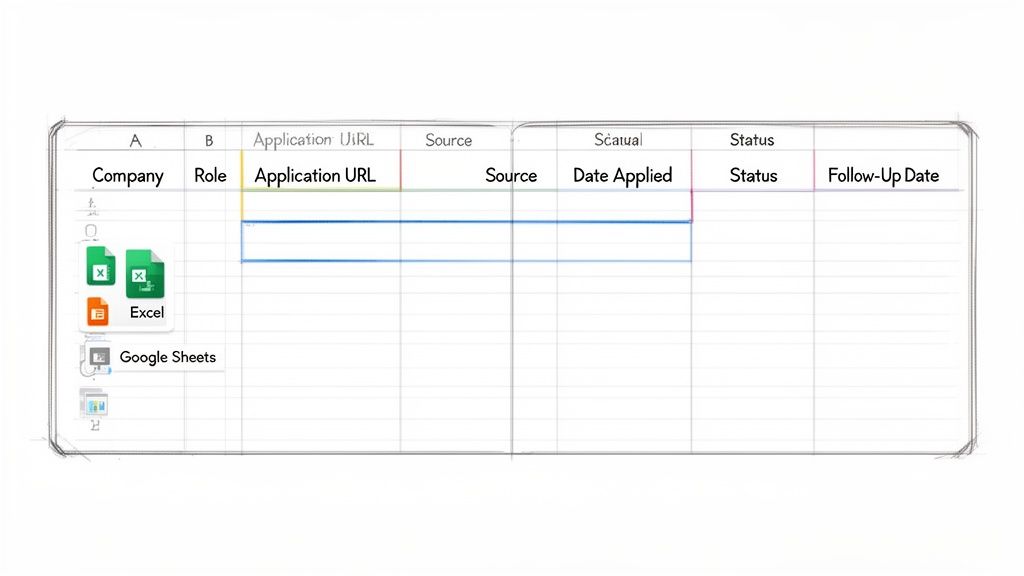
The clean layout immediately shows you where every opportunity stands, turning what can be an overwhelming process into something you can actually manage.
The Purpose Behind Each Column
Every field in this job tracker has a strategic purpose. When used together, they create a complete picture of your efforts, your pipeline, and your results.
Here’s a breakdown of the essential columns you’ll find:
- Company & Role: The basic “who” and “what.” This seems obvious, but when you’re managing dozens of applications, having it clearly logged prevents a lot of confusion.
- Application URL: Think of this as your direct link back to the original job description. It’s absolutely crucial for reviewing key details before an interview without frantically searching your browser history.
- Source: Where did you find this lead? Was it on LinkedIn, a niche job board, or a direct referral? Tracking this shows you which channels are actually paying off.
- Date Applied: A simple timestamp that becomes incredibly powerful. It’s the starting line for all your follow-up activities and helps you spot when an application might be going stale.
Your tracker is only as good as the data you put in it. Consistently filling out these key fields creates a rich dataset that will guide your job search strategy and show you what’s working.
Of course, tracking is just one piece of the puzzle. You also need to make sure each application you send is as strong as it can be. If you’re looking to polish your resume, you can also find a free Europass CV template to ensure it’s professional and ready to impress.
The Most Important Fields for Taking Action
While every column is useful, two fields are the real engine of this job tracker: Status and Follow-Up Date. These are what turn your spreadsheet from a passive log into an active tool for landing interviews.
The Status column is where you’ll use a dropdown menu with options like:
- Applied: The first step. Log it and move on.
- Followed Up: You’ve sent that crucial follow-up email.
- Interview Scheduled: A huge milestone!
- Offer Received: The ultimate goal.
- Rejected/Closed: Just as important for closure and learning.
This one column gives you an instant, bird’s-eye view of your entire pipeline. When you pair it with the Follow-Up Date, which you can set for 7-10 days after applying, you create a simple system that prompts you to take action at just the right time. No more opportunities will slip through the cracks because you just forgot.
How to Customize Your Tracker for a Remote-First Search
Any job application tracking template is a good starting point, but a remote-first search comes with its own unique set of headaches. You aren’t just looking for a new title; you’re vetting a completely different lifestyle. This means your tracker needs to capture details that are totally irrelevant for a traditional office job.
Let’s turn that basic template into your personal command center, fine-tuned for finding a truly distributed role. This isn’t just about cramming in more columns. It’s about tracking the specific data points that let you cut through the noise and zero in on legitimate opportunities that actually fit your life.
Adding Remote-Specific Columns
The usual fields like ‘Company’ and ‘Role’ are non-negotiable, but they barely scratch the surface for a remote job seeker. You have to figure out if a job is just “remote-friendly” or if it’s truly remote for you. Making that distinction early can save you from sinking hours into dead-end applications.
Start by adding these columns to your spreadsheet. They give you the crucial, at-a-glance information you need to disqualify opportunities right away.
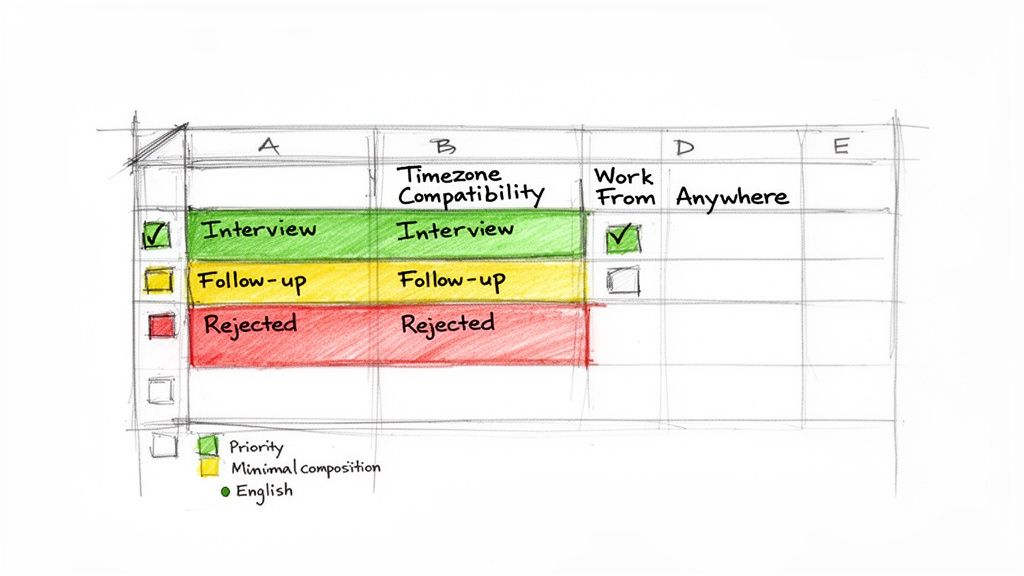
- Timezone Compatibility: Is the role locked to a specific timezone, like PST or EST? This is your first and most important filter. If you’re based in Europe, a job demanding you work 9-to-5 Pacific Time is likely a non-starter.
- Work From Anywhere (WFA): This answers a simple but critical question: can you work from any country, or are there geographic chains attached (e.g., “US Only,” “EU Residents”)?
- Synchronous vs. Asynchronous: Make a note of whether the company’s culture leans toward real-time meetings and collaboration (sync) or champions flexible, independent work (async). This detail, often hidden in the job description, speaks volumes about the work-life balance you can expect.
Adding these fields transforms your tracker from a simple list into a real decision-making tool. You can instantly filter out the roles that are logistically impossible and pour your energy into the ones that are a genuine fit.
Using Color to Visualize Your Pipeline
Your tracker shouldn’t look like a wall of text. By setting up a simple color-coding system with conditional formatting, you can get an instant visual snapshot of your entire job search pipeline. It turns your data into an intuitive dashboard.
Set up rules tied to your ‘Status’ column to automatically highlight each row. This gives you immediate feedback on where you need to focus your efforts.
A visually organized tracker helps you process information faster. At a glance, you can see your momentum—how many roles are moving forward, which need a follow-up, and where you’re hitting roadblocks.
Here’s a practical color scheme to get you started:
- Yellow for “Applied”: This shows an application that’s out in the world. It’s in the system, but for now, you just need to let it breathe.
- Orange for “Followed Up”: As soon as you send that 7-day follow-up email, change the status. This color signals that you’ve nudged them and are waiting for a response.
- Green for “Interview Scheduled”: This is your win column! Green means progress, active engagement, and a real shot with a potential employer.
- Red for “Rejected/Closed”: It’s disappointing, but this is crucial data. It gives you closure and lets you officially move on without any second-guessing.
This visual feedback loop is incredibly motivating. Seeing those green rows appear proves your strategy is working, while a sea of yellow might be the push you need to get more proactive with your follow-ups.
Prioritizing Applications from Direct Sources
Not all application sources are created equal, and this is especially true for remote work. For you, the exhausted LinkedIn migrant, tracking your applications by both date and source is a game-changer. This helps you catch the ‘first mover’ wave on brand-new job listings.
Job seekers without a system abandon 40% of apps due to disorganization, while using a tracker boosts completion rates to 85% and can lead to 20-30% more callbacks. You can find more hiring trend data to see how you can get ahead of the curve.
Your ‘Source’ column is one of the most strategic parts of your tracker. By analyzing where your best leads are coming from, you can double down on what works and ditch the rest. In the remote world, applying directly on a company’s career page often gives you a major advantage.
This is because job boards that just scrape and aggregate listings from other sites are often riddled with “ghost jobs”—postings that are outdated, already filled, or were never meant to be filled at all. When you use your tracker to prioritize direct-source applications, you’re focusing your energy on verified, live opportunities and saving yourself from the black hole of applying to jobs that don’t really exist.
Automating Your Follow-Ups to Never Miss an Opportunity
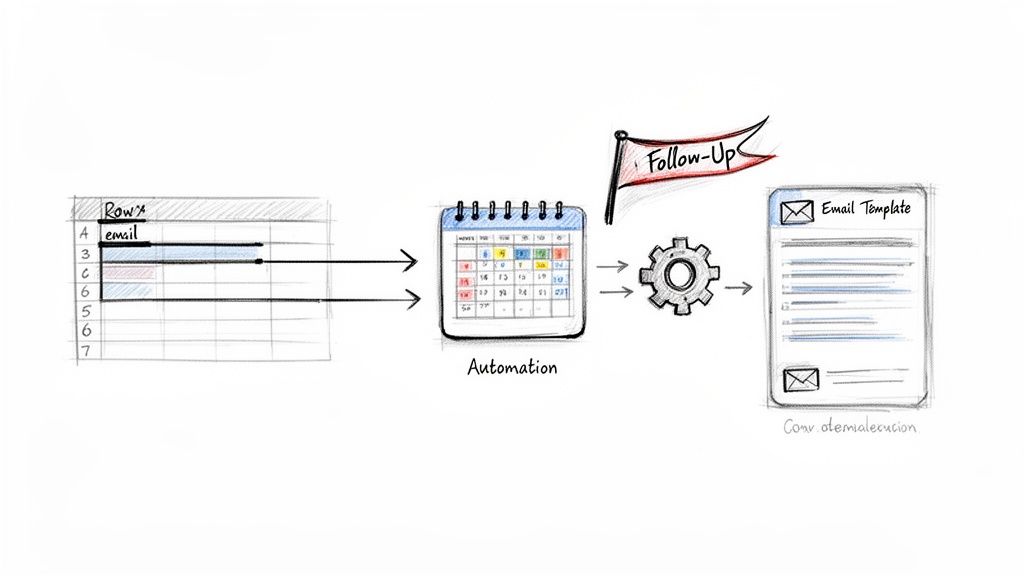
A job tracker is great for staying organized, but its real power comes when you make it work for you. Manually checking your spreadsheet every day to see who needs a follow-up email is a chore that’s all too easy to forget. It’s time to turn that passive log into an active system that makes sure no opportunity gets lost in the shuffle.
Setting up simple automations offloads the mental burden of remembering every single application deadline. This frees you up to focus on what really moves the needle: prepping for interviews and finding more great roles. We’ll use free, common tools to build a system that acts like your own personal job-seeking assistant.
Simple Automation Recipes for Your Job Tracker
Automation sounds intimidating, but it’s really just about setting up simple “if this, then that” rules. These rules connect your spreadsheet to other apps, handling the repetitive but crucial tasks that eat up your time. Tools like Zapier or IFTTT have generous free plans that are perfect for getting this done.
Think of these as simple recipes. You set them up once, and they just work in the background, keeping you on track without you having to lift a finger.
The goal of automation isn’t to be fancy; it’s to be reliable. A simple, automated reminder is far more effective than the best of human intentions, especially when you’re managing dozens of applications.
Here are a few practical examples you can set up in minutes. These automations connect the dots between logging an application and taking the right action at the right time.
This table outlines a few essential automation rules that will connect your spreadsheet to other tools and save you a ton of time.
Essential Automation Recipes for Your Job Tracker
| Trigger (If This Happens…) | Action (…Then Do This) | Tool Required |
|---|---|---|
| A new row is added to your Google Sheet tracker | Create a Google Calendar event titled “Follow-Up: [Company Name]” for 7 days in the future | Zapier or IFTTT |
| The “Status” column is updated to “Interview Scheduled” | Create a detailed calendar event with the job description link and interview notes from the sheet | Zapier or IFTTT |
| You add a new contact person’s email to the tracker | Add that contact to a specific list in your email client for easy access | Zapier or IFTTT |
Just setting up the first automation—the follow-up reminder—is a total game-changer. It guarantees you’ll never forget that critical 7-to-10-day window where a polite nudge can make all the difference.
Creating Email Templates for Hyper-Efficiency
Once your reminders are automated, the next logical step is to make the follow-up process itself as quick as possible. Rewriting thank-you notes and check-in emails from scratch is a massive waste of energy. A much smarter approach is to build a small bank of ready-to-go templates.
You can store these right in your job tracker on a separate tab. This simple addition turns you into a hyper-efficient “Power Searcher” who can send a polished, professional email in seconds flat.
Have these templates ready to go:
- The Post-Application Follow-Up: A brief, professional email to send 7-10 days after applying if you haven’t heard back.
- The Post-Interview Thank-You Note: A personalized note to send within 24 hours of an interview.
- The “Checking In” Email: For following up after an interview if their stated decision timeline has passed.
Let’s take a look at what a solid follow-up template actually looks like.
Example Follow-Up Email Template
Subject: Following up on my application for the [Job Title] role
Hi [Hiring Manager Name],
I hope this email finds you well.
I’m writing to follow up on my application for the [Job Title] position I submitted on [Date Applied]. I remain very interested in the opportunity to join the team at [Company Name] and contribute to your work in [mention a specific project or company value].
My experience in [mention 1-2 key skills] aligns well with the requirements you outlined in the job description, and I’m confident I could make a valuable contribution.
I know you’re busy, but I’d appreciate any update you can provide on the status of my application.
Thank you for your time and consideration.
Best regards,
[Your Name]
By keeping this in your spreadsheet, all you have to do is copy, paste, and fill in the bracketed info. This system combines the organizational power of your tracker with proactive engagement, making sure you stay ahead of the competition without all the stress.
Smarter Strategies for Finding and Winning Remote Roles
So, you have your job application tracker ready to go. Think of it less like a simple logbook and more like your personal command center. A great template is the start, but how you use it is what gives you a real edge in the crowded remote job market.
The remote job scene moves incredibly fast. Your biggest advantage is finding and acting on fresh opportunities before everyone else does. This is where your tracker shifts from a passive list to a proactive tool for your job hunt.
Master the 48-Hour Application Window
In the world of remote work, speed is your secret weapon. The best job postings, especially on popular sites, can get buried under hundreds of applications within the first couple of days. Applying early isn’t just good practice; it’s a critical move that massively boosts your odds of a human actually seeing your resume.
This is where the “Date Applied” and “Source” columns in your tracker become invaluable. Get into the daily habit of scanning your go-to sources—like the hand-picked company pages on sites such as https://remotefirstjobs.com/—and log any new roles you find right away. Make it your mission to prioritize applying to anything posted within the last 48 hours.
A prompt application shows you’re genuinely interested and immediately puts your name near the top of the pile. Recruiters often start reviewing candidates the moment they come in, so being in that first wave is a huge plus.
By zeroing in on these fresh postings, you stop reacting and start proactively engaging with roles when your application has the most impact. This one small shift can be the difference between landing an interview and getting lost in the noise.
Spotting and Sidestepping ‘Ghost Jobs’
There’s nothing more draining than pouring your energy into applying for “ghost jobs”—postings that are old, already filled, or were never really open to begin with. These fake-outs clog up job boards and waste your time. Luckily, your tracker can help you sniff them out.
Your best defense is to cross-reference everything. If you spot a great-looking role on a big job board, take an extra minute to check the company’s official career page. If the job isn’t listed there, consider it a major red flag.
Use the “Notes” column in your tracker to keep a record of your detective work. A quick note can save you a lot of future headaches.
- “Found on LinkedIn, but not on the company site. Likely a ghost job.”
- “Posted over 6 weeks ago. Probably filled, moving on.”
After a while, you’ll start to see patterns. You might realize one job board has more stale listings than another, helping you focus your search on more productive ground. This little bit of diligence ensures your effort is aimed at real, active opportunities.
Tracking Resume Versions and Networking in One Place
Let’s be honest: a one-size-fits-all resume just doesn’t cut it anymore. To really catch a recruiter’s eye, you need to tailor your resume with the right keywords for each specific role. Your job tracker is the perfect tool for managing this without losing your mind.
Add a new column to your sheet and call it “Resume Version.” Use a straightforward naming system like “Resume_CompanyX_Marketing.pdf” or “CV_v3_ProductManager.docx.” This small step ensures you always know which version you sent and can quickly pull it up before an interview.
Finally, bring your networking efforts into the fold. It’s not just about what you apply for, but who you know. Actively using strategies to expand your reach on LinkedIn can make a huge difference. When you connect with a hiring manager or an employee at a company you’re targeting, jot it down in your “Notes” column.
- “Connected with Jane Doe (Recruiter) on LinkedIn on Oct 26.”
- “Chatted with John Smith (Engineering team); he encouraged me to apply.”
This connects your formal application to your personal outreach, giving you a complete picture of your efforts and providing perfect context for any follow-ups.
Your Job Tracking Questions, Answered
Once you start using a system like this, a few common questions always seem to pop up. Think of this as the “cheat sheet” to getting the most out of your job tracker.
These aren’t just abstract theories; they’re practical answers to the real challenges you’ll face. Let’s get you set up for success.
How Many Jobs Should I Apply for Each Week?
Forget the old advice about blasting out 100 generic applications a week. That’s a recipe for burnout, not interviews. The real sweet spot is 10-15 highly targeted applications.
Your tracker isn’t there to rack up a high score. It’s a tool to ensure every application you send is a quality one. Use it to note how you’ve customized your resume for that specific role. Pro tip: I always find that prioritizing roles directly from company career pages leads to better results, since the applicant pool is often smaller.
Is a Spreadsheet Really Better Than a Dedicated App?
Honestly, for most people, yes. A spreadsheet gives you the perfect mix of flexibility and control, and it doesn’t cost a dime. While there are some slick-looking job tracker apps out there, they often come with a monthly fee or force you into a system that just doesn’t quite fit.
A simple Google Sheet or Excel file is yours to command. You can build a system that works exactly how you work, without paying for features you’ll never use.
Want to add a column for “Timezone Compatibility” or track networking contacts for a specific role? Go for it. That’s the beauty of a spreadsheet—it molds to your search, not the other way around.
What Is the Most Important Field to Update?
If you only have 30 seconds to update your tracker, focus on these two: ‘Status’ and ‘Next Follow-Up Date’. Keeping these two columns current is what turns your tracker from a simple list into a powerful project management tool.
Here’s why they’re a game-changer:
- Status: This column is your dashboard. It gives you an instant, bird’s-eye view of your entire pipeline, showing you where you have momentum and where things are stalling.
- Next Follow-Up Date: This is your secret weapon. It’s an automated nudge that prevents you from letting a great opportunity go cold. You’ll know exactly when to re-engage.
Diligently managing these two fields is the single best way to turn your spreadsheet into an interview-generating machine, not just a historical log of applications.
How Does This Template Help Me Avoid Ghost Jobs?
We’ve all been there. You spend an hour on an application only to realize the job was filled weeks ago. These “ghost jobs” are a huge time-waster, and your tracker can absolutely help you sidestep them.
First, pay close attention to the ‘Source’ column. Over time, you’ll start to see patterns. You might notice one job board, in particular, seems to have a lot of stale listings. This insight lets you focus your energy on platforms that pull directly from company sites, where the jobs are almost always live.
Second, your tracker creates a clear timeline. If a role has been sitting in your ‘Applied’ status for several weeks with absolute radio silence, it’s a major red flag. Mark it as a potential ghost job in the ‘Notes’ field. This data makes you smarter over time, helping you spot the duds and zero in on real, active opportunities.
Ready to stop wasting time on stale listings and ghost jobs? Remote First Jobs gives you a “first mover” advantage by sourcing over 44,000+ verified remote jobs directly from company career pages. Find your next role before it even hits the mainstream job boards. Check out the latest opportunities at https://remotefirstjobs.com.