A legit work from home job comes from a real employer that posts it on its own careers page, interviews you live and never asks you to pay for training, equipment or a starter kit. The safest places to look for legitimate work from home jobs are boards that take listings straight from company career pages, vet every post or charge employers to post, such as Remote First Jobs, FlexJobs and We Work Remotely.
This guide covers seven job boards and freelance marketplaces, including FlexJobs, We Work Remotely and Upwork, with direct links and screenshots to help you find your way around each site. It starts with five checks you can run on any offer, then compares the sites and ends with common scams, ghost jobs and answers about Amazon and FlexJobs.
One disclosure: this is the Remote First Jobs blog, and Remote First Jobs is number one on the list below. Facts about the other sites come from their own pages. Prices change often, so check the pricing page again before you pay for anything.
How can you tell if a work from home job is legit?
Run these five checks before you share personal details or accept an offer. Checks 1 to 3 are the ones that decide it: if a job fails any of them, walk away. Checks 4 and 5 are warning signs, not proof, because plenty of real jobs don’t show pay and many recruiters write through a hiring system. If a job fails one of those two, slow down and confirm checks 1 to 3 before you share anything.
- The job is on the employer’s own careers page. Search for the company name plus “careers”, open the official website and find the same job title there. If the only trace of the job is a text message, a chat app or a post with no company name, stop.
- You talk to a real person before any offer. Legit employers interview by video or phone, and you can look up the people you speak to on the company website or LinkedIn. An offer after a text-only chat is a classic sign of fraud.
- You never pay to start. A real employer does not charge for training, a background check, software or a starter kit, and it does not send you a check to buy equipment from a vendor it picks for you.
- If pay is shown, it is a normal salary or hourly range, not a promise. A range like “$52,000 to $64,000 a year” is normal, while “earn $500 a day from your phone” is a sales pitch. A missing salary alone is not a red flag. On Remote First Jobs, 69.7% of US-only remote and hybrid ads showed a salary from July to September 2026 (n = 16,185 ads), but only 21.2% of ads open to the EU did (n = 3,702), about 1 in 5, per our pay transparency analysis.
- Messages come from the company’s own email domain or its hiring system. Recruiters write from an address at the company’s domain, through a hiring system such as Greenhouse, Lever or Workday, or through LinkedIn, not from a Gmail address, Telegram or WhatsApp. They don’t ask for your bank details, Social Security number or ID before you have a written offer.
The first check is the easiest to skip, and it is the one Remote First Jobs does by default. Our listings are collected from the employer’s own career site or the applicant tracking system behind it (employers can also pay to post), and the Apply button takes you to the employer’s own application page. How we collect, filter and deduplicate listings is explained on our methodology page.
Which sites list legitimate work from home jobs?
These are the seven sites we would start with. They fall into three groups. Remote First Jobs and We Work Remotely list jobs that come from employer career pages or from employers who pay to post. FlexJobs and Virtual Vocations screen listings by hand and charge job seekers for full access. Indeed, LinkedIn and Upwork are large open platforms where you do more of the screening yourself.
1. Remote First Jobs
Remote First Jobs is our own board for legitimate work from home jobs. It collects postings directly from more than 21,000 company career pages and the applicant tracking systems behind them, and it never imports listings from other job boards. Third-party agency posts are filtered out and duplicate or reposted listings are collapsed, so you don’t see the same role five times under different names. Because jobs come straight from employers, roles often appear before they reach the big boards.
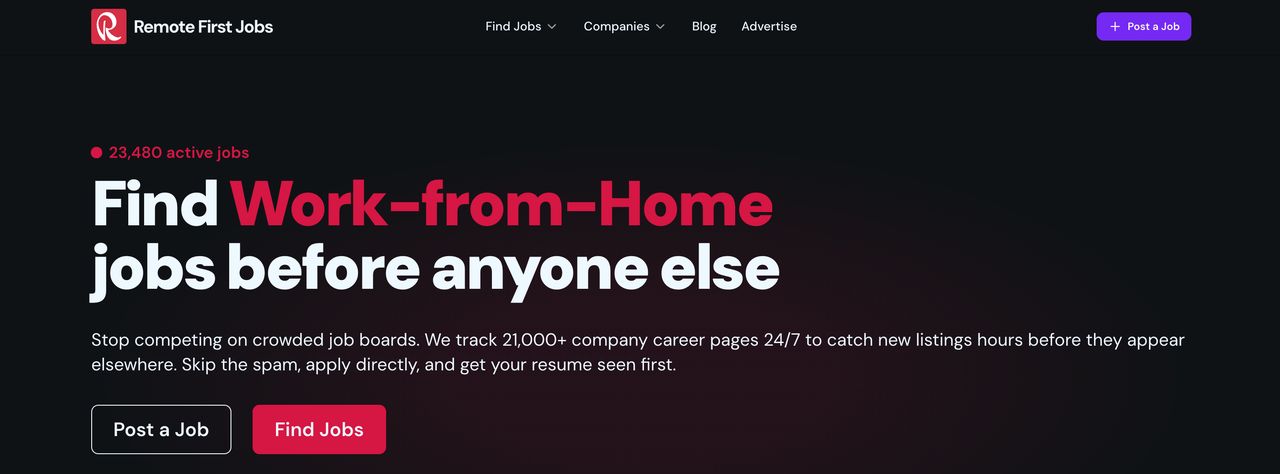
Remote First Jobs offers about 23,000 active jobs (as of 11 November 2026), and our database holds 5M+ jobs sourced directly from company pages. The jobs are not only in tech: categories run from software development, data and design to customer service, sales, finance and legal, human resources, writing and project management.
What sets it apart is search. You can filter by date posted, minimum salary and seniority, and every Apply button goes to the employer’s own page, so you spend your time on roles that fit instead of sorting through reposts.
Key Features and User Benefits
- Free, no account: You can search, browse and apply without signing up, and job seekers never pay anything.
- Apply on the employer’s site: The Apply button opens the company’s own application page, so you always know who you are dealing with.
- Advanced filtering: Narrow results by date posted (last 24 hours, 3 days or a week), minimum salary, seniority from intern to executive, category and job type.
- Listings from employer career pages: Agency posts are filtered out and duplicates collapsed.
- Country pages: Browse by country. Each job is mapped to up to three countries where it can be done.
- Email alerts without an account: Choose daily, every three days or weekly.
- Company profiles: Browse companies hiring remotely and see where each one hires, or start with our list of top remote companies.
- Resource hub: Guides for remote job seekers on the Remote First Jobs blog.
Who It’s Best For
Remote First Jobs suits job seekers who want to see every listing for free and apply directly with the employer. It works well for professionals in software, data, design, marketing and product, and also covers customer service, sales, finance and HR. It is less useful if you need a time-zone filter, because there isn’t one, or a saved-jobs tracker, because there is no account. Salary shows only when the employer publishes it, and “Hybrid” is one of the job types, so set the type filter to Remote if you only want fully remote work.
Tip: Set up two or three narrow alerts instead of one broad one. “Content marketing manager” and “SEO manager” will send you fewer, better matches than “marketing”.
Employers pay $149 to post a job for 30 days (as of 6 November 2026).
Visit the website: https://remotefirstjobs.com
2. FlexJobs
FlexJobs is a paid service for legitimate work from home jobs. It was founded in 2007 by Sara Sutton and says its “expert team hand-screens every job listing”. Every job on it has some flexible element: fully remote, hybrid, part-time, freelance or a flexible schedule. That makes it broader than a remote-only board, and it covers 50+ career fields, from entry level to executive.
The trade-off is simple. You pay to see the full listings, and in return its team screens every listing for scams before you see it. Some employers let you apply through FlexJobs and others send you to a page on their own website, and you can often find the same jobs for free on company career pages if you know which companies to look at.
Key Features and User Experience
Advanced Job Search filters by job type, location and schedule. A “100% remote” filter and separate work-from-anywhere and International sections help if you live outside the US. FlexJobs says it lists 247,487 remote and flexible jobs from 15,955 companies hiring now (about page, as of 6 November 2026). FlexJobs says its members-only Learning Center has webinars and downloadable guides, which helps if you are new to remote work.
Pricing and Access
FlexJobs runs on a subscription, which some job seekers see as a drawback and others as a filter. The plans below are from its own FAQ page, as of 6 November 2026. Its pricing page shows prices in local currency, so visitors outside the US may see different amounts.
| Plan | Price (USD) | Key Benefit |
|---|---|---|
| 14-day trial | $2.95, then $23.95 every 4 weeks | Full access while you test it |
| 3 months | $29.85 up front ($9.95 a month) | A focused search |
| 12 months | $71.40 up front ($5.95 a month) | A long search or ongoing freelance work |
Pros:
- Hand-screened listings: A lower risk of running into scams.
- Time-saving filters: “100% remote”, work-from-anywhere and International sections.
- Flexible work of every kind: Strong for part-time, freelance and flexible-schedule roles.
- All fields: Not limited to tech.
- Career Resources: Access to webinars, skills tests, and career coaching.
Cons:
- Paid access: You pay before you can see full job details.
- Not remote-only: Hybrid and other flexible roles are mixed in, so filter carefully.
- Two ways to apply: Some jobs go through FlexJobs, others send you to the employer’s site.
Learn more or sign up at: https://www.flexjobs.com
3. Indeed (Remote Jobs)
Indeed is one of the largest job sites in the world and a free place to search for legitimate work from home jobs, as long as you check each listing. It is not a remote-only board, but you can type “Remote” in the location field or use its work setting filter.
Indeed’s strength is its breadth. It covers almost every field and level, from entry-level support and data entry roles to senior management, and new remote and hybrid roles are added every day.
Volume is also its weakness. Any employer can sign up and post, and Indeed also pulls in listings from career sites and other job boards, so Indeed is where you most need the five checks above. Scammers often copy the name of a real company, so confirm the role on that company’s own careers page before you apply or reply to a message.
Key Features and User Experience
Indeed’s search is built for speed. You can filter by work setting (remote, hybrid or in-person), date posted, pay, job type and experience level, and set up email alerts that match your filters. Its free mobile app lets you search, apply with your saved resume and get a notification when an employer reads or responds to your application.
You can also upload a resume and use “Easily apply” on listings that carry that badge, which fills in the required fields from your profile and makes applying much faster. It is convenient, but it sends your details to whoever posted the job, so use it only after you have checked the employer. If you are new to remote work, our guide to finding real work from home jobs covers the fields with the most remote roles.
Pricing and Access
Indeed is free for job seekers: there is no subscription to search, read full job descriptions or apply.
| Plan | Price (USD) | Key Benefit |
|---|---|---|
| Job seeker account | Free | Search, resume upload and applications |
Pros:
- Free to use: No subscription to search or apply.
- Huge volume: Remote roles in nearly every industry.
- Good for non-tech roles: Customer service, admin, healthcare and sales are well covered.
Cons:
- Mixed listing quality: Duplicates, outdated posts and fake listings get through.
- Unclear location rules: “Remote” can still mean remote within one state or country, so read the details.
Learn more or sign up at: https://www.indeed.com
4. LinkedIn Jobs (with Remote filter)
LinkedIn combines a job board with your professional network, which makes it a good place to find legitimate work from home jobs and check the people behind them. You can filter jobs by “Remote”, see who you know at the company, look up the hiring manager and read posts from current employees before you apply. That last part also helps with legitimacy: a real recruiter has a profile with a work history at the company, and the company page links to the official website.
Many listings offer “Easy Apply”, which lets you apply without leaving LinkedIn and sends your application straight to the job poster. Others send you to the company’s own careers page, which is a good sign. You can find more ways to search on platforms like this in our guide on how to find remote jobs.
Key Features and User Experience
Job alerts can be set for any search. Company pages show the employee count, open jobs and recent posts, and you can see alumni from your school who work there. Fake recruiter profiles do exist, so be careful with anyone who moves the conversation to a chat app, offers a job without an interview or asks you to pay for anything.
Pricing and Access
Using LinkedIn for job searching is free. A paid Premium Career plan ($39.99 a month or $239.88 a year in the US, as of 6 November 2026) adds features such as five InMail credits a month and AI insights on how well you fit a job. Beyond simply filtering for remote roles, understanding tools and services that integrate with LinkedIn’s broader ecosystem can further enhance your job search and professional networking.
| Plan | Price (USD) | Key Benefit |
|---|---|---|
| Basic | Free | Search and apply for jobs, build a professional network |
| Premium Career | $39.99 a month or $239.88 a year | InMail credits, applicant insights and more |
Pros:
- Networking advantage: Mutual connections and referrals raise your chance of a reply.
- Easy to check employers: Company pages and recruiter profiles are one click away.
- Strong for professional roles: Many tech, marketing, sales and finance jobs.
- Easy Apply convenience: Apply to many jobs without leaving LinkedIn.
Cons:
- High competition: Popular remote roles get a very large number of applicants.
- Generic applications: “Easy Apply” leaves little room for a tailored cover letter.
Learn more or sign up at: https://www.linkedin.com/jobs
5. We Work Remotely
We Work Remotely (WWR) is one of the oldest remote-only boards for legitimate work from home jobs. It is strongest in programming, design, customer support, and sales and marketing.
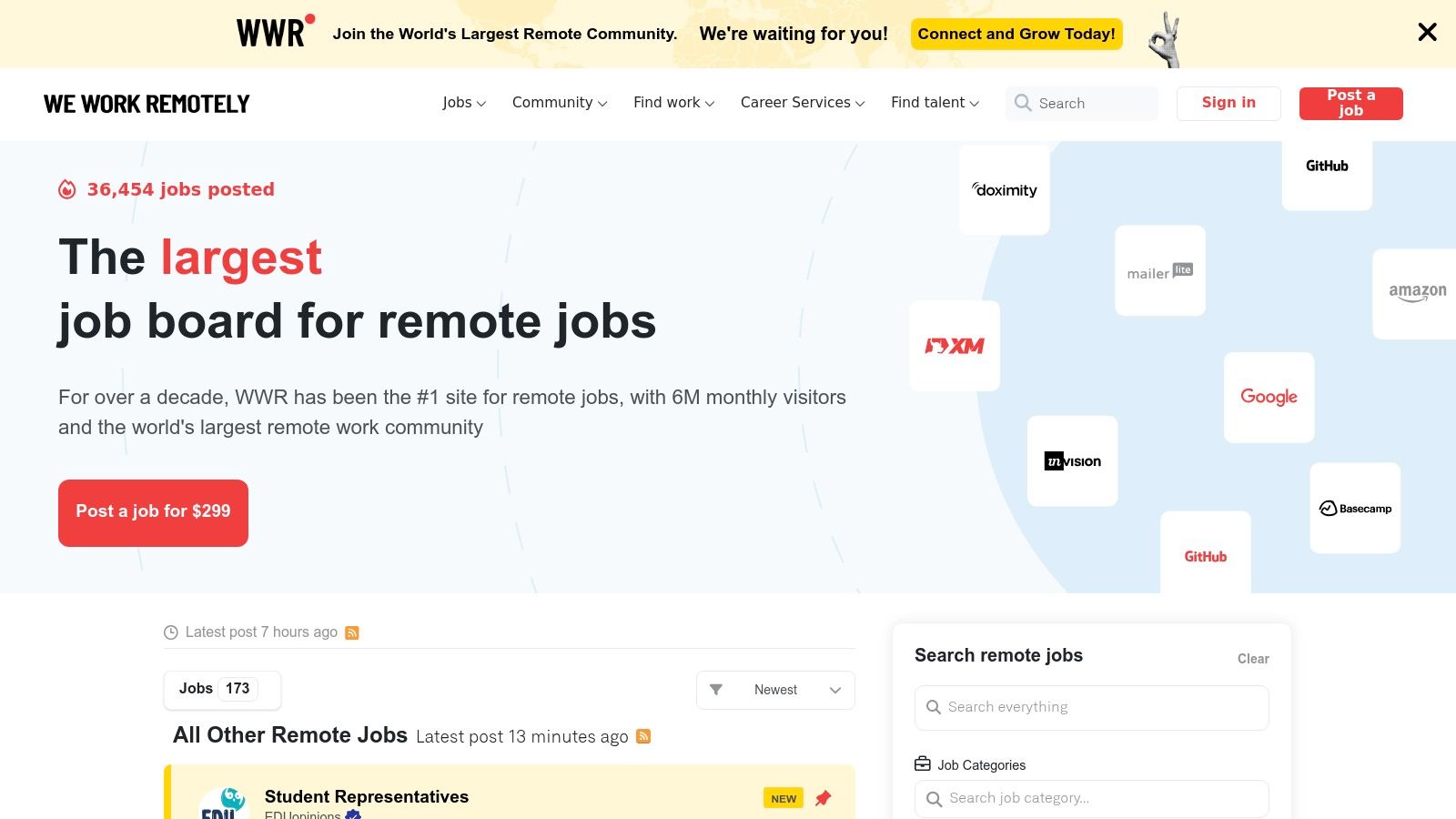
Every job on WWR is remote, so you don’t have to sort out hybrid or office roles. Listings are labeled by region, such as “North America Only”, “EMEA Only”, “Latin America Only” or “Anywhere in the World”, and you can filter by region and country, though not by time zone. Applying sends you to the employer’s own website or applicant tracking system, or tells you to apply by email.
Key Features and User Experience
You need a free Basic account to browse and apply. It lets you save listings, upload a resume, follow companies and get a free ATS resume review. WWR also sends daily email alerts tied to your category, region and time zone. WWR Pro costs $14.95 a month with a 12-month commitment (the first month is $2.95) and adds unlimited job applications, up to five custom job alerts and subscriber-only events, as of 6 November 2026. For more on how it compares with other boards, see our guide to the best job boards for remote work.
Pricing and Access
WWR charges employers $299 for each 30-day listing, which makes low-effort and fake posts less likely. Job seekers can use a free Basic account. Prices are as of 6 November 2026.
| User Type | Price (USD) | Key Benefit |
|---|---|---|
| Job seeker, Basic | Free | Browse, save listings, upload a resume |
| Job seeker, Pro | $14.95 a month, 12-month commitment | Unlimited applications and up to 5 custom alerts |
| Employer | $299 for a 30-day listing | A listing on a remote-only board |
Pros:
- Remote only: No hybrid or office listings to filter out.
- Paid employer posts: A cost to post screens out many fake listings.
- Clear location rules: Region labels and region and country filters help you skip jobs you can’t take.
Cons:
- Tech-heavy: Fewer roles outside tech, design, support and marketing.
- Smaller inventory: Only employers who pay to post are listed.
Learn more or start your search at: https://weworkremotely.com
6. Virtual Vocations
Virtual Vocations lists legitimate work from home jobs mainly for people in the US, though people elsewhere can also sign up and apply, and says its employers and jobs go through a vetting process to weed out scams. It covers both tech and non-tech fields, which makes it useful for roles like customer service, admin and education.
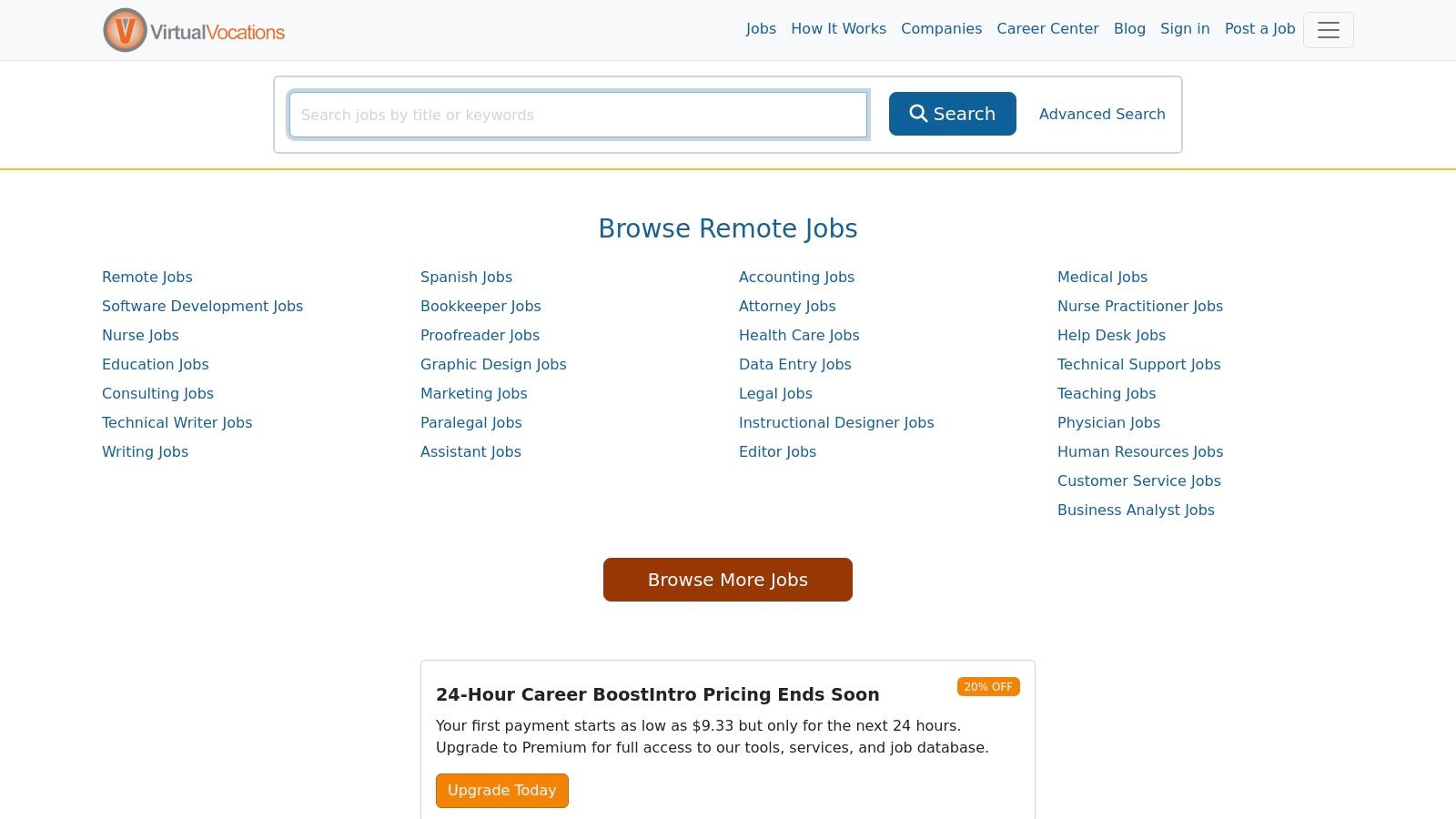
You can filter by job category, weekly hours, employment status, employer type, career level, education level and date posted. It has no state, region or time-zone filter, so read each listing’s location rules, because many US remote jobs are open only to residents of certain states for tax and payroll reasons. A Companies directory lets you research employers before you apply.
Key Features and User Experience
Virtual Vocations offers a simple, no-frills experience built around finding jobs and keeping track of your applications. Members can set job alerts (daily, weekly or three times a week), save jobs, see their application history and store resumes and cover letters online. Its Remote Career Center has e-courses and guides, and paid members also get an AI resume builder and live group coaching.
Pricing and Access
Virtual Vocations runs on a freemium model. A free account gives limited access to listings, and a paid plan opens the full database, so you can try the site before you pay. Prices are as of 6 November 2026.
| Plan | Price (USD) | Key Benefit |
|---|---|---|
| Free | $0 | Limited access to listings |
| 1 Month | $19.99 | Full access for a focused search |
| 3 Months | $49.99 | Full access for a longer search |
| 6 Months | $69.99 | Full access for a long search |
Pros:
- Screened listings: A lower risk of scams and irrelevant posts.
- Non-tech fields: Customer service, admin, education and other roles outside tech.
- Free tier: You can try it before you pay.
Cons:
- Paid for full access: Most listings need a subscription.
- US focus: Less useful if you live elsewhere.
- Plain interface: Functional but less modern than larger sites.
Learn more or sign up at: https://www.virtualvocations.com
7. Upwork (Freelance marketplace)
Upwork is a freelance marketplace, not a job board, and a legitimate place to find freelance work from home jobs. Clients post projects in fields like web development, writing, design, marketing and virtual assistance, and freelancers send proposals. You can also sell fixed-price services that clients buy directly through its Project Catalog.
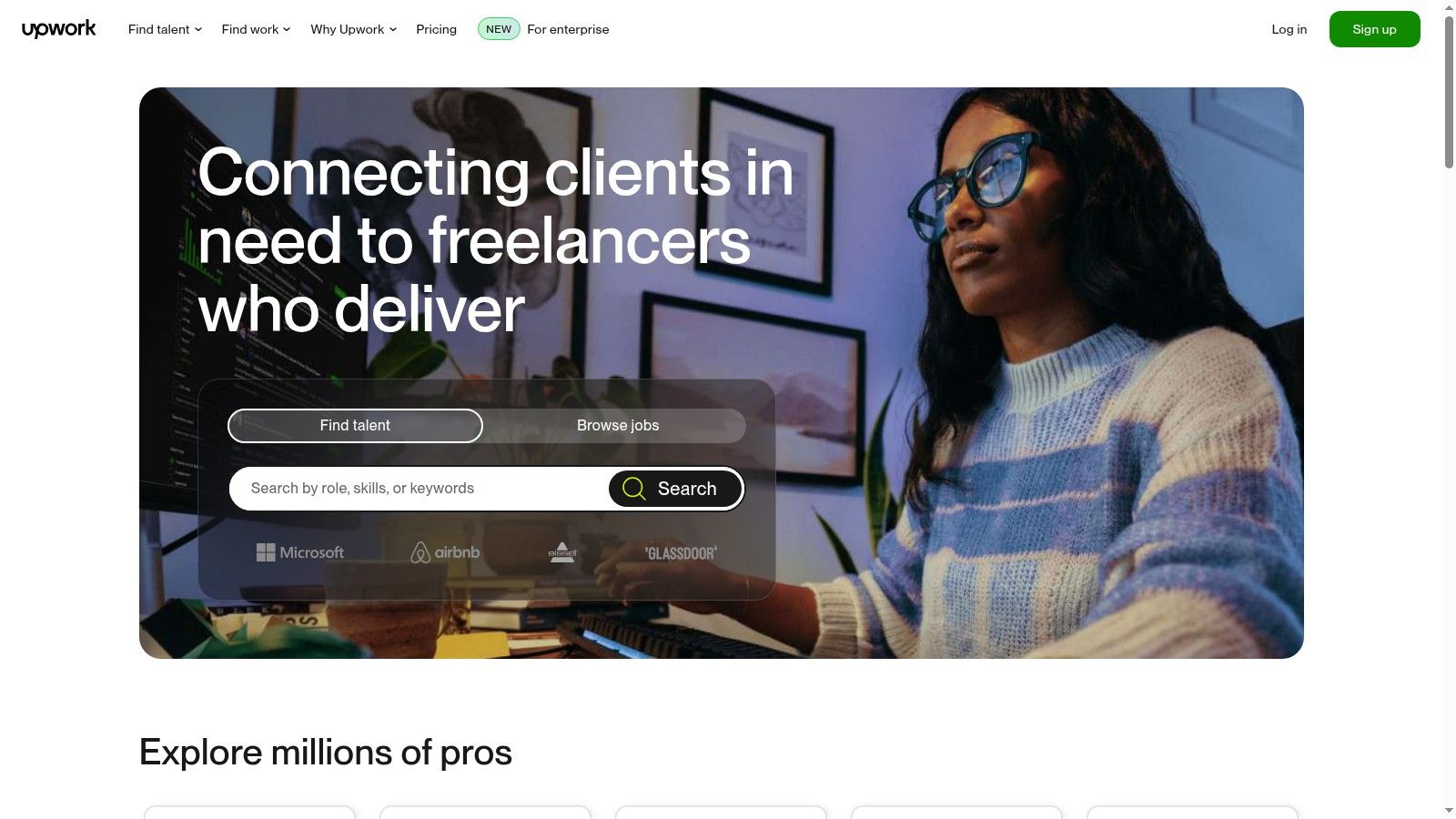
Upwork is legit, but individual clients on it are not always. The main protection is to keep every contract and payment on the platform. Contracts, milestone payments and project funds (formerly called escrow) all run through Upwork. Work paid through Upwork can qualify for Hourly Payment Protection or Fixed-Price Payment Protection (for milestones the client funded before work began) if you follow Upwork’s rules. A client who asks you to move to email, a chat app or an outside payment method is a common sign of a scam.
Key Features and User Experience
Your profile, portfolio, client reviews and Job Success Score are what new clients judge you on, so the first few contracts matter most. Freelancing also means handling irregular income, taxes and slow months yourself, so it helps to read up on essential financial planning tips for freelancers before you rely on Upwork income.
Pricing and Access
Creating a profile and browsing projects is free. Upwork takes a service fee from what freelancers earn, and freelancers also pay for Connects, the credits used to send proposals. Fees are as of 6 November 2026 (Upwork Freelancer Service Fee, Upwork Connects).
| Item | Cost | Notes |
|---|---|---|
| Service fee | 0% to 15% per contract | Shown before you send a proposal or accept an offer |
| Connects | $0.15 each, sold in bundles | Needed to send proposals |
Pros:
- Lots of projects: New work is posted every day.
- Payment protection: Reduces the risk of not getting paid when you stay on the platform.
- Long-term clients: Good reviews can lead to steady repeat work.
Cons:
- Fees: The service fee and paid Connects reduce what you take home.
- Hard start: New freelancers compete with established profiles.
Learn more or sign up at: https://www.upwork.com
Legitimate Work From Home Jobs Comparison
How do these legit work from home sites compare? “Who posts the jobs” tells you most about scam risk. Costs are from each platform’s own pages, as of 6 November 2026.
| Platform | Who posts the jobs | Cost to job seeker | Scam screening |
|---|---|---|---|
| Remote First Jobs | Employer career pages and the applicant tracking systems behind them, plus paid employer posts | Free, no account | Agency posts filtered out, duplicates collapsed, Apply goes to the employer’s own site |
| FlexJobs | Vetted employers; listings hand-screened | $2.95 trial, then $23.95 every 4 weeks; $29.85 for 3 months; $71.40 a year | Hand-screened by staff |
| Indeed | Open: employers post directly, plus listings collected from career sites and other job boards | Free | Automated flags, a Trust & Safety team and user reports; you check the rest |
| LinkedIn Jobs | Open: employers and recruiters post directly | Free; Premium Career $39.99 a month or $239.88 a year | Company pages and recruiter profiles you can check |
| We Work Remotely | Employers who pay per post | Free Basic account required; Pro $14.95 a month, 12-month commitment | Cost to post deters fake listings |
| Virtual Vocations | Human-vetted employers | Limited free access; $19.99 a month | Employers and jobs vetted by its team |
| Upwork | Open marketplace: clients post projects | Free to join; service fee of 0% to 15% per contract | Payment protection on contracts paid through Upwork |
At a glance, here is how much effort each site takes and what you can expect from it.
| Platform | Implementation Complexity | Resource Requirements | Expected Outcomes | Ideal Use Cases | Key Advantages |
|---|---|---|---|---|---|
| Remote First Jobs | Low: search without an account, filters for date, salary and seniority | Low: free for job seekers; employers pay $149 per post | High: remote roles worldwide, straight from employer career pages | Seeing every listing for free and applying directly with employers | Free, no account, email alerts, Apply on employer site |
| FlexJobs | Low: curated listings, subscription-based | Low to moderate: paid membership | High: hand-screened remote, hybrid and flexible jobs | Part-time, freelance and flexible-schedule work in any field | Hand-screened jobs, flexible jobs in 50+ fields, Learning Center, $2.95 trial |
| Indeed (Remote Jobs) | Low: basic filters and search tools | Low: free job searching | Moderate: huge job volume, mixed listing quality | Volume in every field, including non-tech roles | Free to use, large job volume, email alerts |
| LinkedIn Jobs | Moderate: networking plus job search | Moderate: free, with optional Premium | High: network-driven applications and AI features | Networking and referrals for professional roles | Networking features, Easy Apply, AI job fit insights with Premium |
| We Work Remotely | Low: straightforward remote-only board | Low: free Basic account, Pro $14.95 a month | Moderate: remote-only roles, strongest in tech | Remote-only roles in programming, design and support | Remote-only listings, region and country filters, paid employer posts |
| Virtual Vocations | Moderate: hand-screened, free and paid tiers | Moderate: limited free access, paid full access | High: vetted remote jobs, mostly US | US-based seekers looking for non-tech remote roles | Human-vetted employers, mostly US, alerts, tech and non-tech roles |
| Upwork (Freelance) | High: profile setup, proposals and Project Catalog | Moderate: service fee and paid Connects | Variable: freelance income from client projects | Freelance projects and building a client base | Payment protection, Project Catalog |
What are the most common work from home job scams?
Most work from home scams follow a few patterns: they ask you for money, they ask for your personal data too early, or they pay you for “tasks” that make no business sense. The table shows the red flags and what a real employer does instead.
| Red flag | What a legit employer does instead | How to check it |
|---|---|---|
| You must pay for training, a starter kit or a background check | Pays for its own onboarding and checks | Read the offer for any payment terms; search the company name with “fee” or “scam” |
| You get a check to buy equipment from a vendor they name | Ships equipment to you, or reimburses you after you buy it | Never deposit a check and send money on; a fake check can bounce days after your bank shows the funds |
| The whole interview happens by text or chat app | Interviews live by video or phone with named people | Look up the interviewer on the company website or LinkedIn |
| The recruiter writes from Gmail, Telegram or WhatsApp | Writes from the company’s own email domain or its hiring system, such as Greenhouse, Lever or Workday | Compare the email domain with the company’s website address or a known hiring system |
| The job is not on the company’s own site | Lists open roles on its careers page | Search the careers page for the same job title; Remote First Jobs collects its listings from these pages |
| Pay is far above the market for easy work | States a normal range for the role, if it shows pay | Compare with similar listings that show a salary |
| You are asked for your Social Security number, bank details or ID before an offer | Collects them during onboarding, after a written offer | Don’t send them until you have an offer you have checked |
| You earn money for likes, reviews or app “tasks”, then must deposit money to withdraw it | Pays wages through payroll | Any job where you pay in order to get paid is a scam |
Scammers also borrow the names of real companies, from Amazon to small startups, and copy real job descriptions word for word. That is why the careers-page check matters more than how professional a listing looks. Other common types are reshipping jobs, where you receive packages and forward them abroad, and “data entry” jobs that pay suspiciously well for no experience.
If you have been targeted in the US, report it to the Federal Trade Commission at reportfraud.ftc.gov, and report the listing or profile to the site where you found it.
How do you spot a ghost job?
A ghost job is a listing for a role the company is not actively filling, such as an old post left online, a role reposted again and again, or an ad used to collect resumes. Greenhouse, the hiring software company, describes ghost jobs as “positions advertised with no intent to hire” and says 18% to 22% of the jobs posted on its platform in any given quarter are classified as ghost jobs, according to its 2024 State of Job Hunting report. In the same survey of 2,500 workers in the US, UK and Germany, three in five candidates said they suspected they had come across one.
Ghost jobs don’t cost you money the way scams do, but they waste your applications. A few checks help:
- Find the role on the company’s careers page: If it is gone there but still up on a job board, it is probably closed.
- Look at when it was first posted: Be wary of a role that has been open for months or comes back with the same title every few weeks.
- Look for a vacancy statement: In Ontario, Canada, employers with 25 or more employees must say in public job postings posted on or after January 1, 2026 whether the posting is for an existing vacancy (Ontario Employment Standards Act guide, as of 6 November 2026).
Remote First Jobs collects listings from employer career pages and collapses duplicate and reposted listings, so you see each role once, and the date posted filter lets you stick to roles from the last 24 hours, 3 days or week. No board can see whether a company really intends to hire, so the careers-page check still applies. Our guide to ghost jobs covers why companies post them and more ways to check if a role is real.
Which legit work from home jobs need no experience or startup fee?
Real entry-level remote jobs exist, and none of them charge you to start. The most common are customer service and chat support, virtual assistant work, data entry, transcription, online tutoring, content moderation, sales development and software testing. Data entry and “easy online jobs” are also where scams cluster, so run the five checks on every one of them.
Entry-level remote roles usually ask for something in place of experience: a quiet place to work, reliable internet, a short skills test, or availability for set shifts. A legit employer will tell you this in the listing and will provide or reimburse any equipment it requires.
On Remote First Jobs you can browse remote jobs and set the seniority filter to Intern or Entry Level to see roles open to beginners. For support roles, start with our remote customer service jobs. For a longer list of roles, see our guides to the easiest remote jobs to get and entry-level remote jobs with no experience.
Does Amazon really hire people to work from home?
Yes. Amazon hires remote customer service associates and says some other roles have partial remote or work from home potential, but it does so only through its own career sites. Its hiring site lists a remote Customer Service Associate role, and its job search asks for your home location before it shows open roles, so what you can apply for depends on where you live.
Amazon does not charge applicants a fee at any stage, and it warns that fake job offers in its name often arrive by text message or chat apps such as WhatsApp and Telegram. Amazon reported a 90% increase in reported job impersonation scams from January through March 2025 (Amazon scam trends), so if someone says they are an Amazon recruiter, find the same role on amazon.jobs or Amazon’s hiring site before you reply or share anything.
Is FlexJobs legit and worth paying for?
Yes, FlexJobs is a legitimate service. It has run since 2007 and screens its listings by hand. Whether it is worth paying for depends on what you are looking for.
It is worth trying if you want part-time, freelance or flexible-schedule work, if you work outside tech and want someone else to screen out scams, or if you plan a short, focused search where a trial is enough. It is less worth it if you want full-time, fully remote roles, because many of those are free on the employers’ own career pages and on free boards. Our guide to the best job boards for remote work lists free alternatives and when each one is the better choice.
Launching Your Search for the Perfect Remote Role
How should you start your search? Getting from “I want a remote job” to a signed offer comes down to a few clear choices. All seven sites above can connect you with legitimate work from home jobs, but how you use them matters more than how many you use. Treat the site you pick as a tool for your search, not just a list of ads.
A one-size-fits-all approach will limit you. A developer looking for a senior role at a tech company may get the most from the remote-only listings on We Work Remotely, while someone who wants hand-screened, flexible work may prefer FlexJobs. If you want to see roles straight from employer career pages without paying or signing up, start with Remote First Jobs.
Crafting Your Action Plan
To move from reading this article to applying, you need a clear plan. Don’t try to use every platform at once. Choose two or three that fit your goals and put your energy there.
- For broad, high-volume searches: Start with Indeed and LinkedIn. Fill in your profiles, use their remote filters and set up daily alerts for your exact job title, together with words like “remote” and “work from anywhere”. These sites also show you how much demand there is for your kind of role.
- For screened listings: If avoiding scams and saving time matter most, FlexJobs and Virtual Vocations screen employers and jobs before they go live. You pay for full access, so they suit a focused search more than open-ended browsing.
- For freelance and remote-only roles: If you are building a client base, try Upwork. If you want a niche role at a company that already works remotely, try We Work Remotely.
- For free roles straight from employer career pages: Remote First Jobs, where every Apply button takes you to the employer’s own site.
Then set up narrow alerts for your exact job titles on each site, so new roles reach you early, and run the five checks on every promising job before you send personal details.
Final Considerations for Success
Before you begin, remember that a job site is only as useful as the way you use it. Tailor your resume to each role and mention remote skills you can prove, such as writing clear updates, managing your own time without close supervision, working across time zones and using tools like Slack, Asana or Trello.
Finding a legitimate work from home job usually takes time, so think of it as a marathon rather than a sprint. It takes patience and a steady routine: pick the right sites, keep your profiles and resume up to date, and apply steadily to a few good matches rather than to everything at once. Keep running the five checks as you go, because a scam is far easier to avoid than to undo. That approach leads to remote work that gives you the flexibility you want.
Frequently asked questions
How do I know if a work from home job is legitimate?
Check that the same job is on the employer’s own careers page, that you will talk to a real person in a live interview and that you never pay anything to start. If any of these three fail, walk away. Pay and email are softer signals: if pay is shown it should be a normal range, not a promise, and messages should come from the company’s own domain or its hiring system. A missing salary alone is not a red flag: on Remote First Jobs, only about 1 in 5 remote and hybrid ads open to the EU showed pay from July to September 2026.
What is a legit website to find remote jobs?
Remote First Jobs, We Work Remotely, FlexJobs, Virtual Vocations, Indeed and LinkedIn all list legitimate remote jobs, and Upwork is a legitimate marketplace for freelance projects. The lowest-risk sites are those where listings come straight from employer career pages or where every post is screened or paid for by the employer.
Where can I find legit remote jobs for free?
Remote First Jobs, Indeed and LinkedIn are free to search and apply on, and We Work Remotely has a free Basic account. Employer career pages are free too and are the most direct source of all.
Do legit work from home jobs ever ask you to pay?
No. A real employer does not charge for training, background checks, software, equipment or a starter kit. Some job sites charge job seekers for a subscription, which is a different thing: you pay the site for access, never the employer for the job.
Which remote job boards have no scams or ghost jobs?
No job board can promise zero scams or ghost jobs. The risk is lowest on boards that take listings from employer career pages or screen every post, such as Remote First Jobs, FlexJobs and Virtual Vocations, and on boards where employers pay to post, such as We Work Remotely. On any board, confirm the role on the company’s careers page and check when it was first posted.
Are Amazon work from home jobs real?
Yes. Amazon’s remote customer service jobs are real, and you apply for them only on hiring.amazon.com or amazon.jobs. A message on WhatsApp or Telegram, or any request for a fee, is not from Amazon.
Is FlexJobs legit?
Yes. FlexJobs is a long-running paid service that hand-screens its listings. It is most useful for part-time, freelance and flexible-schedule work, while many full-time remote jobs can be found free elsewhere.
What is the easiest legit work from home job to get?
Customer service and chat support, virtual assistant work and data entry usually have the lowest entry bar. They often need reliable internet, a quiet workspace and a short skills test rather than experience. Data entry attracts many scams, so check those listings with extra care.
Want legitimate work from home jobs that come straight from employer career pages? Browse remote jobs on Remote First Jobs: it is free, needs no account, and every Apply button takes you to the employer’s own site.