
What Is a One-Way Video Interview? A Quick Intro
A one-way video interview, often called an asynchronous interview, is a screening process where you record your answers to a company’s pre-set questions on your own time. Instead of a live conversation, you’ll be given a prompt, a moment to think, and then you’ll record your response.
Why Your Next Interview Is Probably Pre-Recorded
If you’ve been job hunting lately, especially for remote roles, you’ve probably seen it: an email lands in your inbox, but it’s not for a call with a recruiter. It’s an invitation to a one-way video interview.
This can feel a bit strange and impersonal at first. But once you understand why companies are doing this, you can shift your mindset from dread to opportunity.
Employers, particularly those who are fully remote, aren’t trying to create a cold, robotic hiring process. They’re trying to solve a real, practical problem. Just think about the logistics of scheduling dozens of initial phone screens across different time zones. It’s a mess of back-and-forth emails, packed calendars, and last-minute reschedules. This format sidesteps all of that.
A Smart Move Towards Efficiency and Fairness
The biggest reason for this shift is simple: efficiency. A hiring manager can now watch candidate responses whenever it works for them—first thing in the morning, between meetings, or even on a weekend. This massively accelerates the screening stage, letting them review far more applicants in a fraction of the time.
But this isn’t just a win for the company. For you, the job seeker, it offers incredible flexibility. Gone are the days of trying to sneak away for a call at your current job or taking a half-day off. You get to record your answers when you feel sharp, prepared, and ready to shine, whether that’s 10 PM on a Tuesday or 7 AM on a Saturday.
There’s another benefit: standardization. Every single applicant for the role gets the exact same questions under the very same time constraints. This helps level the playing field, making sure that first impressions are based on the quality of your answers, not just how you vibe with an interviewer on a live call.
To get a better sense of what you’re stepping into, here’s a quick rundown of the experience.
One-Way Video Interview At a Glance
| Key Aspect | What It Means For You |
|---|---|
| Format | You’ll receive a link to a platform where you’ll see text or video questions, one by one. |
| Timing | You get a set amount of time to prepare (e.g., 30 seconds) and a time limit to record your answer (e.g., 2 minutes). |
| Redo’s | Some platforms allow one or two re-recordings per question, but many don’t. Always assume you have one shot! |
| Deadline | There’s usually a deadline to complete the interview, typically a few days after you receive the invitation. |
| No Interviewer | You are talking to your camera. There’s no one on the other side to react, nod, or ask follow-up questions. |
This process gives you a unique chance to prepare your best answers without the pressure of a live back-and-forth.
A one-way video interview is your first real chance to control the hiring narrative. It’s an opportunity to present a polished, well-rehearsed, and powerful first impression.
A Trend That’s Here to Stay
Make no mistake, this isn’t just a temporary fad. The adoption of one-way video interviews has jumped by 67% since 2020. It has quickly become a standard tool for companies hiring in a global talent pool.
Today, 81% of recruiters use video interviews as part of their hiring process, and a massive 93% of the companies that use them say they’ll keep doing it. This isn’t going away.
So, instead of seeing it as an impersonal hurdle, think of it as your personal stage. It’s a chance to deliver a compelling performance that a flat, text-only resume could never achieve. If you’re tired of sending applications into the void, this format might just be your ticket to getting noticed. For more strategies on landing a great role, you can find helpful advice on navigating job boards like https://remotefirstjobs.com/.
Setting the Stage: Your Professional Home Studio
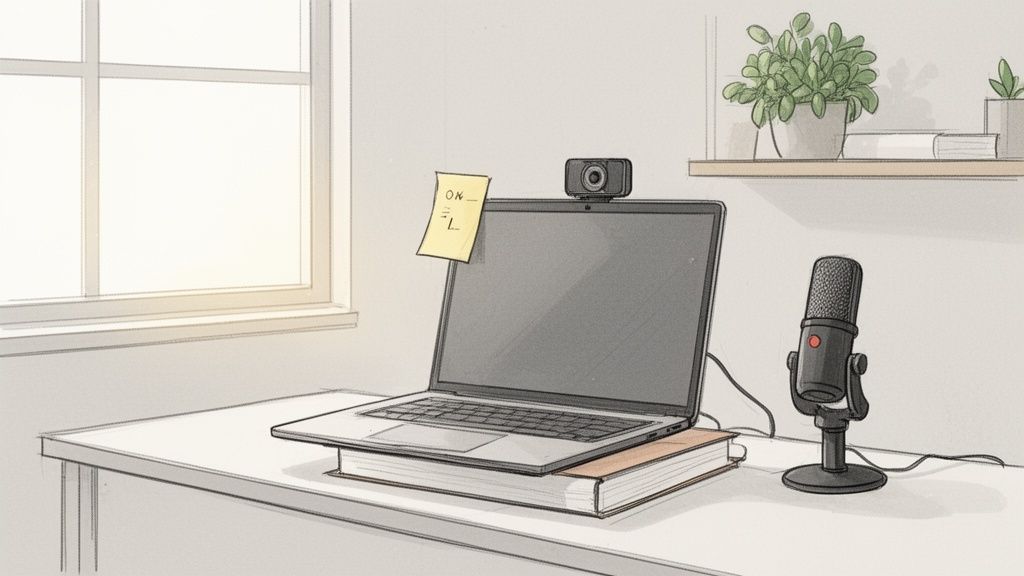
Before you even say “hello” in your one way video interview, your environment has already made an introduction. A cluttered room, a shadowy figure, or a poorly aimed camera can send a message of carelessness before you’ve had a chance to prove otherwise.
The great thing is, you don’t need a Hollywood budget to look polished. With a little bit of intentional setup, you can create a space that lets your personality and qualifications shine through. The idea is to get rid of anything that could possibly distract the hiring manager—or you—so the focus stays right where it should be: on your answers.
Getting Your Lighting and Angles Right
I can’t stress this enough: good lighting is everything. You don’t need to buy a fancy ring light, either. Your best friend is often a simple window.
The key is to face your light source. Sit with the window directly in front of you, letting that natural light illuminate your face. This instantly creates a clear, professional look and smooths out shadows. Whatever you do, never sit with a window behind you. You’ll end up as a dark, mysterious silhouette, and that’s not the first impression you want to make.
Next up, your camera angle. You want the camera to be at eye level, or maybe just a touch above. This feels the most natural, like you’re having a real conversation. If you’re on a laptop, that definitely means you need to prop it up.
A stack of books, a sturdy box, an old textbook—anything will do. This simple adjustment gets rid of that unflattering “looking up your nose” shot and helps you project confidence and engagement.
Choosing a Background That Works for You
Think of your background as part of your professional brand for the day. It needs to be tidy and free of anything that screams “distraction.” That means no messy beds, no wandering pets, and probably taking down that poster from your college dorm room.
Here are a few solid, professional options:
- A blank wall: It’s simple, it’s clean, and it’s completely foolproof. A neutral color is always a safe bet.
- A neat bookshelf: An organized bookcase can subtly suggest that you’re well-read and orderly. Just give it a quick scan to make sure there are no controversial titles on display.
- A touch of simple decor: A well-placed plant or a single piece of tasteful art can add a little personality without being distracting.
No matter what you choose, always do a test recording. You’ll be surprised by what the camera picks up. This gives you a chance to spot that stray coffee mug or pile of mail you missed.
Your environment is the silent partner in your interview. A clean, well-lit space communicates that you are organized, detail-oriented, and take this opportunity seriously.
Running a Can’t-Skip Tech Check
Nothing throws you off your game like a technical glitch. A frozen screen or crackling audio can break your concentration and make you look unprepared. That’s why a full tech check—about an hour before you hit record—is absolutely non-negotiable.
First, check your hardware. For most people, the camera and mic built into a modern laptop are perfectly fine. But you have to make sure they’re working. Most interview platforms have a handy setup tool that lets you test everything before the interview officially begins. To make sure you’re coming through crystal clear, it might be worth looking into an affordable external option like the Best Webcam Under 100.
Next, look at your internet connection. A spotty signal is your worst enemy. Run a quick speed test. If you can, plug directly into your router with an Ethernet cable—it’s always more stable than Wi-Fi.
Finally, clean up your digital desktop. Silence your phone and put it out of reach. Close every single app, browser tab, and program you don’t need. An email notification or a social media pop-up is not only distracting for you, but it looks incredibly unprofessional if it appears on screen. Get rid of these variables so you can focus 100% on knocking your answers out of the park.
How to Prepare Answers That Don’t Sound Scripted
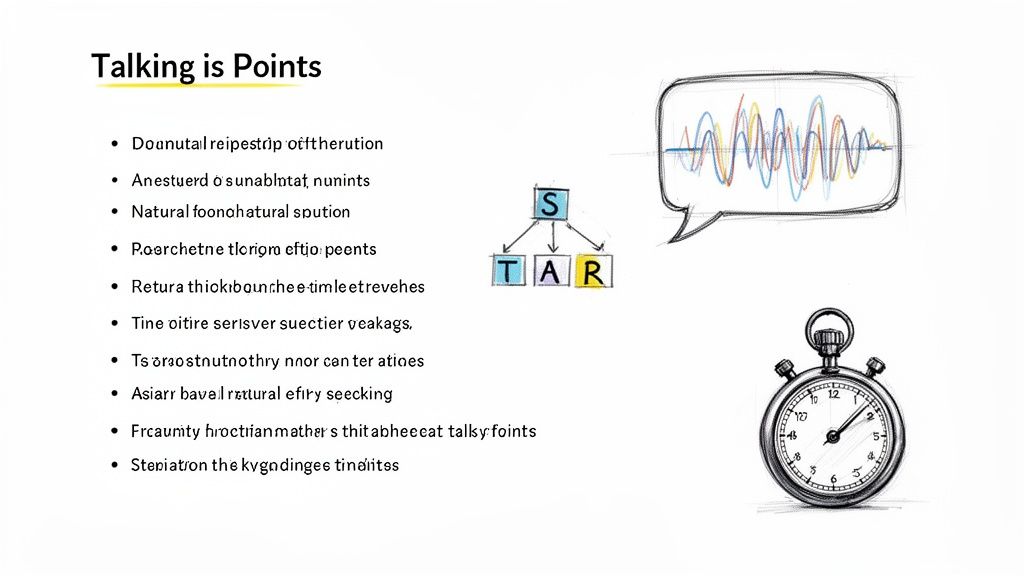
Here’s the single biggest mistake people make in a one-way video interview: they sound like they’re reading from a script. The goal isn’t to write and memorize a perfect monologue. It’s to map out your key talking points so your genuine personality can shine through.
Trust me, authenticity beats robotic perfection every single time. A hiring manager is watching to see how you think and communicate, not just listen to a pre-written essay. The trick is to build a solid framework for your answers, not a cage.
So, whatever you do, don’t write out your answers word-for-word. Instead, let’s focus on creating a powerful outline using simple bullet points. This gives you just enough structure to stay on track while leaving room for the natural pauses and conversational tone that make you sound human.
Adapt the STAR Method for the Camera
The STAR method—Situation, Task, Action, Result—is a classic for a reason. It’s a fantastic storytelling tool. But for a timed video response where you might only have 90 seconds, it needs a slight tweak to be truly effective.
I like to use a modified version: STAR-L (Situation, Task, Action, Result, and Learning). That final “L” is your knockout punch—it’s a closing statement that directly connects your experience back to the job you’re trying to land.
Here’s how to outline your story using bullet points, not full paragraphs:
- Situation: Keep it to one sentence. “Our user engagement on the new mobile app was down 15% month-over-month.”
- Task: Again, one sentence. “My goal was to find the friction points in the user journey and lift session duration by 10%.”
- Action: This is the core of your story. Use 2-3 bullet points with strong action verbs. What did you personally do?
- Analyzed user heatmaps to pinpoint drop-off points in the onboarding flow.
- Partnered with the UX team to redesign two critical screens.
- Launched a series of A/B tests to validate our new design against the old one.
- Result: One punchy sentence with a clear metric. “The new flow boosted average session time by 22% and cut user churn by 5% within the first month.”
- Learning: This is your mic-drop moment. “This experience really drove home how small, data-backed UX changes can create huge business outcomes—a skill I’m excited to bring to your team.”
This framework helps you deliver a tight, impactful story that’s incredibly easy for a reviewer to follow.
Crafting Authentic Talking Points
Let’s put this into practice with a notoriously tricky question: “Tell me about a time you failed.” This question isn’t really about your failure; it’s a test of your self-awareness, resilience, and honesty. A full script would make you sound defensive, but bullet points allow for genuine reflection.
Example for a Marketing Manager Role:
- Situation: I launched a major social media campaign for a new product, and it completely missed its engagement targets.
- Task: We were aiming for 1,000 leads but only pulled in about 200. It was on me to figure out why and turn things around, fast.
- Action:
- First, I owned it. I told my team my initial creative direction was off the mark.
- Then, I dove into the analytics. The data showed our visuals were fine, but the messaging wasn’t connecting at all.
- We quickly launched a new set of ads with updated copy based directly on customer feedback from surveys.
- Result: The revised campaign brought in 1,500 leads the following week, blowing past our original goal.
- Learning: I learned a valuable lesson about testing messaging before a full-scale launch. It also proved that it’s better to admit a mistake quickly and pivot than to stick with a failing strategy.
See how that structure lets you tell a story of growth without sounding rehearsed? It’s honest, direct, and showcases fantastic problem-solving skills.
The best answers feel like a great conversation. They have a clear beginning, middle, and end, but they don’t sound like they were memorized from a page. Think of your bullet points as a map, not a script.
Practice for Cadence, Not Memorization
Once you have your bullet points mapped out for common interview questions, it’s time for the most important part: practicing them out loud. You’re not trying to memorize the exact words; you’re trying to internalize the flow of the story and find your natural rhythm.
Grab your phone or use your laptop’s camera and record yourself. Then, be brave and watch it back. Ask yourself:
- Do I sound engaged or am I monotone?
- Is my pacing right? Am I talking a mile a minute or too slowly?
- Are my key achievements landing with impact?
- Most importantly: Does this sound like me?
Don’t be afraid to ad-lib a bit during your practice runs. If a better way to phrase something pops into your head, go with it! That’s a great sign that you’re becoming comfortable with the material and can speak about it organically.
The whole point of practice is to know your stories so well that you can tell them confidently and concisely, fitting them neatly within the typical 2-3 minute time limit without ever sounding rushed. This blend of solid preparation and authentic delivery is exactly what will make you stand out.
Your On-Camera Performance Checklist
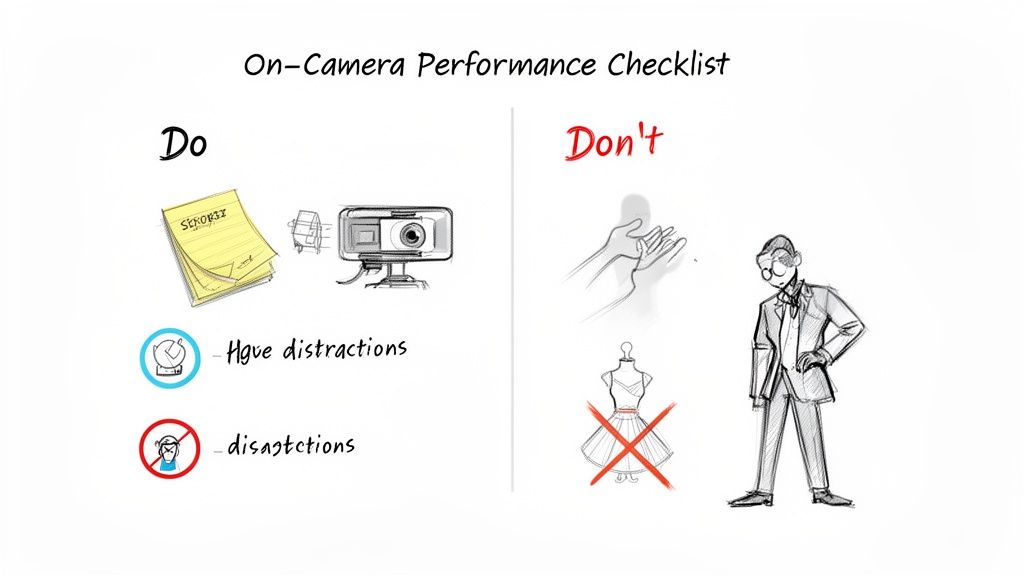
The moment you hit ‘record,’ you’re on. All the prep work—the tech checks, the background staging, the scripting—it all comes down to this performance. This is what the hiring manager will actually see, so projecting confidence and professionalism is non-negotiable.
This isn’t about becoming a Hollywood actor overnight. It’s simply about recognizing that a pre-recorded interview demands a slightly different energy than a live chat. Without someone on the other end to react to, it’s entirely up to you to drive the connection and keep the energy up.
Think of this as your final pre-flight check. Running through these key points ensures you’re presenting the absolute best version of yourself, ready to make a great impression.
Mastering Your On-Screen Presence
Your body language and tone of voice can say more than your words ever will. In a one way video interview, where the camera is the only window into your personality, every detail counts. Your goal is to come across as engaged, confident, and genuinely pleasant.
The most common mistake I see is candidates staring at their own face on the screen. It’s a natural habit, but from the reviewer’s perspective, it just looks like you’re looking down and avoiding their gaze.
A simple but brilliant trick: stick a small, brightly colored sticky note right next to your webcam. It gives your eyes a target to focus on, creating the illusion of direct, confident eye contact with the person who will eventually watch your recording.
Beyond eye contact, your posture is huge. Sit up straight and lean in just a bit—it’s a classic non-verbal cue that signals interest. Don’t be afraid to use your hands to gesture naturally as you speak. It keeps you from looking stiff and adds a human touch to your delivery. And please, remember to smile! A genuine smile at the start and end of each answer goes a long way.
Common Performance Pitfalls to Avoid
Knowing what not to do is just as crucial as knowing what to do. A few bad habits can signal a lack of seriousness and undermine even the most well-thought-out answers.
The number one offender is speaking in a flat monotone. Your voice is your most powerful tool for conveying enthusiasm. Vary your pitch, speed, and volume to keep your answers dynamic and interesting. A great tip is to record a practice answer and listen to it—if you sound bored, the hiring manager definitely will be.
Another massive red flag is obviously reading from a script. It’s smart to have your key points nearby, but your eyes shouldn’t be darting off-screen as you recite them. This kills the conversational feel and makes you look unprepared. Practice your talking points until you can deliver them smoothly with only a quick glance for a reminder.
Finally, dress the part completely. The “business on top, pajamas on the bottom” look is a classic work-from-home joke, but it’s a bad idea here. Dressing professionally from head to toe isn’t just for the camera; it’s a psychological boost that helps you step into a more confident, professional mindset.
The Ultimate Dos and Don’ts for Your Recording
When you’re ready to record, it helps to have a quick-glance guide. Here’s a simple breakdown of what to aim for and what to steer clear of.
| Do This | Avoid This |
|---|---|
| Look directly into the camera lens. | Staring at your own image on the screen. |
| Sit up straight and lean in slightly. | Slouching or leaning back in your chair. |
| Use natural hand gestures while speaking. | Keeping your hands hidden or fidgeting nervously. |
| Vary your vocal tone and pace. | Speaking in a flat, robotic monotone. |
| Smile at the start and end of each answer. | Maintaining a deadpan or overly serious expression. |
| Dress in a full professional outfit. | Only dressing professionally from the waist up. |
| Pause briefly to think before you speak. | Filling silence with “umms” and “ahhs.” |
This checklist isn’t about being perfect; it’s about being prepared. Keeping these points in mind will help you feel more in control and allow your personality to shine through.
Why Recruiters Care About This
It helps to step into the recruiter’s shoes for a moment. Companies use these tools because they work. Video interviews can slash the shortlisting process by 75%, and 74% of recruiters agree they streamline screening by asking every applicant the same questions.
Candidates benefit, too. A whopping 98% see companies using this tech as innovative. And importantly, 49% of candidates feel a video format helps them showcase their skills more effectively than just a resume. If you want to learn more, check out this great breakdown of the recruiter’s perspective on video interviews on incruiter.com.
So, You’ve Hit ‘Submit’. Now What?
The recording is done. You’ve submitted your answers and that wave of relief is washing over you. It’s so tempting to slam your laptop shut and just wait, but don’t. This is exactly where most candidates drop the ball.
Just because you were talking to a camera instead of a person doesn’t mean the old rules of professional courtesy go out the window. A well-timed, thoughtful follow-up email isn’t just a nice-to-have; it’s a must. It’s your last chance to show you’re a pro, reinforce why you’re interested, and pop your name to the top of a very crowded inbox. It’s a small thing, but it makes a huge difference.
Getting the Timing and Subject Line Right
You’ll want to send this follow-up email within 24 hours of finishing your recording. This hits the sweet spot—it shows you’re on top of things and genuinely keen without coming across as desperate. The goal is to keep the momentum going while your interview is still fresh in their minds (or about to be reviewed).
But first, you have to get them to actually open it. Your subject line is everything here. It needs to be clean, professional, and easy for a busy recruiter to find when they’re searching their inbox later.
- Good: Following Up on My Video Interview for [Job Title]
- Better: Thank You - [Your Name] - [Job Title] Video Interview
- Best: [Job Title] Interview Follow-Up - [Your Name]
The last one is my go-to recommendation. It puts the most important info for the recruiter right at the beginning, making it instantly clear what your email is about.
Simple Follow-Up Emails That Actually Work
You’re not writing a novel here. A few thoughtful, concise sentences are all it takes to leave a fantastic final impression. Here are a couple of approaches you can steal and adapt.
Template 1: The Classic Thank You
This is your trusty, all-purpose option. It’s professional, appreciative, and gets straight to the point. You can’t go wrong with it.
Subject: Marketing Manager Interview Follow-Up - Jane Doe
Hi [Hiring Manager Name],
I just wanted to let you know I’ve submitted my one-way video interview for the Marketing Manager position.
Thank you again for the opportunity to share a bit more about my background. I genuinely enjoyed thinking through the questions and getting a better sense of the challenges your team is focused on.
I’m excited about the possibility of taking the next steps.
Best regards,
Jane Doe
Template 2: The Value-Add Follow-Up
If you want to pack a little more punch, try this one. It briefly connects something you mentioned (or a question you answered) directly to the value you can bring. It’s a subtle but powerful reminder of why you’re a great fit.
Subject: Senior Product Designer Interview - John Smith
Hi [Hiring Manager Name],
I just wrapped up the video interview for the Senior Product Designer role and wanted to send a quick note to say thank you.
The question about improving user onboarding really got me thinking. It reminded me of a project where I led a redesign that boosted new user retention by 15%. I’m even more excited now about the chance to bring that kind of experience to your team.
I’m very interested in this opportunity and look forward to the possibility of discussing it further.
All the best,
John Smith
What to Do While You Wait
You’ve sent the email. Now comes the hard part: the waiting game. You have to manage your expectations because hiring timelines are notoriously unpredictable. Radio silence doesn’t automatically mean bad news—teams get busy, priorities shift.
Honestly, the best thing you can do for your sanity and your job search is to keep moving. Don’t put everything on hold for this one role. Keep applying elsewhere, keep networking, and keep prepping for other interviews. Staying active puts you in the driver’s seat and takes the edge off the anxiety of waiting for a single email to land.
Frequently Asked Questions About One Way Video Interviews
Even after you’ve done all the prep work, a one way video interview can feel a bit strange. It’s not your everyday conversation, so it’s completely normal to have a few nagging questions about the details.
We’ve pulled together the most common questions we hear from job seekers. Getting these sorted out will help you hit that record button with total confidence, ready to show them what you’ve got.
How Long Should My Answers Be?
This is the big one, isn’t it? The key here is to follow the directions. Most platforms will give you a specific time limit for each answer, usually somewhere between 90 seconds and 3 minutes.
Your goal is to be detailed but not to ramble. I always tell people to aim for using about 80-90% of the time you’re given. If the limit is two minutes, an answer that clocks in around 1:40 is the sweet spot. It shows you’re thorough and can manage your time, but you aren’t just talking to fill the silence.
But what if they don’t give you a time limit? That’s rare, but if it happens, just stick to a 2-minute rule for yourself. It keeps your answers tight, focused, and respectful of the hiring manager’s time.
Can I Re-Record My Answers If I Mess Up?
Ah, the coveted do-over. Whether you get a second chance is entirely up to the company and the platform they’re using.
Some tools will let you re-record once or twice per question. You’ll find this information in the instructions before you start, so read that section very carefully. If you do get a re-take, use it wisely.
Don’t burn a re-record because you said “um” or stumbled over a single word. Save it for a real train wreck—like you completely blanked on a key part of your story or realized your answer totally missed the point of the question.
Honestly, your first take is often the best one. It’s authentic. Trying to get it “perfect” can make you sound stiff and rehearsed, stripping out all your personality. Trust your prep and go for it.
What’s the Best Way to Show My Personality?
This is where you can really stand out. Since you can’t build a natural back-and-forth rapport, you have to be more intentional about letting your personality shine through the screen.
Here are a few simple things that make a huge difference:
- Don’t Be a Robot: Your vocal tone is everything. Speak with genuine energy. Let your excitement show. A flat, monotone delivery is the fastest way to lose your audience.
- Use Your Hands: Go ahead and use natural hand gestures when you talk. It adds a bit of energy and keeps you from looking like a statue.
- Smile Like You Mean It: A real smile at the beginning and end of your answer makes you seem confident and approachable. It’s a tiny thing that builds an instant connection.
- Share Your “Why”: Go beyond just listing your skills. Tell them why you’re so excited about their mission or a particular project they’ve done. Passion is infectious, even on a recording.
The goal isn’t to be a performer. It’s to let your genuine enthusiasm for the job come through loud and clear.
Should I Look at the Camera or at My Screen?
Easy one: look directly into the camera lens. I know it feels weird to talk to a tiny black dot, but for the person watching, it creates direct eye contact. It’s a surprisingly powerful way to build trust.
If you look at your own image on the screen, it will appear as though you’re looking down and away. It’s a natural habit, but one you have to break for this interview. A simple trick is to stick a little post-it note with an arrow or a smiley face right next to your webcam to remind you where to look.
Of course, it’s okay to glance away for a second to collect your thoughts, just like you would in a real conversation. But the camera should be your home base. Mastering this makes you look far more engaged and professional. For those seeking more comprehensive support, particularly neurodivergent candidates, a dedicated guide to job interviews can offer tailored strategies for navigating these nuances.
Feeling ready to find a role where you can truly shine? Remote First Jobs gives you a critical advantage by sourcing thousands of high-quality remote jobs directly from company career pages, helping you apply before the roles go viral on crowded platforms. Stop wasting time on “ghost jobs” and start your smarter, faster job search today at https://remotefirstjobs.com.