
Remote helpdesk hiring feels broken because the standard advice is built for crowded job boards, not for a market where strong roles get buried fast and weak roles stay visible for weeks.
That distinction matters.
Candidates who rely on LinkedIn and Indeed alone usually enter the process late, after the posting has already collected a stack of applicants, been scraped onto half a dozen boards, and attracted plenty of low-fit submissions that slow everyone down. I’ve seen good people lose interviews before a recruiter even reads their resume because they joined the line too far back.
A better approach is to stop treating it helpdesk remote jobs like a volume contest. Use direct-sourcing methods to find openings closer to the source, apply before the crowd arrives, and tailor your application to the actual support environment instead of sending the same resume everywhere. That gets you into smaller applicant pools and gives you a real first-mover advantage.
The other shift is mindset. Serious candidates screen employers hard. A remote helpdesk role can look attractive on paper and still hide poor training, unrealistic ticket loads, split-shift scheduling, or “remote” jobs that implicitly require local office visits. The goal is not more applications. The goal is better shots at better roles.
Why Finding Remote Helpdesk Jobs Feels Impossible in 2026
Remote helpdesk hiring feels harder in 2026 because the market tightened while applicant volume stayed high. A role that looks entry-level on a job board often pulls in career changers, laid-off IT staff, recent cert holders, and experienced support analysts within the same week. That mix changes the odds fast.
The deeper problem is quality, not just quantity. Companies still need user support, but many have trimmed true starter roles by centralizing service desks, routing basic issues through self-service tools, and expecting new hires to solve more on day one. I see this constantly in hiring briefs. Employers ask for password resets and ticket triage on paper, then screen for troubleshooting depth, customer judgment, documentation habits, and the ability to work alone without much coaching.
That gap is why the search feels deceptive. There are postings. Fewer of them are real on-ramps.
Mainstream boards make it worse because they flatten every listing into the same crowded feed. A weak employer, a great employer, a reposted role, and a nearly-filled opening all sit side by side, which makes the market look bigger than it is. If you search broad platforms all day, you spend more time sorting noise than finding roles with an actual hiring path. A focused remote helpdesk job board can help with discovery, but it still works best as a supplement, not your only source. One example is remote-first support job listings.
Here is what usually happens inside hiring teams once a remote posting goes live:
- Recruiters review the first solid group of applicants before they work through the full stack.
- Candidates with any prior ticketing, MSP, SaaS, or endpoint support experience rise to the top quickly.
- Generic resumes get filtered out because they do not show environment fit fast enough.
- Entry-level applicants lose ground if they apply late to jobs that already attracted stronger profiles.
The practical takeaway is simple. Remote helpdesk jobs are not impossible to get. They are hard to get through crowded channels that reward speed, specificity, and source proximity. Candidates who treat the search like a volume exercise usually enter too late. Candidates who go closer to the employer source give themselves a better shot at a smaller, cleaner applicant pool.
The Smart Search Strategy for Finding Jobs Before the Crowd
The biggest mistake I see is candidates starting on giant aggregators and staying there. Those platforms are fine for research, but they’re bad as your primary attack plan. They show you the job after the market has already noticed it.
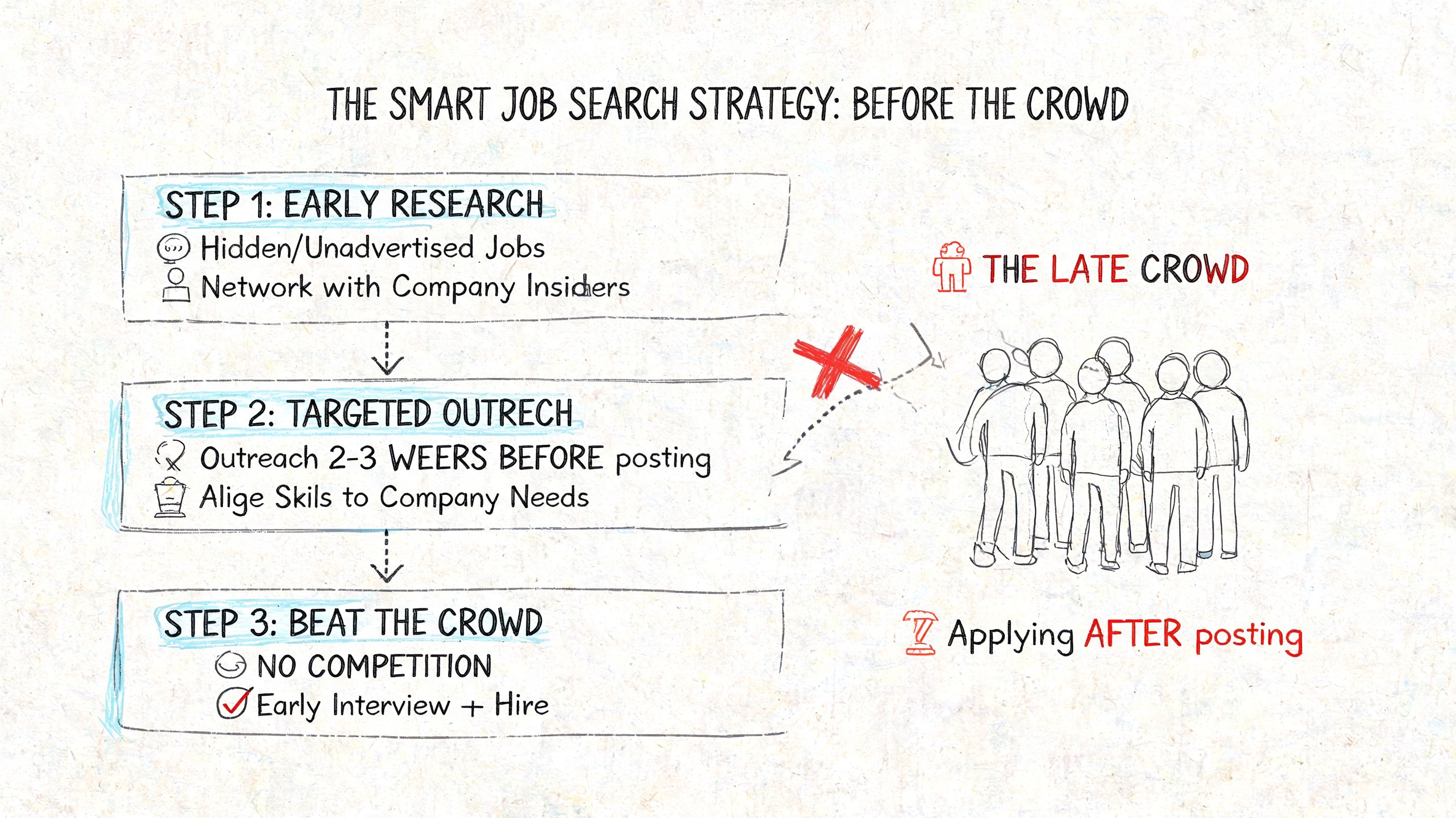
The timing data is what should change your behavior. Entry-level Tier 1 help desk roles on major platforms draw 80 to 150+ applications within the first 48 hours, while candidates who apply within 24 hours of posting can see 3 to 5x higher callback rates, based on this remote-work application timing data from FlexJobs. That is what matters. Not more applications. Earlier applications.
Why direct sourcing works better
Direct sourcing means finding roles from company career pages or systems that monitor employer ATS pages directly, rather than waiting for the job to surface on public boards.
That matters for three reasons:
You avoid the public rush
A role on a company careers page often reaches serious applicants before it hits the mainstream feeds.You see the employer’s real version of the job
Career pages usually contain the cleanest description, location rules, reporting line, and application instructions.You reduce noise
You’re not sorting through duplicate listings, agency reposts, or questionable jobs mixed into a giant feed.
A tool built around that model, such as Remote First Jobs, helps job seekers monitor direct-from-company remote openings instead of relying on scraped aggregator results. That matters most in categories where speed beats brute force.
The first good applicant in a recruiter’s inbox often has a better shot than the fiftieth equally qualified one.
Build a search system, not a habit
Don’t “browse jobs” in a vague way. Run a repeatable search system.
Start with company categories
For remote helpdesk work, I’d focus on employers where distributed support is normal. Healthcare, insurance, and SaaS firms are often worth tracking because they tend to run structured support functions and document processes clearly.
Make a shortlist of target companies based on:
- Support environment such as SaaS product support, internal IT support, or MSP work
- Shift fit if you need standard business hours versus wider coverage windows
- Tools mentioned like ServiceNow, Zendesk, Jira, Okta, Microsoft 365, VPN support, or Google Workspace
- Employment type so you don’t mix contract hunting with full-time hunting
Narrow your keywords
A lot of candidates search only “help desk.” That’s too narrow and often too late. Use adjacent titles too:
- IT Support Specialist
- Service Desk Analyst
- Technical Support Specialist
- Desktop Support
- Tier 1 Support
- Help Desk Technician
- Customer Support Engineer if you have stronger technical exposure
This widens your pool without turning the search into nonsense.
Set a strict review cadence
Check fresh listings daily, ideally more than once if you’re actively searching. The point isn’t obsession. The point is being early enough that your application lands before the stack becomes unmanageable.
Use this practical sequence:
- Morning pass: Review new direct-sourced roles and shortlist only strong matches.
- Midday application block: Tailor and submit the best-fit roles first.
- Evening clean-up: Save secondary options for the next day if they still look fresh.
What doesn’t work
Candidates waste time when they:
- Apply to old listings that have already circulated widely
- Use one generic resume for every support environment
- Ignore location notes on remote jobs that still require a state, region, or country
- Chase every listing instead of targeting jobs that match their tools, schedule, and experience level
The smart strategy isn’t complicated. It’s disciplined. You’re trying to be early, relevant, and selective. That’s how you bypass the chaos.
Crafting a Resume and Cover Letter That Beats the Bots
Most applicants think their resume gets rejected because they lack experience. Sometimes that’s true. More often, their resume doesn’t match how the role is written.
Applicant Tracking Systems don’t “understand potential” the way a good recruiter does. They scan for alignment. If the job asks for ticketing systems, account provisioning, password resets, remote troubleshooting, Windows, macOS, Microsoft 365, VPN support, or customer service, those ideas need to appear on the page in clear language.
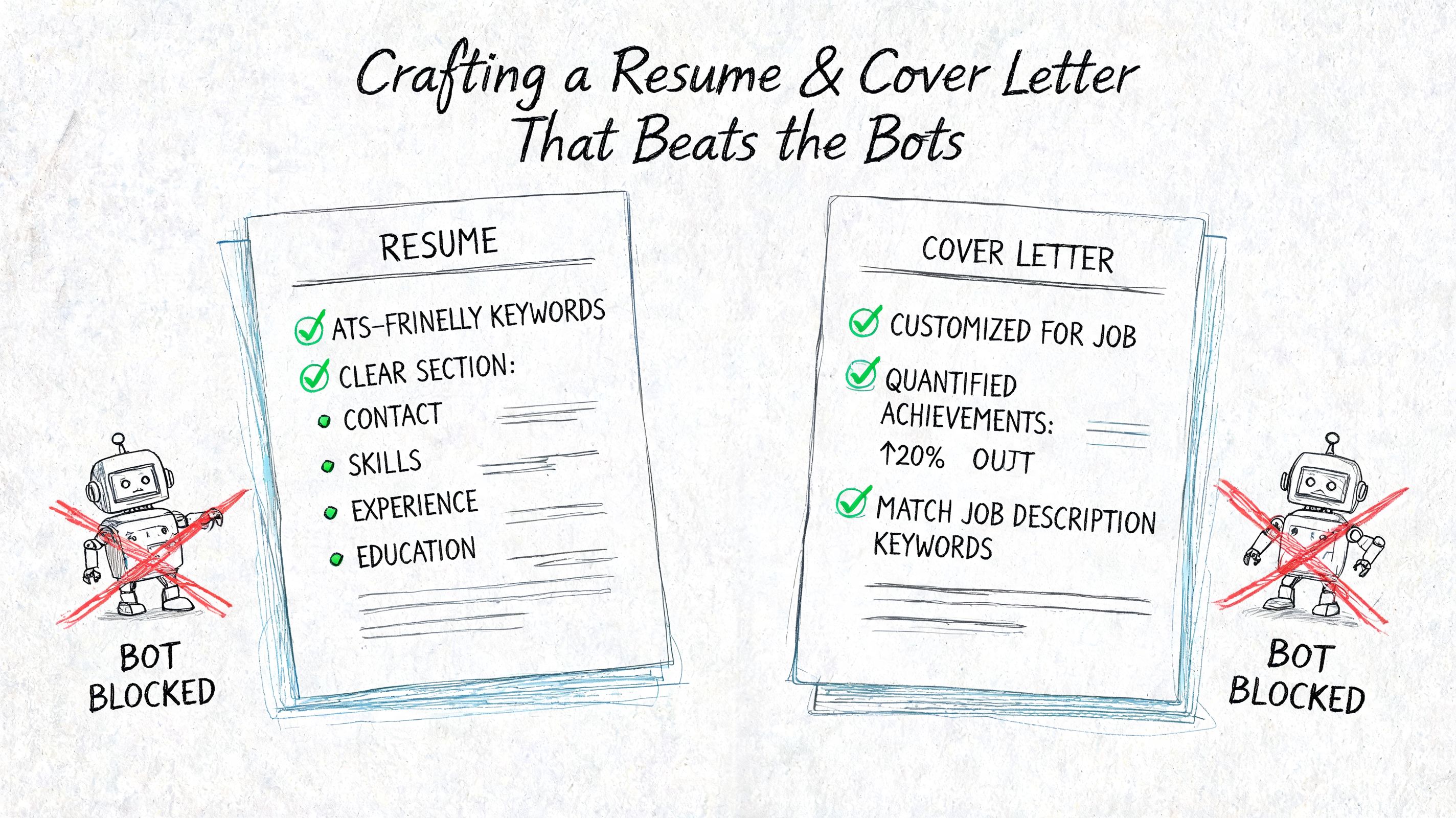
Build a resume recruiters can scan in seconds
A remote helpdesk resume should be plain, clean, and fast to read. Fancy layouts usually hurt more than they help.
Use this structure:
| Resume section | What to include |
|---|---|
| Headline | Your target role, such as “IT Support Specialist” or “Help Desk Technician” |
| Summary | Short statement focused on support environment, tools, communication, and troubleshooting |
| Core skills | Keywords pulled from the job description that you genuinely know |
| Experience | Support work, customer service, technical projects, internships, freelance tech help, or internal office support |
| Certifications | Relevant certs you hold or are actively completing |
| Tools | Ticketing, collaboration, identity, endpoint, and OS tools |
| Education | Degree, coursework, or training if relevant |
A recruiter should be able to answer three questions almost instantly: Can this person support users? Can they work remotely? Can they communicate clearly?
The keywords that usually matter
Don’t keyword-stuff. Translate your real experience into the language the role uses.
Strong helpdesk keywords often include:
- Troubleshooting
- Ticketing systems
- Password resets
- Account provisioning
- Microsoft 365
- Windows
- macOS
- VPN
- Active Directory
- Remote support
- Customer service
- Documentation
- Escalation
- Network basics
- Hardware setup
If you’ve used specific platforms like ServiceNow, Jira Service Management, Zendesk, Okta, Intune, Slack, Zoom, or Google Workspace, name them directly.
Practical rule: Match the employer’s language, but only where it’s true. “Used ServiceNow for triage and escalation” is strong. Copying a skill list you don’t have is how interviews go sideways.
How to make limited experience look credible
Entry-level candidates often undersell the experience they do have. If you solved technical issues in retail, education, admin support, campus IT, family businesses, or volunteer settings, that can count if you frame it correctly.
Instead of this:
- “Helped coworkers with computer problems”
Write this:
- “Provided first-line technical support for common software, login, and device issues, documented resolutions, and escalated unresolved problems.”
That phrasing shows support thinking. It turns informal experience into recruiter-readable evidence.
The cover letter should add signal, not repeat the resume
Most weak cover letters just rehash bullet points. A useful one does three things:
Names the environment
Mention the kind of support role you want and why that setting fits you.Shows your working style
Remote helpdesk hiring managers care about responsiveness, documentation, calm communication, and ownership.Connects your background to their users
Explain how your past work prepared you to support people under pressure.
A simple framework works well:
- Opening sentence with role fit
- One paragraph on technical support ability
- One paragraph on communication and customer handling
- Closing line that signals interest in the team’s support mission
Keep it direct. Hiring managers don’t need a dramatic story. They need evidence that you can solve user problems without creating new ones.
Nailing the Interview by Preparing for Reality
Hiring managers fill remote helpdesk roles fast when they find a candidate who can troubleshoot in order, communicate clearly, and stay steady with frustrated users. That is why interviews for these jobs often feel deceptively simple. The technical questions are usually grounded in Tier 1 work, but the primary screen is whether you can handle live support without creating more work for the team.
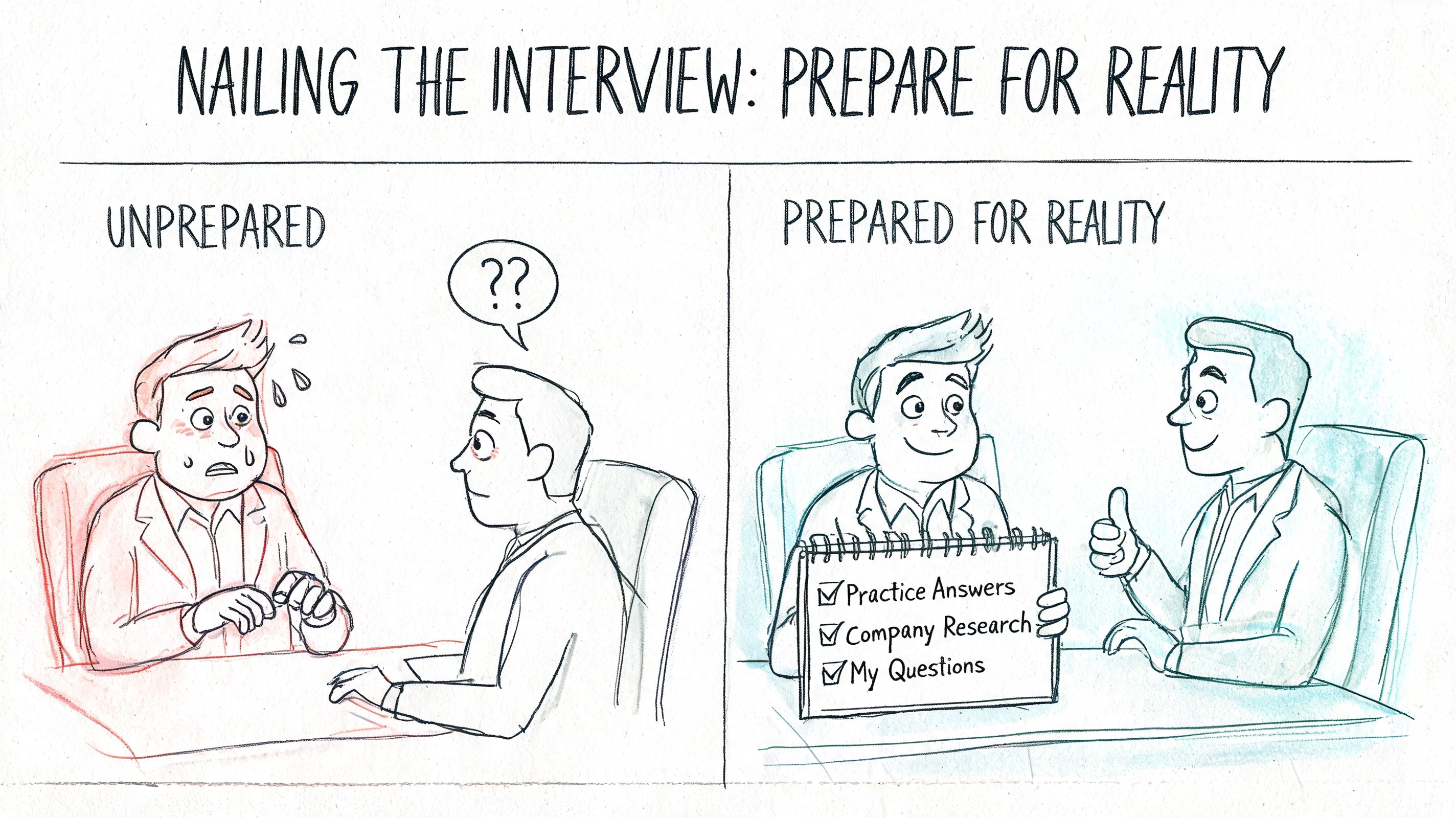
Candidates who rely on mainstream job boards tend to prepare the wrong way. They cram definitions, memorize hardware facts, and expect a quiz. Better employers, especially the ones you find early through direct sourcing, usually run scenario interviews because they want to hear your judgment.
Prepare for support scenarios, not trivia
Expect questions built around messy, ordinary tickets:
- A user cannot connect to the VPN. What do you check first?
- Someone says their laptop is slow. How do you narrow down the cause?
- A new employee cannot access email on day one. What steps do you take?
- A password reset failed. What do you verify?
- A ticket comes in with almost no useful information. How do you move it forward?
Strong answers follow a clear sequence.
Clarify the issue
Ask what changed, what error appeared, when it started, and whether the problem affects one user or several.Check the common failure points first
Connectivity, credentials, permissions, device status, and recent changes solve a large share of Tier 1 tickets.Explain your troubleshooting order
Interviewers want to hear prioritization. Random guessing reads as inexperience.Show how you communicate during the fix
Remote support depends on expectation-setting. Tell them how you would keep the user informed and reduce repeat messages.Escalate with useful documentation
Good Tier 1 staff know where their lane ends. A clean escalation saves time for Tier 2 and makes you look reliable.
Compare these two answers.
Weak: “I’d restart the device and see if that works.”
Strong: “I’d confirm whether the VPN issue is isolated, check network connectivity, ask for the exact error message, verify credentials and MFA status, review whether the VPN client changed recently, and document each step before escalating if it points to a wider access or configuration problem.”
That second answer sounds like someone who can work a queue.
Behavioral questions decide more offers than technical ones
A lot of candidates can answer basic troubleshooting prompts. Fewer can explain how they handled a tense user, an unclear ticket, or a mistake without sounding defensive. That difference decides interviews.
Use the STAR method:
- Situation
- Task
- Action
- Result
Keep each example tight. One minute is usually enough. The interviewer is listening for judgment, ownership, and emotional control.
Common prompts include:
- Tell me about a time you handled a frustrated person.
- Describe a situation where you did not know the answer right away.
- Give an example of balancing speed with accuracy.
- Tell me about a mistake you made and how you fixed it.
- Describe a time you explained something technical to a non-technical person.
A calm, structured answer beats a dramatic one. Remote helpdesk teams need people who can stay useful on an ordinary Tuesday, not candidates who perform well for one story.
Test the role for fit before you accept it
This part gets missed. Bad helpdesk hires are often fit problems, not ability problems.
Remote support can mean nonstop calls, back-to-back chat volume, strict handle-time targets, and constant context switching. Some people do well in that environment. Others are strong troubleshooters but burn out under sustained live interaction. That is not a character flaw. It is a job design issue.
The U.S. Bureau of Labor Statistics describes computer support specialists as workers who must analyze problems and communicate solutions to computer users, often under time pressure and across many issues in a day. Those demands are manageable for the right person, but they are not trivial.
Ask direct questions so you can tell what the day feels like.
Questions to ask the interviewer
- How much of the day is live phone support versus chat or tickets?
- What are the queue volume and response-time expectations?
- How are escalations handled?
- How large is the support team on a typical shift?
- What does success look like in the first 30 to 90 days?
- How much documentation is expected from Tier 1 staff?
- Are agents measured more on speed, resolution rate, CSAT, or all three?
Those answers matter. A role with moderate ticket volume, clear escalation paths, and realistic documentation standards is very different from a call-heavy environment with strict handle-time pressure and little training. Both are called “remote helpdesk.”
Treat the remote interview like a work sample
Your setup is part of the evaluation. Test your camera, microphone, lighting, and connection before the call. Close noisy apps. Keep notes nearby, but do not read from a script.
Hiring managers notice details fast:
- whether you explain steps in order
- whether you interrupt the interviewer
- whether you ask clarifying questions
- whether you can stay organized when a scenario gets vague
- whether you sound like someone users will trust
That is why I tell candidates to prepare like they already have the job. The best remote helpdesk interviews feel less like an exam and more like a short preview of how you would handle the queue on day one.
Decoding Salary, Benefits, and Job Offer Red Flags
Remote helpdesk pay looks simple on the surface. It is not. The title, employment type, shift coverage, and support scope can change the value of an offer by a wide margin.
Start with market reality. The U.S. Bureau of Labor Statistics reports median pay for computer user support specialists at bls.gov. That benchmark is useful, but it does not settle your decision. A remote Tier 1 role handling password resets and device setup pays differently from a role covering after-hours support, MDM, Microsoft 365 admin tasks, and VIP users.
Remote IT Helpdesk Salary Expectations 2026
| Experience Level | Years of Experience | Typical Pay Pattern |
|---|---|---|
| Entry-level | 0 to 1 years | Lower base pay, tighter supervision, fewer system permissions |
| Mid-level | 2 to 4 years | Higher pay tied to ticket ownership, broader tool access, some escalation work |
| Senior-level | 5 to 9 years | Stronger salary bands, specialized platform knowledge, mentoring or queue leadership |
The strongest candidates do not compare offers on base pay alone. They price the whole job.
A contract role can pay more per hour and still leave you behind by year-end if you cover your own health insurance, lose paid time off, and sit between assignments. Full-time roles usually win on stability, training, and promotion paths. Contract work still has a place. It can be a fast way to get recent experience, especially if you are changing careers or trying to break into a better employer.
Here is the practical trade-off:
- Contract roles often move faster, pay hourly, and can help you build experience quickly.
- Full-time roles usually offer paid time off, health coverage, retirement contributions, and clearer internal mobility.
- Shift premiums can raise earnings, but nights, weekends, and holiday rotations carry a real quality-of-life cost.
- Equipment policies matter. A company-issued laptop, stipend, and reimbursement for optimizing home office internet can save you more than a slightly higher hourly rate.
Benefits also tell you how the employer thinks. Teams that budget for training, certification reimbursement, and home-office support tend to plan for retention. Teams that offer none of that often expect churn.
Red flags that should slow you down
Bad remote helpdesk jobs rarely portray themselves accurately. The clues show up in the details.
The title is technical, but the work sounds like a call center.
If the posting focuses on handle time, sales language, or nonstop phones and says little about systems, tickets, or troubleshooting, expect volume over quality.The employer avoids specifics on schedule.
“Flexible” can mean split shifts, weekend rotation, or mandatory overtime during outages.There is no clear tool stack.
Legitimate teams can usually name their ticketing system, identity tools, remote access software, or endpoint environment.The offer comes fast, with pressure to accept fast.
High-churn employers push urgency because they know careful candidates will spot the problems.Benefits are vague or delayed.
“Benefits available” is not the same as day-one coverage, employer contributions, or paid holidays.The remote label has conditions buried in the fine print.
State restrictions, camera-on monitoring, office visits, and unpaid on-call duties should be disclosed early.
One more recruiter tip. If a company posts the same remote helpdesk job again and again, treat that as a signal, not an opportunity. Repeat listings often point to churn, weak management, or unrealistic workload.
A good offer feels clear before you sign it. You know what queue you are joining, what tools you will touch, how performance is measured, who you report to, and what the schedule does to your life outside work. That clarity is what separates a solid remote helpdesk job from a remote trap.
Your Action Plan for Landing a Remote Helpdesk Job
The fastest improvement usually comes from tightening your process, not doing more random work. If you want better results, act like a recruiter screening opportunities instead of a job seeker reacting to feeds.
Use this checklist:
- Target fresh, direct listings instead of spending your energy on crowded aggregator posts.
- Search adjacent titles such as IT Support Specialist, Service Desk Analyst, and Tier 1 Support.
- Apply early when a role is newly posted and still has a manageable applicant pool.
- Tailor your resume with real keywords from the job description, especially tools, support tasks, and operating environments.
- Write a short cover letter that shows communication strength and calm troubleshooting.
- Prepare scenario answers for VPN issues, login failures, account access, and vague tickets.
- Screen for personality fit by asking how much of the role is live support versus asynchronous work.
- Compare offers beyond base pay by weighing benefits, team quality, schedule, and support load.
- Test your remote setup before interviews. A stable connection matters when the job itself depends on reliability. If your home internet is questionable, this guide to optimizing home office internet is worth reviewing before you start interviewing.
Most candidates lose momentum because they treat job hunting like endless browsing. Don’t. Build a shortlist, work fresh roles first, and stay selective enough that every application still sounds human.
If you’re tired of stale listings, ghost jobs, and arriving after the crowd, Remote First Jobs gives you a cleaner way to search. It pulls verified remote roles directly from company career pages, which helps you find real openings earlier and apply before mainstream job boards turn them into applicant pileups.