The shift to remote work has transformed from a temporary solution into a permanent career path for millions. While the flexibility is unparalleled, mastering productivity outside the traditional office presents a unique set of challenges, from battling home-life distractions to maintaining a healthy work-life boundary. The freedom of working from anywhere demands a new level of discipline and intentionality. Without the built-in structure of a physical workplace, it’s easy for focus to wane, communication to falter, and the lines between personal and professional life to blur into nonexistence.
This guide moves beyond generic advice to offer a comprehensive roundup of actionable and in-depth remote work productivity tips. These strategies are designed not just to help you get by, but to truly excel in a distributed environment. We will break down specific, proven methods that address the core pillars of remote success: creating an optimal environment, mastering your time, and protecting your well-being. For a deeper dive into general strategies on how to increase your overall productivity, that resource provides excellent foundational concepts that complement the remote-specific tactics we cover here.
Whether you’re a seasoned remote professional looking to refine your routine, a newcomer navigating this new terrain, or a hiring manager aiming to support your distributed team, these strategies will provide the structure and focus needed to achieve exceptional results. We will cover seven key areas in detail:
- Establishing a Dedicated Workspace
- Time Blocking and Structured Schedules
- The Pomodoro Technique
- Regular Breaks and Movement
- Communication Boundaries and Do Not Disturb Hours
- Eliminating Distractions and Digital Minimalism
- Goal Setting and Progress Tracking
Let’s explore the habits that define the most successful remote workers and teams.
1. Establish a Dedicated Workspace
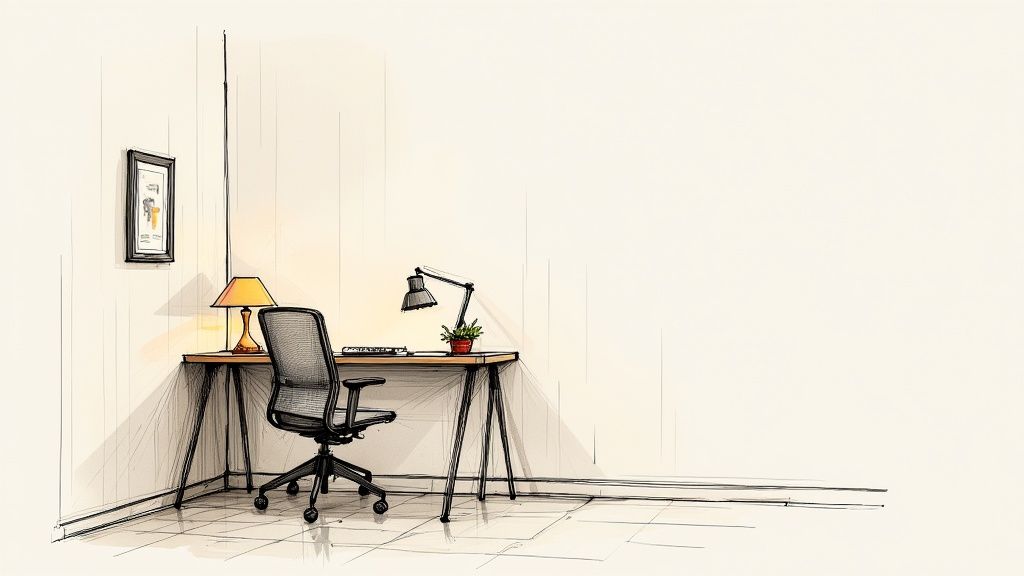
One of the most foundational yet impactful remote work productivity tips is creating a physical space designated solely for your professional tasks. This dedicated workspace acts as a powerful psychological cue, signaling to your brain that it’s time to transition from personal life to work mode. Without this physical boundary, the lines between home and office blur, leading to constant distractions and a feeling of being perpetually “on.”
Creating this separation is less about having a large, separate room and more about intentionality. The goal is to build a consistent environment that your mind associates with focus and productivity. When you enter this space, your brain is primed to concentrate; when you leave, you can more easily disconnect and recharge.
Why It Works: The Psychology of Space
The human brain is highly associative. Just as you associate your bed with sleep, you can train your brain to associate a specific desk or corner of your home with deep work. This concept, known as “context-dependent memory,” helps you get into a state of flow faster and sustain it longer because the environmental cues trigger work-related thoughts and behaviors automatically.
Leading remote-first companies like GitLab and Automattic understand this principle well. They provide stipends for employees to create personalized and ergonomic home offices, recognizing that a well-designed workspace is a direct investment in employee focus, well-being, and overall productivity.
Actionable Tips for Implementation
Creating an effective workspace doesn’t require a complete home renovation. Small, deliberate choices can make a significant difference.
- Choose Your Location Wisely: Select a low-traffic area of your home. If a separate room isn’t an option, a quiet corner in a living room or bedroom can work. The key is separation from household chaos.
- Invest in Ergonomics: Your health is paramount. An ergonomic chair that supports your posture and a desk at the proper height are non-negotiable. This prevents physical discomfort from becoming a mental distraction.
- Create Visual Boundaries: If your workspace is in a multi-use room, use a bookshelf, a tall plant, or a decorative room divider to visually cordon it off. This simple trick reinforces the mental separation.
- Optimize Your Lighting: Position your desk to take advantage of natural light if possible. Supplement with a good desk lamp to reduce eye strain, especially during late-night work sessions.
- Minimize Personal Clutter: Keep your desk professional. While a family photo or a plant can be motivating, your workspace should not double as a storage area for personal items, mail, or household chores.
By thoughtfully designing a dedicated area for work, you build a powerful habit that enhances focus and solidifies the work-life boundary essential for long-term remote success. For a more detailed guide on this topic, you can explore these actionable tips for setting up your home office.
2. Time Blocking and Structured Schedules
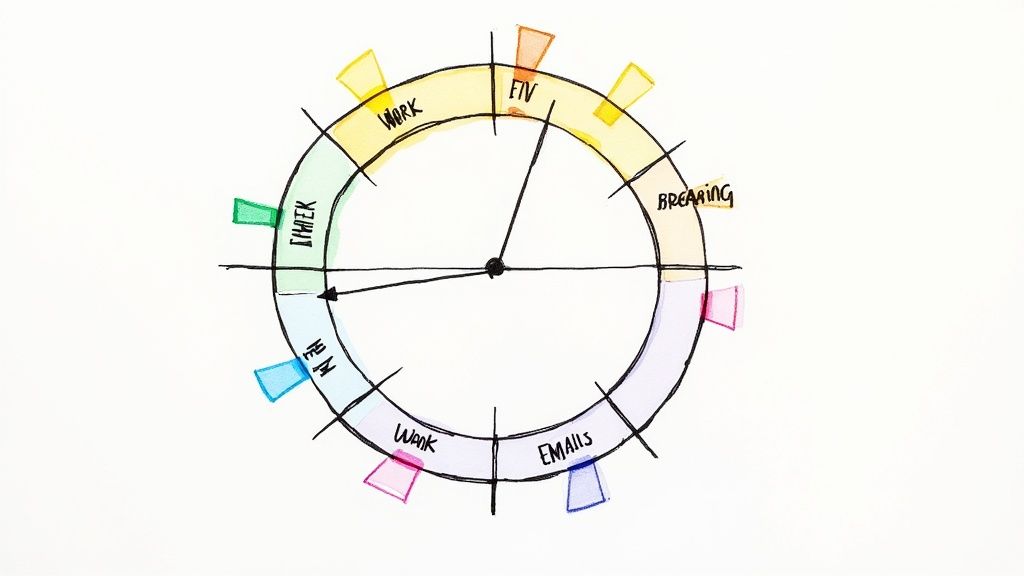
Without the natural structure of an office environment, a remote workday can easily dissolve into a chaotic mix of tasks, meetings, and distractions. Time blocking is a powerful remote work productivity tip that imposes order on this chaos by dedicating specific blocks of time to specific tasks. Instead of reacting to whatever comes up, you proactively decide what you will work on and when, creating a clear roadmap for your day.
This method transforms your calendar from a mere record of appointments into a strategic plan for your attention. By scheduling everything, from deep work sessions to checking emails, you minimize context switching and protect your most valuable resource: focused time. This structured approach allows you to tackle demanding projects with intention and ensures that smaller, administrative tasks don’t derail your entire day.
Why It Works: The Psychology of Intention
Time blocking leverages the “Zeigarnik effect,” a psychological phenomenon where the brain remembers uncompleted tasks better than completed ones. By scheduling a task, you create a firm intention to work on it, which helps your brain set it aside until the designated time arrives. This reduces the mental clutter of a long, unstructured to-do list and frees up cognitive resources.
Productivity experts like Cal Newport, author of ‘Deep Work,’ champion this method as essential for producing high-value output. It combats procrastination by breaking down large goals into manageable, scheduled chunks. When your calendar says “Work on Project X from 10 AM to 12 PM,” the decision of what to do next is already made, eliminating friction and making it easier to start.
Actionable Tips for Implementation
Integrating time blocking into your remote routine is straightforward with a few practical steps. The key is to be realistic and flexible, adjusting your schedule as you learn your own work rhythms.
- Align with Your Energy: Schedule your most challenging, high-focus tasks during your peak energy hours. For many, this is the morning, but your chronotype might differ. Protect this “deep work” time fiercely.
- Batch Similar Tasks: Group related activities together. For example, create a “communication block” for answering emails and Slack messages, rather than letting them interrupt you throughout the day.
- Schedule Buffers and Breaks: Avoid scheduling your day back-to-back. Add 10-15 minute buffer blocks between tasks to allow for overruns, grab a coffee, or simply stretch. This makes your schedule resilient.
- Use Calendar Tools: Leverage digital calendars like Google Calendar or Outlook. Use color-coding to differentiate between deep work, meetings, and personal time. Create recurring blocks for routine tasks.
- Review and Adapt: Your first time-blocked week won’t be perfect. At the end of each week, take 15 minutes to review what worked and what didn’t, then adjust your schedule for the following week.
By structuring your day with intention, you gain control over your time and significantly boost your productivity. To dive deeper into this and other strategies, explore these methods for how to improve time management skills.
3. The Pomodoro Technique
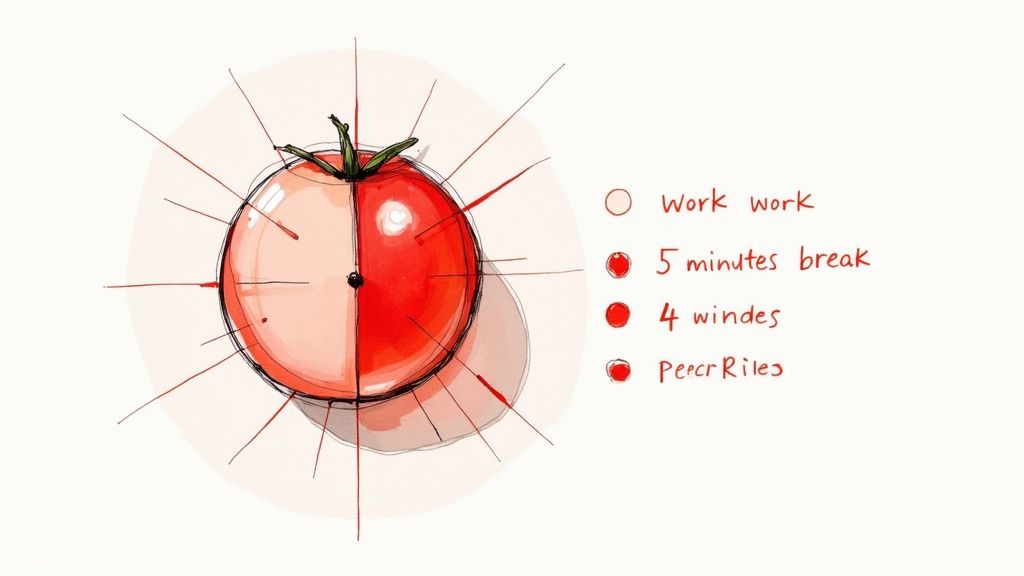
The Pomodoro Technique is a powerful time management method that uses focused, timed intervals to break down your workday into manageable sprints. By working in 25-minute sessions (called “pomodoros”) separated by short 5-minute breaks, you can maintain high levels of concentration and prevent the mental fatigue that often accompanies remote work. This structured approach helps you tackle large tasks without feeling overwhelmed, making it one of the most effective remote work productivity tips.
The beauty of this technique, developed by Francesco Cirillo in the late 1980s, lies in its simplicity. It forces you to fully commit to a single task for a short period, minimizing distractions and the urge to multitask. After four consecutive pomodoros, you reward yourself with a longer break of 15-30 minutes, allowing your brain to rest and consolidate information before the next round of focused work.
Why It Works: The Psychology of Urgency and Reward
The Pomodoro Technique leverages the brain’s response to urgency and reward. The 25-minute timer creates a sense of mild, positive pressure, encouraging you to stay on task and make tangible progress. The scheduled breaks act as small, immediate rewards, which helps build and maintain motivation throughout the day. This cycle of intense focus followed by deliberate rest prevents cognitive burnout.
Productivity-focused companies and tools often integrate this methodology. Toggl Track, a popular time-tracking platform, includes a built-in Pomodoro timer to help users structure their work sessions. Similarly, the Forest app gamifies the technique, allowing users to grow a virtual tree during each focus interval, which dies if they leave the app. This simple but effective system reinforces the habit of uninterrupted work.
Actionable Tips for Implementation
Getting started with the Pomodoro Technique is straightforward, but a few strategies can maximize its effectiveness.
- Silence All Notifications: A pomodoro is a sacred block of focused time. Mute your phone, close unnecessary browser tabs, and turn off desktop notifications to eliminate potential interruptions.
- Use a Visible Timer: Whether it’s a physical kitchen timer or a digital app, having a visible countdown keeps you accountable and aware of the time remaining in your focus session.
- Plan Your Pomodoros: At the start of your day, list your tasks and estimate how many pomodoros each will require. This helps you plan your schedule and creates a clear roadmap for what you need to accomplish.
- Use Breaks for Physical Movement: Avoid checking email or social media during your breaks. Instead, stand up, stretch, walk around, or grab a glass of water. This physical separation from your desk helps reset your mind.
- Customize Your Intervals: The standard 25⁄5 split is a great starting point, but don’t be afraid to adjust it. For deep, creative work, you might find a 50⁄10 split more effective. Experiment to find what works best for your workflow and attention span.
By integrating the Pomodoro Technique into your routine, you can transform your workday from a long, unstructured marathon into a series of focused, productive sprints. To dive deeper into structuring your remote workday, you can find other valuable ideas within these productivity tips for working from home.
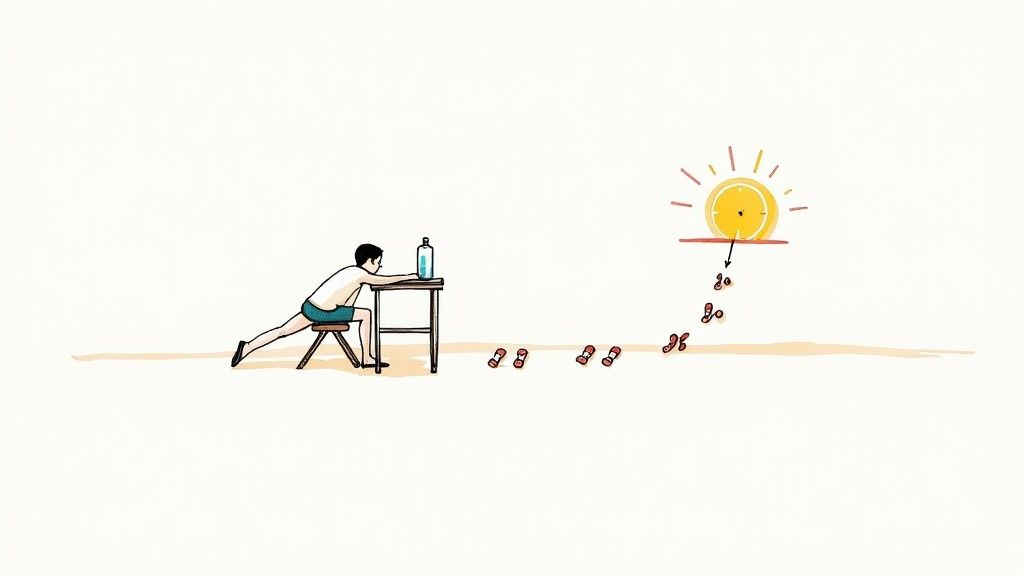
4. Regular Breaks and Movement
Counterintuitively, one of the best remote work productivity tips involves stepping away from your desk. Integrating regular breaks and physical movement into your workday is not a luxury but a strategic necessity for sustaining focus, preventing burnout, and maintaining physical health. Continuous, uninterrupted work leads to cognitive fatigue and diminishing returns, while short, intentional pauses act as a powerful reset button for your brain and body.
This principle moves beyond the simple lunch break, advocating for a rhythm of work and rest throughout the day. By deliberately scheduling time to stand, stretch, or walk, you combat the sedentary nature of remote work, improve circulation, and give your mind the space it needs to process information and solve problems more effectively.
Why It Works: The Science of Rest and Focus
The human brain is not designed for prolonged, intense focus on a single task. Research from organizations like Microsoft’s Workplace Insights team shows that back-to-back virtual meetings increase stress and reduce the brain’s ability to stay focused. Breaks allow the brain to reset, preventing the buildup of “brain fog” and stress hormones. Physically, movement counteracts the negative effects of prolonged sitting, such as poor posture and muscle strain.
Tech giants have built this understanding into their culture and products. Google often encourages the Pomodoro Technique (25 minutes of work followed by a 5-minute break), and Apple integrates “Stand” and “Breathe” reminders into its operating systems. These companies recognize that a refreshed employee is a productive employee, proving that performance is a marathon sustained by strategic sprints and recovery, not a single, endless race.
Actionable Tips for Implementation
Weaving breaks and movement into your routine requires conscious effort until it becomes a habit. Here’s how to start.
- Schedule Your Breaks: Don’t wait until you feel fatigued. Use your calendar to block out two 15-minute breaks and a longer lunch. Treat these appointments with the same importance as a work meeting.
- Use the 20-20-20 Rule: To combat digital eye strain, every 20 minutes, look at something 20 feet away for at least 20 seconds. This simple exercise, recommended by ophthalmologists, provides a mini-break for your eyes.
- Make Breaks Screen-Free: Avoid swapping your computer screen for your phone screen. Use your break to walk around, stretch, grab a glass of water, or simply look out a window to truly rest your mind.
- Incorporate “Movement Snacks”: You don’t need a full workout. A five-minute walk up and down the stairs, a quick set of squats, or some light yoga stretches can be enough to boost blood flow and re-energize you.
- Get Outside If Possible: Even a brief walk outdoors exposes you to natural light, which can improve mood and regulate your sleep-wake cycle, further enhancing overall productivity and well-being.
By embracing regular breaks, you’re not slacking off; you are actively managing your energy and cognitive resources. This discipline is a cornerstone of long-term remote work productivity, ensuring you end your day feeling accomplished rather than drained.
5. Set Communication Boundaries and Do Not Disturb Hours
One of the most potent remote work productivity tips is to reclaim control over your time by setting firm communication boundaries. In a remote setting, the constant stream of notifications from chat apps, emails, and project management tools can shatter your focus. Establishing clear “do not disturb” hours and communication protocols creates a defensive shield around your deep work time.
This strategy isn’t about becoming unresponsive; it’s about being intentionally responsive. It shifts the default from constant availability to structured collaboration, allowing you to engage in focused work without the costly penalty of context switching. By signaling your availability clearly, you manage team expectations and empower yourself to dedicate uninterrupted blocks of time to your most important tasks.
Why It Works: The Cost of Interruption
Every notification, no matter how small, forces your brain to switch contexts. Research consistently shows that it can take over 20 minutes to fully regain focus after a single interruption. A day filled with constant pings is a day spent in a state of shallow work, preventing you from tackling complex problems effectively.
Pioneering companies in the remote space build their entire communication philosophy around this principle. Basecamp, championed by Jason Fried, famously promotes asynchronous communication to minimize interruptions. Similarly, GitLab’s “async-first” policy and Atlassian’s “No Meeting Wednesdays” are corporate-level endorsements of the idea that protecting focus time is a direct driver of productivity and innovation.
Actionable Tips for Implementation
Implementing communication boundaries requires clear communication and consistent habits. Here’s how to start reclaiming your focus.
- Schedule and Block Focus Time: Treat deep work like a meeting. Block off specific “do not disturb” hours on your calendar so colleagues can see when you are unavailable for immediate responses.
- Utilize Status Indicators: Leverage the tools you already use. Set your Slack or Microsoft Teams status to “Focusing” or “Heads Down” and configure notifications to be silenced automatically during these periods.
- Communicate Your Schedule: Don’t operate in a silo. Let your team know your focus schedule. A simple message like, “I’ll be in deep work mode from 1-4 PM and will check messages after,” sets clear expectations.
- Establish a Triage System: Not all messages are created equal. Define what constitutes a true emergency that warrants an interruption and create a specific escalation path for it, such as a direct phone call.
- Batch Your Communication: Instead of reacting to messages as they arrive, set aside specific times in your day to check and respond to emails and chat messages. This prevents your inbox from dictating your workflow.
- Promote Asynchronous Tools: For non-urgent matters, encourage the use of email or project management comments instead of instant messages. This allows team members to respond thoughtfully when they have a natural break in their work.
By setting these guardrails, you create an environment where both focused work and effective collaboration can thrive. For a deeper dive into this essential skill, you can discover more about how to set boundaries at work.
6. Eliminating Distractions and Digital Minimalism
In a remote setting, the battle for your attention is relentless. Creating a distraction-free environment, both physically and digitally, is one of the most critical remote work productivity tips for reclaiming focus. This approach, rooted in digital minimalism, is about being intentional with your technology and environment to reduce cognitive load and enable deep, uninterrupted work.
Without deliberate control over your surroundings, your workday can fragment into a series of constant interruptions from notifications, browser tabs, and household noise. The goal of minimalism in this context is not to renounce technology but to curate it, ensuring every tool and notification serves a specific, productive purpose. This allows you to work with your tools, not in constant reaction to them.
Why It Works: The Psychology of Focus
The human brain is not wired for multitasking; it excels at single-tasking. When you switch between tasks, such as responding to a notification while writing a report, you incur a “context switching” cost. This mental tax drains your cognitive resources, reduces efficiency, and increases the likelihood of errors. Digital minimalism directly combats this by eliminating the triggers that cause you to switch contexts.
Authors like Cal Newport, in his book Digital Minimalism, and James Clear, in Atomic Habits, highlight how environment design is a powerful driver of behavior. By making distractions difficult to access and focus easy to achieve, you engineer your environment to support your goals. Tech leaders like Tristan Harris from the Center for Humane Technology advocate for this conscious use of technology to reclaim human attention from persuasive design meant to keep you engaged.
Actionable Tips for Implementation
Taming distractions requires a proactive, multi-faceted strategy. Here are practical steps to build your fortress of focus.
- Block Distracting Websites: Use dedicated apps like Freedom or Cold Turkey to block access to social media, news sites, and other personal time-sinks during your scheduled work blocks.
- Silence the Noise: Turn off all non-essential notifications on your computer and phone. Configure your settings so only critical alerts from key people or apps can get through. Better yet, place your phone in another room.
- Practice Tab Hygiene: Before starting a task, close all unrelated browser tabs. Use separate browser profiles or windows for different projects to keep your digital workspace organized and relevant.
- Schedule Your Inputs: Instead of constantly checking email and messages, batch these tasks. Dedicate specific times, like 10 AM and 3 PM, to process all your communications at once.
- Declutter Your Physical Space: A cluttered desk can lead to a cluttered mind. Physical clutter often translates to mental clutter; implement quick desk decluttering tips to cultivate a more focused environment.
By intentionally curating your digital and physical worlds, you create the conditions necessary for sustained concentration, transforming your remote workspace into a true productivity powerhouse.
7. Goal Setting and Progress Tracking
Without the structure of a physical office, remote work demands a high degree of self-direction. Setting clear, measurable goals acts as your internal compass, providing the direction and motivation needed to stay on track. This practice transforms vague intentions into a concrete action plan, making it one of the most effective remote work productivity tips for maintaining focus and accountability.
The core principle is simple: break down large, intimidating projects into specific, achievable daily and weekly tasks. By tracking your progress against these smaller milestones, you create a feedback loop that reinforces motivation. Seeing tangible progress builds momentum and helps you stay engaged, even when working in isolation.
Why It Works: The Psychology of Achievement
This approach leverages the brain’s reward system. Each time you complete a task and check it off your list, your brain releases a small amount of dopamine, creating a feeling of accomplishment. This positive reinforcement cycle, as popularized by thought leaders like John Doerr with his OKR (Objectives and Key Results) framework, makes you more likely to repeat the productive behavior.
Tech giants like Google and Intel have used OKRs for decades to align their massive, distributed workforces around shared objectives. Similarly, tools like Asana and Notion have built entire platforms around the concept of visible progress tracking, recognizing that it is fundamental to team and individual performance in a remote setting.
Actionable Tips for Implementation
Integrating a robust goal-setting system into your routine is straightforward with a few deliberate practices. The key is consistency and clarity.
- Define Your Daily Top 3: Start each day by identifying the three most important tasks you need to accomplish. This prevents you from getting lost in a long, overwhelming to-do list.
- Use the SMART Criteria: Ensure your goals are Specific, Measurable, Achievable, Relevant, and Time-bound. Instead of “work on the project,” a better goal is “complete the first draft of the project introduction by 3 PM.”
- Track Progress Visually: Use a digital Kanban board (like Trello), a dedicated app, or even a simple spreadsheet to visualize your workflow. Moving a task from “To Do” to “Done” is a powerful psychological motivator.
- Break Down Large Projects: Divide large projects into weekly milestones and then into daily tasks. This makes the overall goal feel less daunting and provides regular opportunities to celebrate small wins.
- Conduct Daily and Weekly Reviews: Spend five minutes each morning reviewing your goals and five minutes in the evening assessing your progress. A weekly retrospective helps you analyze what worked and adjust your strategy for the upcoming week. For more on this, discover new ways to prioritize tasks at work.
By systematically setting and tracking goals, you build a powerful framework for self-management that drives consistent output and provides a clear sense of accomplishment, which is vital for long-term success and satisfaction in a remote career.
7-Point Remote Work Productivity Comparison
| Item | 🔄 Implementation Complexity | ⚡ Resource Requirements | 📊 Expected Outcomes | Ideal Use Cases | ⭐ Key Advantages |
|---|---|---|---|---|---|
| Establish a Dedicated Workspace | Medium — planning, setup time | Moderate — ergonomic furniture, lighting, privacy solutions | Improved focus; clearer work-life boundary; reported 15–25% productivity lift | Remote workers with available space; frequent video calls | Consistent routine; fewer interruptions; professional appearance |
| Time Blocking and Structured Schedules | Medium — requires planning and discipline | Low — calendar apps, templates | More deep work; reduced context-switching and decision fatigue | Knowledge work, project days, teams with predictable tasks | Improves focus and predictability; easier tracking |
| The Pomodoro Technique | Low — simple routine to adopt | Minimal — timer or app | Better task completion; sustained attention; less burnout risk | Short tasks, studying, writers, people who procrastinate | Easy to start; enforces breaks and momentum |
| Regular Breaks and Movement | Low — habit formation and reminders | Minimal — reminders, small space for movement | Improved cognition, reduced RSI/eye strain, higher sustained focus | Sedentary roles, long screen sessions, health-focused routines | Sustains energy and health; boosts creativity and mood |
| Communication Boundaries & Do Not Disturb Hours | Medium–High — requires team alignment and norms | Low — status tools, scheduling, documented policies | Protected focus windows; clearer expectations; fewer interruptions | Cross-functional teams, async-first orgs, heavy collaboration | Reduces context-switching; improves work-life balance |
| Eliminating Distractions & Digital Minimalism | Medium — habit change plus tooling | Low–Moderate — blockers, extensions, focus apps | Dramatic focus gains; lower context-switching costs; higher output quality | Coding, writing, design, high-concentration tasks | Increases attention span and deliverable quality |
| Goal Setting & Progress Tracking | Medium — planning, review cadence | Moderate — tools (Asana, Notion, dashboards) | Clear direction; measurable progress; improved accountability | Project-driven work, teams, performance-focused roles | Aligns priorities; motivates via visible progress |
Your Blueprint for Remote Success
Navigating the landscape of remote work is less about discovering a single secret hack and more about architecting a personalized, resilient system for success. Throughout this guide, we’ve explored a comprehensive suite of remote work productivity tips, moving beyond generic advice to provide actionable frameworks. You’ve learned the foundational importance of creating a dedicated workspace to psychologically separate work from life, and how to harness time blocking and the Pomodoro Technique to bring structure and focus to an otherwise boundless day.
These methods are not just about managing time; they are about managing your energy and attention, which are your most valuable assets in a distributed environment. The true power of these strategies emerges when they are woven together into a cohesive daily practice. A well-defined workspace amplifies the effectiveness of your time blocks, and scheduled breaks prevent the burnout that can derail even the most organized professional.
From Theory to Sustainable Practice
The transition from understanding these concepts to embodying them is where the real work begins. The core takeaway is this: consistency trumps intensity. Implementing a single tip, such as establishing firm communication boundaries with “Do Not Disturb” hours, and sticking to it for a month will yield far greater results than trying to adopt all seven strategies at once and abandoning them after a week.
To make this transition effective, consider these actionable next steps:
- Conduct a Personal Productivity Audit: For one week, simply observe. Where does your time go? What are your biggest distractions? When are you most focused? Use this data to identify the one or two tips from this article that would address your biggest pain points.
- Start Small with One “Keystone Habit”: Choose the single most impactful strategy to implement first. For many, this is creating a structured schedule. Master this one habit before layering on another.
- Iterate and Adapt: Your ideal productivity system is not static. A workflow that serves you well during a period of deep-focus project work may need adjustment during a week packed with collaborative meetings. Regularly review what’s working and what isn’t, and don’t be afraid to experiment. Perhaps a 25-minute Pomodoro is too short, but a 45⁄15-minute cycle is perfect. Your system should serve you, not the other way around.
The Broader Impact: More Than Just Output
Mastering these remote work productivity tips is about much more than simply getting more tasks done. It’s about reclaiming control over your professional life, fostering a healthier work-life balance, and proving that autonomy and high performance are not mutually exclusive. When you build a system that protects your focus and respects your well-being, you not only enhance your career value but also improve your mental clarity and reduce stress.
This level of self-management and discipline is precisely what top remote-first companies are looking for. They seek professionals who are not just skilled in their craft but are also masters of their own workflow. By implementing these strategies, you are actively developing the meta-skills that define the most successful remote employees. You are building a blueprint not just for productivity, but for a sustainable and fulfilling remote career. The journey to becoming a highly effective remote professional is a marathon, not a sprint, and with these tools, you are well-equipped to set the pace and thrive for the long haul.
Ready to put your newfound productivity skills to the test in a role that values autonomy and efficiency? Remote First Jobs curates the best remote-first opportunities from leading companies, cutting through the noise so you can find a position that truly fits your work style. Explore thousands of vetted, high-quality listings and find your next great remote challenge at Remote First Jobs.