Managing a remote team effectively isn’t about dragging your old office habits onto Slack. It’s a completely different ballgame. To win, you need to build entirely new systems designed from the ground up for asynchronous success. This means getting intentional about communication, choosing your tech stack wisely, and building a culture of genuine trust.
The Undeniable Shift to Remote Project Management
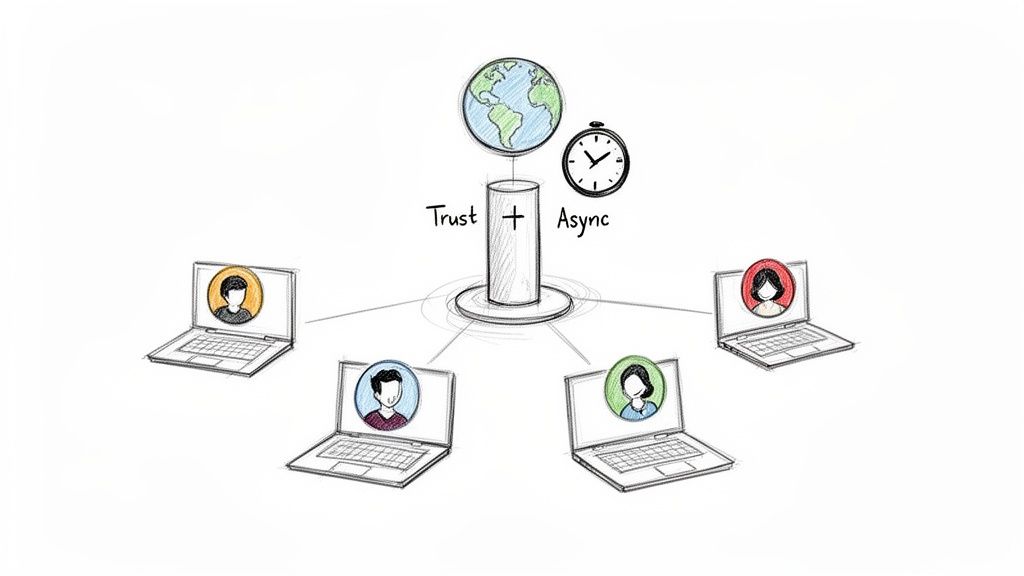
Let’s face it: the way we work has changed for good. Knowing how to run projects with a team scattered across the globe is no longer a “nice-to-have” skill—it’s essential. The old ways of managing projects just don’t cut it when your team is spread across different cities, countries, and time zones. Those spontaneous hallway conversations and whiteboard brainstorms are gone.
This new reality brings its own set of headaches. It’s way too easy for communication silos to pop up, for project visibility to vanish, and for that sense of team camaraderie to fizzle out. A lot of managers react by just scheduling more Zoom calls, but that’s a quick path to burnout. Real success comes from a total redesign of your workflows with a remote-first mindset.
Embracing a New Operational Playbook
This new playbook isn’t about generic advice. It’s about the nitty-gritty, practical strategies that separate the remote teams that thrive from those that just barely survive. It all comes down to being deliberate.
The pillars of this approach are pretty straightforward:
- Async-First Communication: Make clear, written communication the default. This allows for deep, focused work and shows respect for everyone’s time zones. Not everything needs an immediate reply.
- A Centralized Source of Truth: Have one—and only one—place for all project docs, decisions, and status updates. No more hunting through email chains or Slack channels.
- Outcome-Oriented Management: Shift the focus from hours clocked to the quality of the work delivered. This builds the trust and autonomy that remote teams need to excel.
The biggest mistake I see is teams trying to shoehorn their in-office routines into a remote setup. It never works. You have to build a new framework from scratch, one that’s grounded in trust, clarity, and async principles. It’s not just a different location; it’s a fundamentally different way of working.
This guide will walk you through exactly how to put these principles into action. We’ll get into establishing clear roles, picking the right tech, and running project meetings that don’t suck the life out of your team.
And if you’re looking to join a team that already gets this, checking out platforms that list verified remote-first jobs is a great way to see how the best companies are putting these ideas into practice.
Designing Your Asynchronous-First Foundation
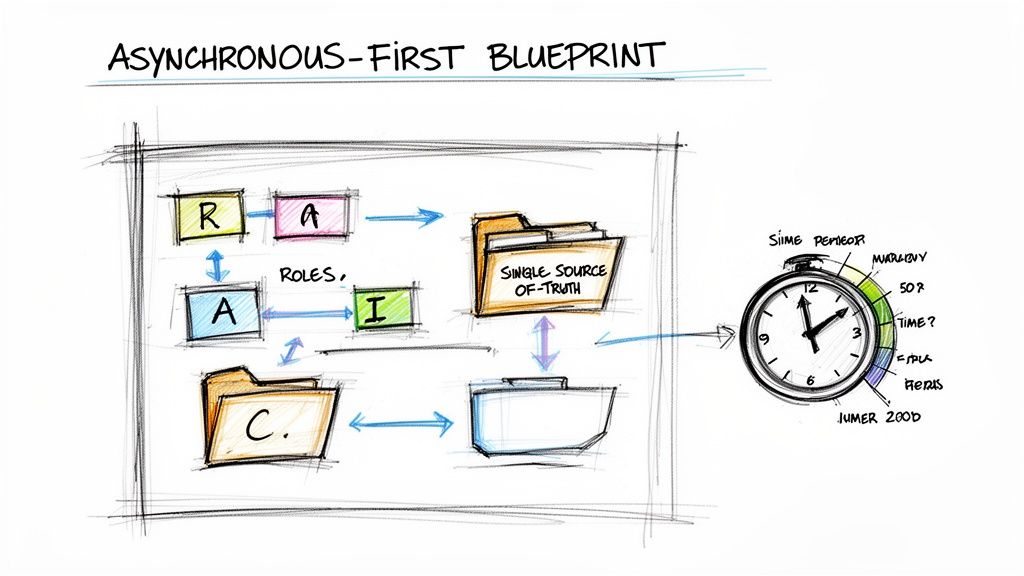
Before you spend a single cent on a fancy new project management tool, you need an operational blueprint. I’ve seen it time and time again: the most common failure in remote project management isn’t picking the wrong software, it’s having no clear system for how work actually gets done.
An asynchronous-first foundation is that system. It’s about deliberately building a calm, organized, and effective remote culture—not just letting one happen by default. This approach prioritizes deep, uninterrupted work over the constant ping-ping-ping of a synchronous office, allowing your team to contribute their best work on a schedule that fits them, no matter the time zone.
Map Out Roles and Responsibilities with a Remote-Friendly RACI
Ambiguity is the absolute enemy of remote work. Projects grind to a screeching halt when people are unsure who owns what or who has the final say. A RACI matrix—clarifying who is Responsible, Accountable, Consulted, and Informed—is a classic for a reason, but it needs a few tweaks for a distributed team.
In a remote setting, the “Consulted” and “Informed” roles take on a whole new level of importance. You can’t just swivel your chair to get a quick opinion. This demands a much more intentional process.
- Responsible: The doer. This is the person with their hands on the keyboard, actually doing the work.
- Accountable: The owner. This person is ultimately on the hook for the outcome and has the final veto.
- Consulted: The experts you need input from before the work is done. Think of them as your key feedback loop.
- Informed: The stakeholders who need to be kept in the loop. This is a one-way street of communication—they get updates, but don’t need to weigh in.
Let’s say you’re launching a new feature. An engineer is Responsible for the code, while the Product Manager is Accountable for the feature’s success. The UX designer is Consulted on the interface, and the marketing team is Informed about the launch date. Documenting this in your project tool kills the guesswork.
The point of a remote RACI isn’t just about assigning tasks; it’s about defining communication pathways. It answers “Who do I talk to about this?” before anyone even has to ask.
Establish a Single Source of Truth
Knowledge silos are lethal for remote teams. When crucial information is buried in personal inboxes, random Slack DMs, or scattered across different hard drives, you’re just creating chaos. The fix is a single source of truth (SSoT)—one central, undisputed hub for every document, decision, and discussion.
This could be a Notion workspace, a Confluence wiki, or even a meticulously organized Google Drive. Honestly, the specific tool matters far less than your team’s unwavering commitment to using it.
Your SSoT should be the home for everything:
- Project briefs and specs
- Meeting notes and action items
- Records of key decisions (and the ‘why’ behind them)
- Team processes and handbooks
A strong async foundation is built on excellent documentation. For engineering teams, mastering code documentation best practices is non-negotiable for shared understanding. When someone has a question, their muscle memory should be to check the SSoT first, not fire off a DM.
Design Workflows That Protect Deep Work
Constant interruptions are the death of productivity. Remote work is a golden opportunity to escape this cycle, but only if you design workflows that actively protect your team’s focus. That means ditching the expectation of instant responses.
Set clear expectations around communication, often called service-level agreements (SLAs). For example, you might establish a 24-hour response time for non-urgent comments or emails. This simple guideline empowers people to disconnect from notifications and dive into deep work without the anxiety of feeling unresponsive.
This isn’t just a nice-to-have anymore. In 2024–2025, remote work has become a defining feature of the project management landscape, with 61% of professionals working remotely at least part-time. With the global PM workforce projected to nearly double by 2035, building these sustainable, async-friendly practices is how you attract and keep top talent. Getting this foundation right ensures your team is built to last.
Choosing Your Remote Collaboration Tech Stack
The right tech stack just works. It fades into the background, letting your team focus on what they do best without fighting the software. The wrong stack? It’s a constant source of friction, frustration, and wasted hours.
Building a solid tech stack for a remote team isn’t about jumping on the latest Silicon Valley trend. It’s about being deliberate and choosing tools that genuinely support an async-first workflow. The real goal is to create a digital ecosystem where every tool has one clear job, preventing the dreaded “tool sprawl” that leaves everyone confused and overwhelmed.
The Three Pillars of a Remote Tech Stack
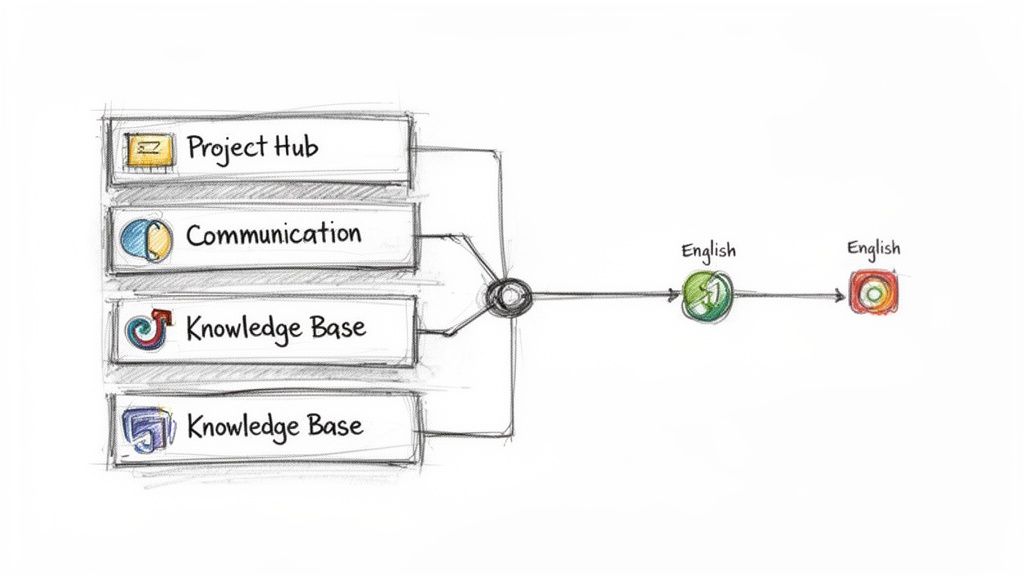
Before you even think about brand names, let’s break down the core functions your team needs. I’ve found that nearly every high-performing remote team builds its entire workflow on top of three fundamental pillars.
- The Project Management Hub: This is your command center. It’s the single source of truth for all ongoing work, where tasks are defined, deadlines are set, and progress is visible to everyone, anytime. No more “who’s doing what?” questions.
- The Communication Platform: Think of this as your digital office—the spot for real-time chats, quick check-ins, and team-wide announcements. It’s built for speed, connection, and those casual interactions that build culture.
- The Knowledge Base: This is your team’s collective brain, captured and organized. It’s a permanent, searchable library for everything from project briefs and processes to company policies and onboarding guides.
The magic really happens when these three pillars are tightly integrated. An update on a task in your project hub should automatically ping the right people in your communication tool, and that task should always link back to the full project spec in your knowledge base.
Selecting Tools With Purpose
When you start looking at specific apps, don’t get distracted by flashy feature lists. Focus on the criteria that actually move the needle for project management for remote teams.
- Integration Power: How well does it play with others? A tool that can’t connect to the rest of your stack is just creating another data silo and more manual work for your team.
- Asynchronous Support: Is it built for collaboration across time zones? Look for features like threaded comments, smart notifications, and clear version history. These are non-negotiable.
- User Experience (UX): Is it actually easy to use? A clunky interface is the fastest way to kill adoption. If a tool needs a week of training just to get started, it’s probably the wrong one.
- Security: How is your data being protected? To keep team communications secure, especially when people are working from coffee shops or airports, using the best VPN for public WiFi is a must.
This careful selection process really pays off. Recent data shows that remote teams with the right tech perform almost identically to their in-office counterparts. Performance rates are neck and neck: remote at 73.2%, hybrid at 73.4%, and in-person at 74.6%. It’s proof that a well-equipped distributed team can deliver just as effectively. And with around 82% of companies now using project management software, the smart ones are choosing nimble, cloud-based tools over clunky enterprise systems.
A Look at an Integrated Tech Stack
Let’s put this all together. Your tech stack doesn’t need to be complicated to be powerful. It just needs to be intentional.
The table below breaks down the core software categories you’ll need to build an effective remote toolkit, showing how each piece fits into the bigger picture.
Essential Remote Project Management Tool Categories
| Tool Category | Primary Function | Popular Examples |
|---|---|---|
| Project Management Hub | Tracking tasks, managing sprints, and visualizing timelines. | Asana, Jira, Trello |
| Communication Platform | Daily check-ins, quick questions, and team announcements. | Slack, Microsoft Teams |
| Knowledge Base | Documenting project specs, meeting notes, and SOPs. | Notion, Confluence, Slab |
In this kind of setup, a new project might start with a detailed brief written in Notion. That brief is then linked from a parent task in Asana, where all the sub-tasks are created and assigned. Any real-time chatter about a specific task happens in a dedicated Slack channel, which is integrated with Asana to post automatic updates when tasks are completed.
See how that works? Every tool has its job, they all talk to each other, and nothing falls through the cracks. That’s the goal.
Adapting Project Ceremonies for Remote Teams
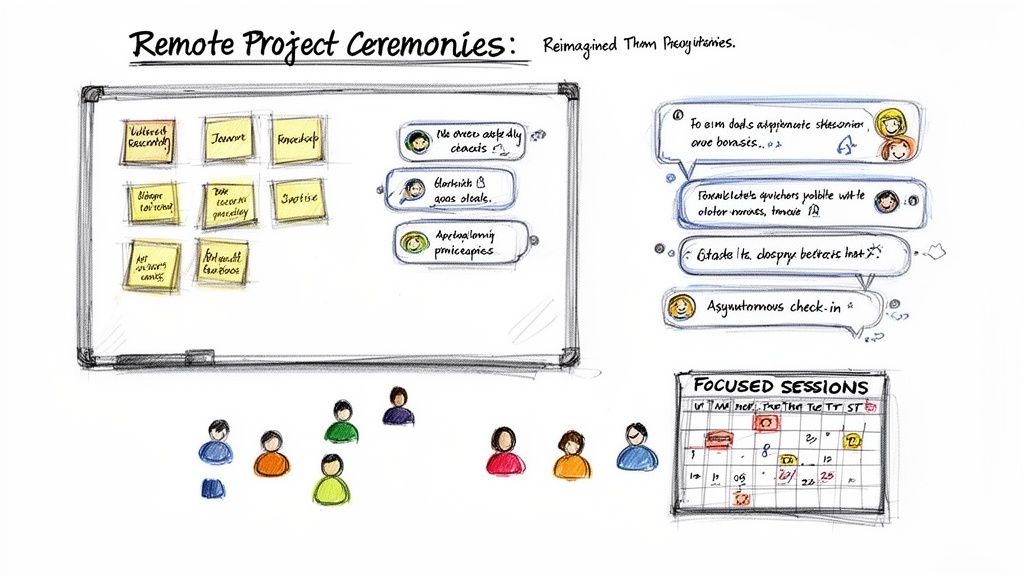
The rhythm of an in-office project is often set by its meetings—the stand-up, the sprint planning session, the retrospective. But if you just try to move these ceremonies onto a video call, you’re setting yourself up for disengagement and serious meeting fatigue.
Effective remote project management demands a complete redesign of these crucial touchpoints. The goal isn’t to replicate what you did in a conference room; it’s to achieve the same outcomes in a way that respects time zones and encourages real participation. This means leaning hard into async prep and saving your precious synchronous time for high-value collaboration that just can’t happen any other way.
Reimagining Sprint Planning for Equal Contribution
In a physical room, sprint planning can easily be dominated by the loudest voices. Remote planning, however, gives you a golden opportunity to level the playing field. The trick is to shift the heavy lifting to asynchronous work.
Before the meeting even starts, the product manager should have a well-groomed, prioritized backlog ready to go. Every team member needs to review the top-priority user stories on their own time, dropping questions, initial thoughts, and rough time estimates directly into your project management tool.
When the team finally does get together live, you’re not introducing the work; you’re laser-focused on discussing the comments and figuring out the discrepancies from the async prep. This single change transforms the meeting from a long-winded presentation into a snappy, problem-solving session.
- Use Digital Whiteboards: Tools like Miro or FigJam are non-negotiable here. Create columns for each person so they can drag and drop the tasks they plan to tackle. It makes capacity planning transparent and collaborative, side-stepping the awkwardness of one person assigning work to everyone else.
- Timebox Everything: Be ruthless with your synchronous meeting time. Use a timer for each story discussion to keep conversations from going off the rails. The goal is alignment, not an exhaustive debate on every minor detail.
The real power of remote sprint planning is that it flips the model. Instead of one person talking at the team for an hour, the team spends their individual time thinking deeply and then uses their collective time to align and commit.
Moving Beyond the Daily Stand-Up Meeting
The daily stand-up is often the first casualty of remote work, and for good reason. Trying to coordinate a 15-minute call across a bunch of time zones is an organizational nightmare that rarely provides much value. The answer isn’t to ditch the check-in entirely, but to make it asynchronous.
An async check-in respects everyone’s schedule and, better yet, creates a written record of progress and blockers. Setting up a dedicated Slack or Teams channel for these updates is a simple change with a massive impact.
Here’s a practical format that just works:
- Yesterday I: A quick summary of what you knocked out.
- Today I will: A clear outline of your priorities for the day.
- Blockers: Any roadblocks, with specific people tagged for help.
This approach saves dozens of hours every month while actually improving visibility. A manager can scan the channel in five minutes and get a clearer picture of the team’s status than they would from a half-engaged video call. It’s a cornerstone of effective project management for remote teams.
Facilitating Meaningful Remote Retrospectives
Retrospectives are where a team truly grows, but they require a high degree of psychological safety—something that’s tough to build through a screen. A great remote retro hinges on creating a space where even the quietest team members feel comfortable sharing honest feedback.
Once again, asynchronous prep is your best friend. Days before the live meeting, send out a survey or create a digital whiteboard with the three classic columns: “What went well?”, “What didn’t go well?”, and “What should we try next?”. Have everyone add their thoughts anonymously.
This simple act of collecting feedback beforehand works wonders:
- It gives introverted team members time to formulate their thoughts without being put on the spot.
- Anonymity encourages more candid feedback, especially around sensitive topics.
- The facilitator can group similar themes before the meeting, making the live discussion far more structured and productive.
When you do meet live, you can jump straight into discussing those themes and collaboratively creating concrete action items. The golden rule? Don’t end the meeting without assigning an owner and a due date to each improvement idea. This is how you ensure the retro leads to real change, not just another vent session.
Measuring Performance and Avoiding Common Pitfalls
How can you tell if your remote team is actually firing on all cylinders? Just watching tasks get marked “complete” on a dashboard doesn’t give you the full picture. Not even close.
To get a real feel for your team’s health and effectiveness, you have to look past the raw output. It’s about measuring the underlying systems and behaviors that make great work possible in the first place. This means shifting your focus from lagging indicators, like a missed deadline, to the leading indicators that can warn you of trouble long before it torpedoes your project timeline.
Moving Beyond Traditional KPIs
When your team is distributed, the how becomes just as important as the what. The way a team communicates and documents its work is as critical as the code it ships or the campaigns it launches. Your old-school metrics just can’t capture the subtle friction points that can grind a remote team to a halt.
To get a clearer picture, start tracking these more insightful KPIs:
- Documentation Health: How often is your single source of truth—your wiki, your project hub—actually getting updated? A stale knowledge base is a massive red flag. It means processes are going rogue and crucial information is getting trapped in private conversations.
- Communication Quality: Are discussions happening in the right channels? If you suddenly see a huge spike in direct messages, it’s a sign that people are confused about where to ask questions. That confusion leads directly to misalignment.
- Team Sentiment Scores: Use simple, regular pulse surveys to anonymously check in on morale and workload. A dip in sentiment is often the canary in the coal mine, warning you about burnout or project fatigue before anyone says a word.
Measuring these qualitative aspects gives you a much more complete view of team performance. It helps you spot the difference between a team that is quietly struggling and one that is genuinely thriving.
Identifying and Fixing Common Remote Pitfalls
Even with the best intentions, remote teams fall into predictable traps. The trick is to recognize these patterns early and have a playbook ready to fix them before they poison your culture and productivity.
The ‘Always-On’ Culture
This is the big one. The line between work and home life gets incredibly blurry when your office is always just a few steps away. It’s so easy for an “always-on” expectation to creep in, and that path leads directly to burnout. In fact, up to 30% of project failures are linked to poor communication, and this constant pressure only makes things worse.
The Fix: You need to set clear communication service-level agreements (SLAs). For example, establish a team-wide rule that non-urgent messages sent after 6 PM don’t require a response until the next business day. This simple policy gives your team explicit permission to disconnect, protecting their personal time and making your pace sustainable.
Proximity Bias in Hybrid Settings
If you have a mix of people in the office and others working remotely, you’re walking into a minefield. A dangerous bias can emerge where in-office employees get more visibility and preferential treatment just because they’re physically present. This makes remote team members feel like second-class citizens, and it absolutely crushes morale.
The Fix: Institute a “remote-first” meeting policy, no exceptions. If even one person is joining a meeting remotely, everyone joins from their own laptop with their own camera on. This levels the playing field, ensuring every voice has an equal chance to be heard and kills the side conversations that exclude your remote folks.
Information Hoarding
When communication isn’t deliberate and public, information gets trapped. It gets stuck in private DMs and small group chats, creating knowledge silos where critical context is lost to the wider team. This forces people to waste time constantly chasing down information just to do their jobs.
The Fix: Champion a culture of “public by default.” Create dedicated, clearly named channels for every single project or topic in your chat tool. When you see a project-related question pop up in a private message, gently redirect the conversation back to the public channel. It’s a small but consistent action that trains the entire team to share knowledge openly, making everyone smarter and faster.
Burning Questions About Remote Project Management
Even the sharpest remote project management playbook will get tested by reality. When the rubber meets the road, you’re going to have questions. This is where we tackle the most common tripwires and tough situations leaders run into when their teams are spread out, with practical advice you can use immediately.
How Do You Build a Tight-Knit Team Without an Office?
Let’s be honest: building genuine team chemistry is one of the toughest parts of managing a remote crew. You can’t rely on spontaneous coffee runs or lunchtime banter. To build real connection, you have to be intentional about creating those moments yourself. A single virtual happy hour won’t cut it.
Trust really comes down to two things: personal connection and professional reliability. For the personal side, you need dedicated, non-work spaces. Think a #random Slack channel for memes, a #furry-friends channel for pet pics, or a #props channel where people can shout each other out. Also, try setting up regular, totally optional “coffee chats” where small groups can just hang out and talk about anything but work.
The other, more critical, piece of the puzzle is reliability. This is where a solid async-first system truly shines. When your workflows are so clear that people consistently do what they say they’re going to do, trust just…happens. A well-oiled project board and crystal-clear documentation aren’t just for efficiency; they’re daily proof that the team is dependable. That builds a foundation of professional respect faster than any icebreaker ever could.
Remote trust isn’t just about liking each other; it’s about being able to depend on each other. When your project systems are clear and reliable, that dependability is demonstrated every single day, forming the bedrock of a strong team culture.
What’s the Single Biggest Mistake When Going Remote?
Hands down, the most common and damaging mistake is trying to digitally replicate the in-office experience. It’s a trap so many managers fall into, and it almost always leads to burnout and micromanagement. It looks like a calendar drowning in back-to-back Zoom calls, an unspoken rule that Slack messages need instant replies, and a pervasive feeling that “big brother is watching.”
This approach is born from a lack of trust and a focus on looking busy instead of delivering results. The leaders who nail remote work embrace an async-first mindset. They empower their teams with ridiculously clear goals and phenomenal documentation, and then they get out of the way and trust them to execute.
Instead of trying to force your old office habits into a remote container, you have to completely redesign your workflows.
- Kill the status meeting. Replace it with a simple, written async update.
- Stop the micromanagement. Let a transparent project board do the talking.
- Judge the work, not the clock. Focus on the quality of the output, not the hours someone appears to be online.
Making this mental shift is the most important factor in whether your transition to remote project management succeeds or fails.
How Do You Actually Onboard New Hires So They Don’t Feel Lost?
The “sink or swim” method of onboarding is a disaster for a new remote hire. A world-class remote onboarding experience is the complete opposite: it’s highly structured, rich with documentation, and deeply human. The goal is to give them a clear, self-guided path to get up to speed while also making them feel like a welcome part of the crew from day one.
Start with a detailed onboarding checklist in your project management tool. Create tasks not just for the new hire, but for their manager and their designated “onboarding buddy.” This should cover everything from setting up their laptop to reading specific project briefs and company value docs.
Your central knowledge base (like a Notion or Confluence wiki) is your secret weapon here. Before they start, make sure it’s polished and ready with:
- Clear, step-by-step guides on team processes and workflows.
- Video tutorials for your core software stack.
- A primer on current project goals and important recent decisions.
Finally, the human element. Schedule a series of casual 15-30 minute intro 1-on-1s with every person on their immediate team within the first two weeks. The only agenda is to get to know each other. This structured-yet-personal approach helps the new hire feel connected, capable, and ready to contribute from the jump.
How Should You Handle Someone Underperforming on a Remote Team?
Tackling performance issues remotely requires a careful mix of hard data and soft skills. Without being able to physically see someone, you have to be more proactive and lean heavily on clear, written communication to make sure nothing gets lost in translation.
First, gather the facts. Don’t go into a conversation based on a “vibe.” Look at your project management tool. Are their tasks consistently late? Is the quality of work slipping? Is their communication in public channels infrequent or unclear? This data gives you an objective starting point.
Next, schedule a private 1-on-1 video call. The key is to frame it as a supportive check-in, not an accusation. Start by sharing what you’ve observed, using neutral language. Something like, “Hey, I noticed a few of your deadlines have slipped in the last couple of sprints. Just wanted to check in and see if everything is okay.”
Ask open-ended questions to understand what’s really going on. The root cause might be a lack of clarity on the task, a hidden blocker you don’t know about, or even personal challenges bleeding into work. From there, work with them to create a documented performance improvement plan. It needs specific, measurable goals and a clear schedule for follow-up chats. This transparent, collaborative approach shows you’re there to help them succeed, not just to point out where they’re failing.
Finding your next role at a company that truly understands these principles is key to a successful remote career. At Remote First Jobs, we connect talented professionals like you with verified remote-first companies that have built their cultures around trust and clarity. Explore thousands of roles and find a team that works the way you do at https://remotefirstjobs.com.