At its heart, synchronous communication is any conversation that happens in real time.
Think about a phone call or a video meeting. You say something, and you get a response right away. It’s a live, back-and-forth exchange that requires everyone to be present and engaged at the very same moment.
Understanding Real-Time Communication
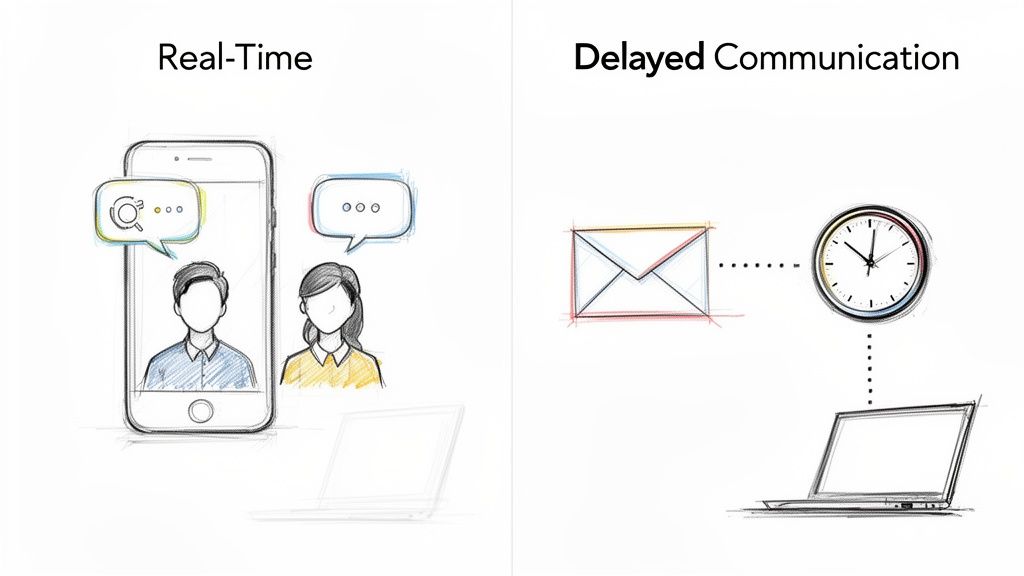
The core idea here is immediacy. It’s the digital version of walking over to a colleague’s desk to ask a quick question and getting an answer on the spot. This approach closes the gap between sending a message and getting a reply, making the whole exchange feel more dynamic and interactive.
For any remote team, getting this concept right is absolutely critical. It’s what separates an urgent Slack message that needs an immediate look from an email that can sit for a few hours. How and when you choose to communicate synchronously has a huge impact on your team’s vibe, project schedules, and even the company’s culture.
To give you a clearer picture, here’s a quick breakdown of what synchronous communication looks like in a remote work context.
Synchronous Communication At A Glance
| Attribute | Description |
|---|---|
| Pace | Real-time, with immediate back-and-forth conversation. |
| Participation | Simultaneous. Everyone must be present and engaged at the same time. |
| Response Expectation | Immediate. A reply is expected within seconds or minutes. |
| Best For | Complex problem-solving, urgent decisions, team building, and brainstorming. |
| Common Tools | Video calls (Zoom, Google Meet), phone calls, instant messaging (Slack, Teams). |
This table neatly sums up why synchronous communication is so powerful for certain situations—it’s all about live, active collaboration.
The Core of Synchronous Interaction
The defining trait of this communication style is the expectation of immediate engagement. When you start a synchronous conversation, you’re basically asking for someone’s undivided attention, right now. This is precisely what makes it so effective for some tasks but so disruptive for others.
It’s this real-time element that helps build connection, much like a natural, in-person chat. It’s less about the specific tool you’re using and more about the shared timing of the conversation.
The magic of synchronous communication lies in its ability to foster instant connection and accelerate understanding. It’s where collaborative energy sparks, complex problems get untangled, and team bonds are strengthened in real time.
Key Characteristics of Synchronous Communication
To really get a handle on synchronous communication, it helps to look at its core traits. You’ll see these pop up whether you’re in a formal video conference or just a quick chat with a coworker.
Immediacy: Information flies back and forth with almost no delay. This is perfect for rapid-fire dialogue and making quick decisions when time is tight.
Active Participation: Everyone involved has to be present and focused at the same time. That shared presence is what makes the whole thing work.
High Interactivity: The live format is a natural fit for spontaneous brainstorming, asking follow-up questions on the fly, and tackling tricky problems together in a way that’s hard to do over email.
Verbal and Non-Verbal Cues: On video calls, you can pick up on tone of voice, facial expressions, and body language. This adds a ton of context that gets lost in text-only messages.
A fantastic example of synchronous tech in action is real-time speech-to-text software, where spoken words are instantly transcribed. This immediate feedback loop is a perfect illustration of how technology can support an uninterrupted, live flow of information. Knowing when to tap into this powerful form of communication is a must-have skill for anyone thriving in a remote role.
Synchronous Versus Asynchronous Communication Explained
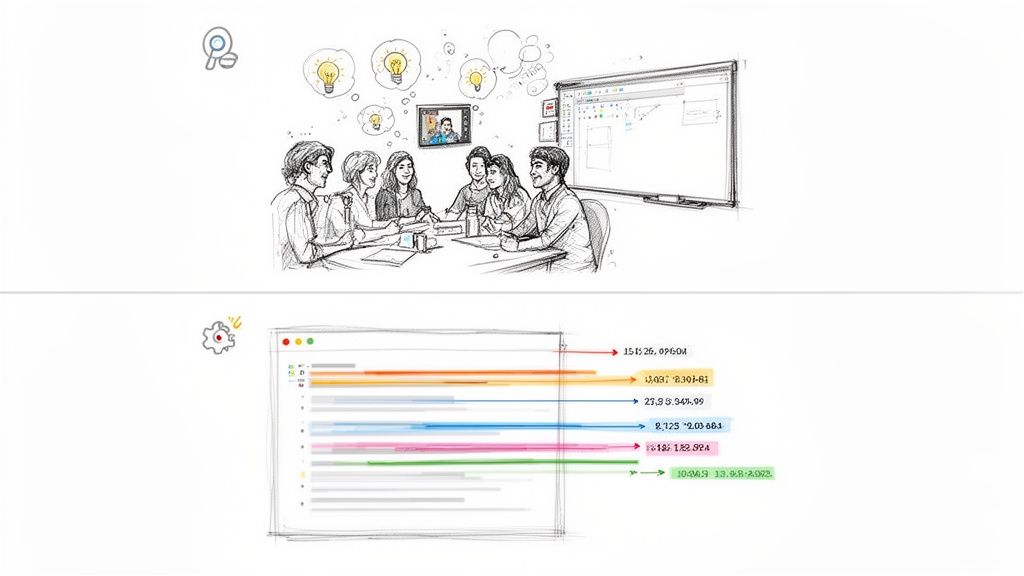
To really get what synchronous communication is, it helps to look at its opposite: asynchronous communication. Think of it this way: a live phone call is synchronous, while the email you send after is asynchronous. One happens in the moment, and the other plays out over time, with natural pauses between messages.
Imagine your team is brainstorming ideas for a new product feature. If everyone jumps on a video call, ideas can fly back and forth instantly. That’s synchronous communication. One person throws out a concept, another builds on it, and a third spots a potential problem—all in just a few minutes. It’s immediate, energetic, and collaborative.
Now, picture the asynchronous route. The project manager creates a shared doc and asks the team to drop in their ideas over the next couple of days. People contribute whenever it works for them. Someone adds their notes first thing in the morning, another pops in to review them that afternoon, and a teammate in another time zone adds their thoughts overnight.
Neither way is right or wrong. They just serve different needs and completely change the rhythm of your workday.
The Key Differences at a Glance
Knowing when to use each style really comes down to what you’re trying to achieve. Synchronous is all about speed and connection, while asynchronous is built for deep focus and flexibility.
Let’s break down what sets them apart:
Pace of Interaction: Synchronous communication is fast and immediate. Asynchronous is more measured, giving everyone time to think before they respond.
Availability Requirement: Synchronous demands everyone be present and tuned in at the exact same time. Asynchronous respects that people have different schedules and lets them contribute when they’re ready.
Decision-Making Speed: Got an urgent problem? A quick synchronous huddle is your best bet. But for complex decisions that need careful thought, an asynchronous discussion thread often leads to a better outcome.
These differences get to the heart of a major challenge in remote work: picking the right tool for the job. If you lean too hard on synchronous chats, you risk burning everyone out. But if you rely only on asynchronous methods, you might find your projects dragging on forever.
The real art of great remote collaboration isn’t choosing one style over the other. It’s about building a smart system where teams can effortlessly switch between high-energy, live discussions and quiet, focused work.
How Each Style Shapes Your Workday
The mix of communication you choose has a huge impact on your team’s culture and everyone’s productivity. A culture built on synchronous meetings loves spontaneous collaboration but can be riddled with interruptions. An asynchronous-first culture, on the other hand, protects deep work but can sometimes feel a bit disconnected.
Research on a big Fortune 100 company showed just how vital those synchronous moments are, even when teams are spread out. The study found that when the time difference between colleagues grew by just one hour, real-time synchronous communication fell by 11%. That small change led to a 19% drop in the overlapping hours available for live chats, even though email use stayed the same. You can dig into more of the study’s findings on how time zones impact collaboration at Rice Business Wisdom.
This data makes it clear: time zones are a real hurdle for the live interactions that build relationships and solve problems fast. It means remote teams have to be much more deliberate about when they schedule those synchronous touchpoints.
Comparing Synchronous and Asynchronous Scenarios
To make this crystal clear, let’s see how these styles work in everyday situations.
| Task or Scenario | Synchronous Approach | Asynchronous Approach |
|---|---|---|
| Project Kickoff | A live video call to get everyone aligned on goals, build some energy, and clarify who’s doing what. | A detailed project brief is shared in a project management tool for the team to review and comment on. |
| Giving Feedback | A one-on-one video chat to talk through performance, where you can pick up on tone and have a real conversation. | Comments are left directly on a document, or someone sends a recorded video message with their thoughts. |
| Urgent Issue | An immediate Slack huddle or a quick phone call to figure out what’s happening and decide what to do next. | An urgent message is posted in a dedicated channel with clear instructions on what needs to happen. |
| Brainstorming Ideas | A virtual whiteboarding session where the whole team can throw ideas onto the board at the same time. | A shared document or brainstorming thread where people add ideas over a few days as inspiration strikes. |
Ultimately, mastering what synchronous communication is also means knowing when not to use it. When you understand how it fits with asynchronous methods, you can build a smarter, more flexible, and more sustainable way for your distributed team to work together.
When to Choose Synchronous Communication
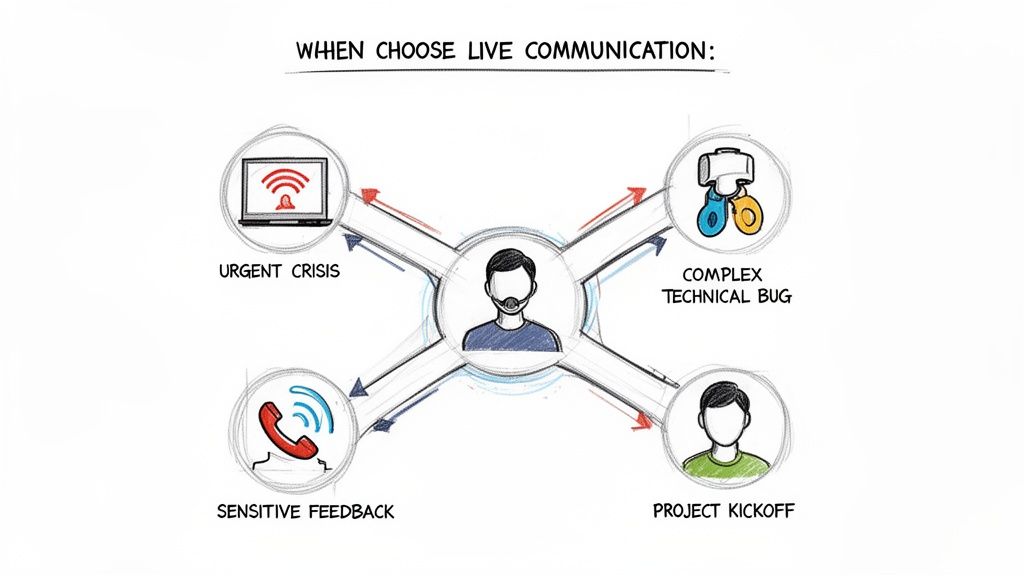
Knowing when to jump on a call versus sending a thoughtful message is a remote work superpower. While asynchronous communication is fantastic for protecting deep work, some situations just demand the speed and connection of a real-time conversation.
The trick is to be intentional. You don’t need a meeting for every little thing, but you should reserve live communication for the high-stakes moments where clarity, speed, and a human touch are absolutely essential. It’s less about getting a faster answer and more about building trust, sparking creativity, and handling tough topics with the nuance they deserve.
Handling an Urgent Crisis
When a server crashes or a key client flags a massive issue, you don’t have time for email chains. Urgent problems demand an immediate, all-hands-on-deck response, making synchronous communication a must.
A quick video call or a dedicated Slack channel lets the team swarm the problem, assign roles, and start executing a fix in minutes. This avoids the crossed wires and wasted effort that inevitably happen when people are working off slightly different information. Everyone hears the same thing at the same time, turning chaos into a coordinated response.
Resolving Complex Technical Problems
Imagine two engineers trying to debug a nasty software issue over email. It would be a painfully slow back-and-forth of screenshots and novel-length explanations. This is exactly where a synchronous pair programming session shines.
By hopping on a video call and sharing a screen, both developers can look at the same code, test solutions, and bounce ideas off each other instantly. This live collaboration can turn a frustrating multi-day ordeal into a focused one-hour fix. That immediate feedback loop is priceless for untangling complex bugs that are just too difficult to describe in writing.
This isn’t just a hunch. Research shows that employees dealing with ambiguous or non-routine problems rely heavily on live conversations to sort things out. For a deeper dive, you can discover insights on how time zones shape remote collaboration and impact these dynamics.
Conducting Sensitive Conversations
Some discussions just need that human touch. Things like giving constructive feedback, discussing performance, or navigating a team conflict should never happen over text.
A video call lets you see facial expressions and hear the tone of voice, which conveys empathy and builds trust. Those crucial non-verbal cues are completely lost in an email, where a well-intentioned message can easily be misinterpreted as cold or harsh.
Choosing a live conversation for a difficult topic shows respect. It creates a safe space for open dialogue, ensuring the message is received as intended and allowing for immediate questions and clarification.
Kicking Off a New Project
Starting a new project on the right foot is critical, and a live kickoff meeting is the best way to do it. This meeting is about more than just walking through a task list; it’s about building shared excitement and momentum.
This is the team’s chance to:
Align on the Vision: Make sure everyone truly understands the project’s goals and what success looks like.
Clarify Roles and Responsibilities: Get all the questions out in the open so everyone knows exactly what they own.
Generate Initial Ideas: Tap into the group’s energy with a quick brainstorming session to get the ball rolling.
This shared starting point creates a solid foundation of clarity and purpose that the team can carry into their asynchronous work. Everyone leaves the call energized and pointed in the same direction.
Choosing The Right Communication Channel
Deciding between a live call and a written message can be tough. The right choice depends entirely on the context—what are you trying to achieve? This table breaks down common scenarios to help you pick the most effective method.
| Situation or Task | Recommended Method | Why It Works Best |
|---|---|---|
| Urgent Issue (e.g., Server Down) | Synchronous (Video Call, Live Chat) | Provides immediate, real-time coordination to solve the problem quickly and prevent miscommunication. |
| Giving Sensitive Feedback | Synchronous (Video Call) | Allows for non-verbal cues like tone and facial expressions, which convey empathy and build trust. |
| Project Kickoff Meeting | Synchronous (Video Call) | Builds team alignment, clarifies roles, and generates shared excitement and momentum from the start. |
| Daily Status Updates | Asynchronous (Slack, Email) | Lets team members share progress without interrupting their workflow, respecting different schedules. |
| Brainstorming Complex Ideas | Synchronous (Video Call, Whiteboard) | The rapid, back-and-forth nature of live conversation sparks creativity and builds on ideas instantly. |
| Sharing Non-Urgent Information | Asynchronous (Email, Project Tool) | Creates a permanent record that people can reference later at their convenience, protecting deep work time. |
| Debugging a Tricky Bug | Synchronous (Pair Programming Call) | Enables two developers to see the same code and troubleshoot together, solving the issue much faster. |
| Documenting a Process | Asynchronous (Wiki, Google Docs) | Provides a single source of truth that the entire team can access and contribute to over time. |
Ultimately, mastering this balance is about being mindful of your team’s time and energy. Using this framework will help ensure your communication is always clear, effective, and respectful of everyone’s focus.
The Hidden Costs and Benefits of Real-Time Communication
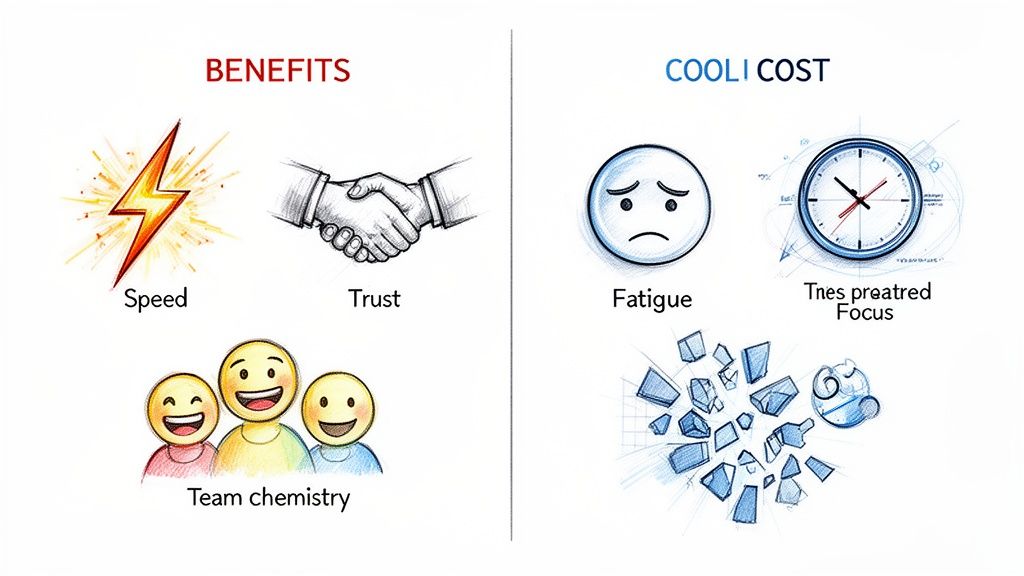
Real-time communication feels like getting things done. An instant Slack reply, a quick video call, a problem solved in minutes—it all creates a satisfying sense of momentum. But that immediacy is a classic double-edged sword, bringing some major wins and some serious drawbacks, especially for remote teams.
While the benefits are obvious, the hidden costs can quietly chip away at your team’s well-being and productivity if you’re not careful. A culture that defaults to synchronous communication for everything can accidentally create an environment of non-stop distraction, making deep, focused work feel like a distant memory.
The secret is understanding the trade-off. By weighing the pros and cons, teams can get intentional about how they connect, using the power of live collaboration without falling victim to its downsides. Getting this balance right is the cornerstone of a healthy, effective remote work culture.
The Clear Advantages of Real-Time Interaction
Synchronous communication shines brightest when you need speed, human connection, or a solution to a thorny problem. It injects a dose of interactivity that just can’t be replicated with asynchronous methods.
The most obvious win is the acceleration of decision-making. When a critical issue pops up, a quick team huddle lets everyone share info, debate options, and agree on a path forward in minutes, not days. That rapid feedback loop is a lifesaver for navigating urgent challenges.
But it’s not just about speed. Live conversations are also what turn a group of individuals into a real team.
Building Team Chemistry: Those spontaneous chats and video calls are the remote equivalent of bumping into someone at the water cooler. These little interactions build trust and rapport, making everyday collaboration feel smoother and way more enjoyable.
Providing Immediate Clarity: When you’re tackling a complex or nuanced topic, nothing beats a live Q&A. You can read facial expressions and hear someone’s tone, adding layers of context that get lost in text. Ambiguity vanishes instantly.
Fostering Spontaneous Creativity: Brainstorming sessions feed on the energy of real-time interaction. One person’s idea immediately sparks another, creating a creative flow that’s nearly impossible to get from comments in a shared doc.
The Significant Downsides of Constant Availability
For all its benefits, leaning too heavily on synchronous communication is a fast track to burnout and inefficiency. The very thing that makes it powerful—its immediacy—can also be its biggest weakness.
The most infamous drawback is “Zoom fatigue.” We’ve all felt it. Back-to-back video calls are mentally exhausting because our brains have to work overtime to process non-verbal cues and stay engaged. In fact, some studies show only 30% of meetings are actually considered productive, which shows just how much time we can end up wasting.
This constant demand for our immediate attention creates other serious problems, too:
Workflow Disruption: Every notification or unscheduled call yanks team members out of deep work. This constant context-switching kills productivity, making it incredibly difficult to tackle complex tasks that demand sustained focus.
Scheduling Nightmares: For teams scattered across different time zones, finding a meeting time that works for everyone is a logistical nightmare. It often forces some people to work odd hours, completely torpedoing their work-life balance.
Pressure for Instant Replies: An “always-on” culture breeds anxiety and stress. When people feel like they can never truly disconnect, burnout isn’t just a risk; it’s an inevitability.
The expectation of constant availability is a productivity myth. True progress comes from a healthy balance of focused, individual work and purposeful, real-time collaboration.
This problem gets even bigger when you realize how much of our week is already spent communicating. Knowledge workers now spend up to 88% of their week on communication, with about 23% of their time spent in collaboration tools alone. For employers hiring on platforms like Remote First Jobs, this data highlights that effective remote work requires structured synchronous communication—with clear agendas and defined outcomes—to turn it from a drain into a genuine performance booster. You can explore more communication statistics to see the full picture.
Ultimately, understanding what synchronous communication is means seeing its costs just as clearly as its benefits. By being intentional about when to connect live and when to give people space, teams can build a remote environment that’s healthier, more productive, and built to last.
Tools and Best Practices for Effective Synchronous Communication
Having the right tools is only half the battle. The real art of remote collaboration lies in how you use them—turning potential distractions into genuine connection and productivity. This is what truly separates the high-performing remote teams from the rest.
Mastering synchronous communication isn’t about being online 24⁄7. It’s a deliberate approach, blending the right tech with smart human etiquette. The goal is to create an environment where live interactions are sharp, respectful of everyone’s time, and always end with a clear path forward.
Choosing Your Synchronous Communication Stack
A solid, streamlined toolset is the foundation for any seamless real-time interaction. Most remote-first companies don’t use dozens of apps; instead, they build their stack around three key categories that keep everyone connected and on the same page.
The trick is to pick a few core platforms that play nicely together.
Video Conferencing Platforms: Think of tools like Zoom and Google Meet as your virtual meeting rooms. They’re essential for those face-to-face discussions, project kickoffs, and any conversation where seeing body language and reactions makes a difference.
Instant Messaging and Chat: Platforms like Slack or Microsoft Teams are the digital equivalent of the office hallway. They’re perfect for quick questions, urgent updates, and the kind of informal team banter that builds real rapport.
Collaborative Whiteboards: Tools such as Miro or FigJam give your team a shared digital canvas. They are invaluable for brainstorming sessions, mapping out complex workflows, and visualizing big ideas together, all in real time.
This screenshot of the Slack interface shows how organized channels keep conversations focused. The design instantly shows you which discussions are active and need your attention—a core principle of effective synchronous communication.
Essential Etiquette for Real-Time Interactions
Great tools are one thing, but a shared understanding of etiquette is what makes synchronous communication actually work. Think of these as the unwritten rules that keep live discussions productive and respectful, heading off common problems like meeting fatigue and scheduling chaos.
When your team adopts these practices, every live interaction starts to add real value.
A great meeting has a clear agenda, the right people in the room, and ends with everyone knowing exactly what they need to do next. Anything less is just a conversation that could have been an email.
This principle is the key to making synchronous communication a powerful tool instead of a productivity drain. For a deeper dive, exploring effective virtual meeting etiquette can provide some great ground rules to make your calls more engaging.
Crafting a Productive Meeting Culture
To truly master synchronous communication, teams have to be intentional about how they meet. Vague, unstructured meetings are a top cause of burnout and wasted time in any remote setup. A few simple habits can change everything.
Always Set a Clear Agenda: No agenda, no meeting. Simple as that. A good agenda states the meeting’s purpose, lists discussion topics, and assigns time to each. It’s a small step that keeps the conversation on track and lets everyone show up prepared.
Be Mindful of Time Zones: For global teams, scheduling can be a nightmare. Use tools that show everyone’s working hours and make an effort to rotate meeting times. It’s a small gesture of respect that prevents the same people from always having to take the early morning or late-night call.
Encourage “Cameras On” When Appropriate: Seeing faces builds connection and helps everyone pick up on those crucial non-verbal cues. While it’s not a hard-and-fast rule for every call, encouraging video for key discussions—like one-on-ones or team-building—dramatically improves the quality of the interaction.
End with Clear Action Items: The most important part of any meeting is what happens after. Always save the last few minutes to recap key decisions and assign clear action items, complete with owners and deadlines. This is the step that turns conversation into tangible progress.
For job seekers, showing you understand these practices during an interview can really set you apart. It proves you’re ready to thrive in a distributed team. Many companies that value this culture list their openings on job boards focused on distributed work; you can find opportunities with leading remote-first companies on our site, https://remotefirstjobs.com/. By adopting these tools and best practices, teams can harness the full power of real-time communication.
Got Questions About Synchronous Communication?
Even after you get the hang of the theory, putting it all into practice in a real-world remote job can bring up some tricky questions. Here, we’ll tackle the most common ones we hear from job seekers, managers, and remote pros to give you some quick, no-nonsense answers.
Is Synchronous Communication Better Than Asynchronous?
Honestly, neither one is “better.” Think of them as different tools in your communication toolkit. You wouldn’t use a hammer to saw a board, right? It’s all about picking the right tool for the job at hand.
Synchronous communication really shines when you need instant feedback, a personal touch, or have to untangle a complex problem in real time. It’s perfect for a crisis, giving sensitive feedback, or a high-energy brainstorming session. Its power is in the speed and the human element—hearing someone’s tone of voice or seeing their reaction.
On the other hand, asynchronous communication is the undisputed champion of deep, focused work, especially across different time zones. It gives everyone the space to craft thoughtful responses without derailing their entire day. For things like documenting a process, sharing a status update, or chipping away at a long-term project, it’s way more efficient.
The best remote teams don’t choose a side. They master the art of blending both.
How Can I Avoid Zoom Fatigue?
Zoom fatigue is no joke. That drained feeling after a day of back-to-back video calls is real, and it comes from the intense focus video meetings demand. The secret to beating it is simple: be more deliberate about when and how you meet.
Do a meeting audit. Every so often, look at your calendar and ask, “Does this really need to be a meeting?” Could you get the same result with a detailed email, a Slack thread, or a comment in a Google Doc?
Shrink your meeting times. Ditch the one-hour default. Try scheduling for 25 or 50 minutes instead. This automatically builds in short breaks for your brain to hit the reset button between calls.
Make “camera off” okay. Not every call needs every face on screen. For big town-hall meetings or sessions where you’re mostly just listening, give people the option to turn their cameras off. It lowers the cognitive load immensely.
Start treating your team’s synchronous time like the precious, finite resource it is. You’ll see exhaustion levels drop almost immediately.
How Does Synchronous Communication Affect Different Time Zones?
This is one of the biggest hurdles for any distributed team. If you aren’t careful, trying to force real-time collaboration across the globe can lead to serious burnout for some and an unfair work culture for all. That expectation to be “on” at all hours is a logistical nightmare.
And it’s a massive problem. A study of global employees at a Fortune 100 company found that a staggering 43% of all real‑time interactions happened when at least one person was working outside their normal hours. You can read more about why time zones are such a critical factor in remote work.
The smartest global teams operate with an asynchronous-first mindset. This means async is the default, and synchronous meetings are reserved only for those high-stakes, critical conversations that just can’t happen any other way.
When you absolutely must meet live, here’s how the pros handle it:
Rotate meeting times. Share the pain. The burden of taking an early morning or late-night call should be rotated so the same people aren’t always sacrificing their personal time.
Record everything. Make it a non-negotiable. Anyone who can’t make the live call can watch the recording later and add their thoughts asynchronously.
What Is a Good Example of Synchronous Communication in an Interview?
If you’re interviewing for a remote role, you’ll want to have a story ready that shows you know when to go synchronous. A perfect example is a time you used it to solve a complex problem on the fly with a teammate.
You could say something like this:
“In my last role, my team found a critical bug right before a huge software launch. Instead of getting bogged down in an email chain, I immediately started a video call with another engineer. We jumped into a pair programming session, sharing screens to walk through the code together. Because we were working in real-time, we found and fixed the bug in less than an hour, and the release went off without a hitch.”
An answer like that proves you’re proactive, a great collaborator, and know exactly when to pick up the virtual phone for an urgent issue.
Can Synchronous Communication Build Team Culture?
Absolutely. In fact, it’s one of the most powerful tools you have. Without the spontaneous coffee breaks and hallway chats of an office, you have to be intentional about creating personal connections, and that’s where synchronous time comes in.
If asynchronous communication is for getting the work done, synchronous interaction is for nurturing the human connections that make a team great.
Here’s how it works in practice:
Virtual “Water Coolers”: Schedule optional, no-agenda video calls where people can just hang out and chat about anything but work.
Meaningful One-on-Ones: Regular video check-ins between a manager and their direct reports are the bedrock of trust and support in a remote setting.
Team Celebrations: When you hit a big milestone or someone has a birthday, hop on a video call to celebrate together. These moments create a sense of shared success and make people feel valued.
These real-time interactions are what turn a group of isolated individuals into a cohesive, connected team.
Finding a company that gets this balance right is key to a successful remote career. At Remote First Jobs, we connect you with verified, remote-first companies that understand how to build a great work culture, no matter where you are. Discover your next opportunity today at https://remotefirstjobs.com.