In a world where remote and hybrid work models are the standard, mastering the art of the virtual meeting is no longer a soft skill, it’s a core competency for professional success. The rapid shift from in-person to online collaboration has introduced a unique set of challenges, from the pervasive ‘Zoom fatigue’ to the silent disengagement of participants hidden behind static avatars. Yet, many teams are still operating on a foundation of basic, often unspoken, rules that fail to address these nuanced issues. Running an effective virtual meeting requires more than just a stable internet connection and a working webcam; it demands a strategic, intentional approach.
This guide moves past the obvious advice like “don’t be late” and “have an agenda.” Instead, we will dive deep into a comprehensive collection of actionable virtual meeting best practices that address every critical stage of the meeting lifecycle. We will cover meticulous planning and preparation, dynamic facilitation techniques to keep energy high, and structured follow-up processes to ensure accountability and forward momentum.
Whether you’re a seasoned remote manager aiming to boost team morale, a project lead striving for clearer outcomes, or a professional looking to make a stronger impact, these strategies are for you. You will learn specific, practical methods to transform your online gatherings from time-consuming obligations into powerful hubs of collaboration, decision-making, and genuine connection. Let’s explore how to make every minute of every virtual meeting count, ensuring they become the most productive and engaging parts of your workday.
1. Test Technology and Connectivity Before Meetings
Nothing derails a virtual meeting faster than a participant repeatedly saying, “Can you hear me now?” A core principle of virtual meeting best practices is to eliminate technical disruptions before they happen. Conducting a thorough pre-meeting tech check ensures your audio, video, internet connection, and software are all functioning correctly, preventing delays and demonstrating respect for everyone’s time.
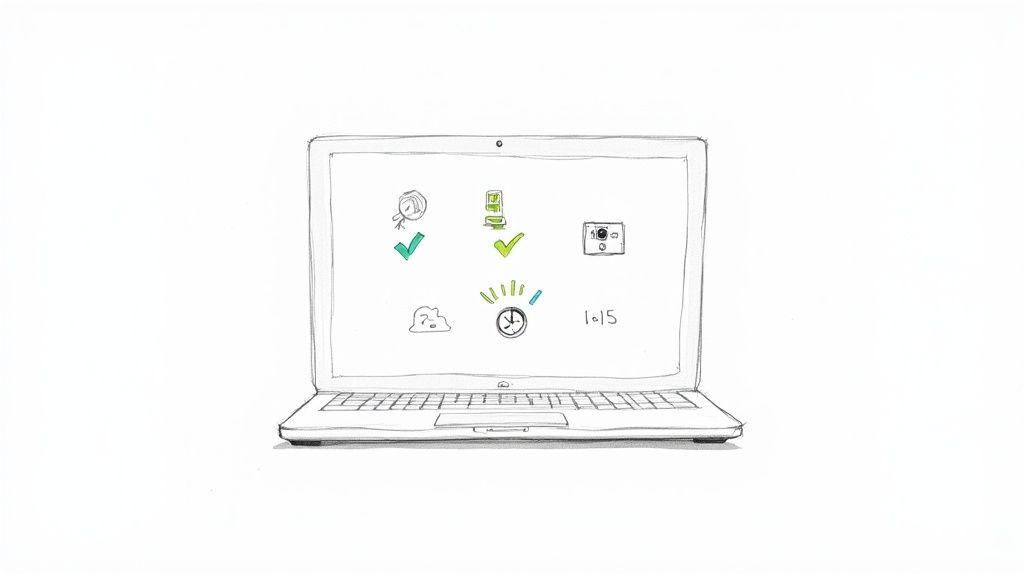
This foundational practice is not just about avoiding embarrassment; it’s about safeguarding productivity. When technology works seamlessly, the focus remains on the meeting’s agenda and objectives, not on troubleshooting. A smooth technical experience sets a professional tone from the very start.
Why This Is a Critical First Step
A pre-meeting tech check is the virtual equivalent of arriving at a physical conference room early to ensure the projector and conference phone are working. It’s a non-negotiable step for hosts and a highly recommended one for all attendees. This proactive measure prevents the meeting from starting late and avoids the frustration of interrupting a key discussion to fix a technical glitch.
For example, a presenter who discovers their screen-sharing function isn’t working at the moment they need it creates a significant, entirely avoidable bottleneck. Familiarizing yourself with the platform’s features, including the specific tools you plan to use, is crucial. If you need to present, make sure you understand the nuances of the platform’s presentation tools by reviewing some of the best screen-sharing software options available.
How to Implement a Pre-Meeting Tech Check
Follow this simple but effective checklist 10-15 minutes before your scheduled start time to ensure you are ready:
- Join Early: Log in to the virtual meeting room at least 10 minutes before the official start time. This provides a buffer to resolve any unexpected issues.
- Audio and Video Test: Use the platform’s built-in diagnostic tools. Microsoft Teams and Zoom, for example, have options to test your microphone and speakers. Confirm your camera is active and positioned correctly.
- Check Your Connection: Run a quick internet speed test using a site like speedtest.net. If your connection is unstable, switch to a more reliable network or have a mobile hotspot ready as a backup.
- Prepare Your Software: Close unnecessary applications and browser tabs to free up bandwidth and processing power for a smoother meeting experience.
2. Establish Clear Meeting Agendas and Objectives
A virtual meeting without a clear agenda is like a ship without a rudder: it will drift aimlessly and likely end up nowhere productive. One of the most critical virtual meeting best practices is to establish and distribute a structured agenda with defined objectives beforehand. This simple act transforms a potential time-waster into a focused, efficient, and collaborative session where every participant knows their role and the desired outcomes.
Sending a detailed agenda in advance sets clear expectations, allows attendees to prepare their contributions, and keeps the conversation on track. It demonstrates a respect for everyone’s time and signals that the meeting has a purpose, which dramatically increases engagement and prevents unproductive tangents.
Why This Is a Critical Planning Step
An agenda serves as the roadmap for your meeting, guiding the discussion from start to finish. Without it, conversations can easily become derailed by off-topic subjects, dominant voices may take over, and critical decisions may be postponed. This proactive planning ensures that the right people are in the virtual room for the right reasons and that the meeting concludes with tangible results.
For example, a project team that receives an agenda outlining specific discussion points, time allocations for each, and the key decisions needed can prepare evidence and solutions in advance. This avoids wasting the first 15 minutes of the meeting just bringing everyone up to speed. It turns passive listening into active participation.
How to Implement Effective Meeting Agendas
Circulate a clear and concise agenda at least 24 hours before the meeting to give everyone ample time to prepare. Use a shared document, like a Google Doc or a Confluence page, for easy access and collaborative input.
- Define the Purpose: Start with a single, clear sentence stating the meeting’s primary goal. For instance, “Goal: Decide on the Q3 marketing campaign theme.”
- Allocate Time Blocks: Assign a specific amount of time to each agenda item. This helps manage the pace and ensures you cover all necessary topics without running over.
- Assign Ownership: Clearly identify who is leading the discussion for each agenda item. This creates accountability and ensures that the designated person comes prepared to speak.
- Include Pre-Reading: Link to any documents, reports, or materials that attendees should review before the meeting. This saves valuable time during the call itself.
- Add a “Parking Lot”: Include a section for important but off-topic ideas that arise. This allows you to acknowledge valuable points without derailing the current discussion.
3. Minimize Distractions and Create a Professional Environment
Your physical and digital environment directly impacts your focus and the professional image you project. A core tenet of virtual meeting best practices is to actively curate a setting that minimizes both auditory and visual distractions. This proactive step ensures that you and other participants can fully engage with the meeting’s content without being pulled away by background noise or a cluttered screen.
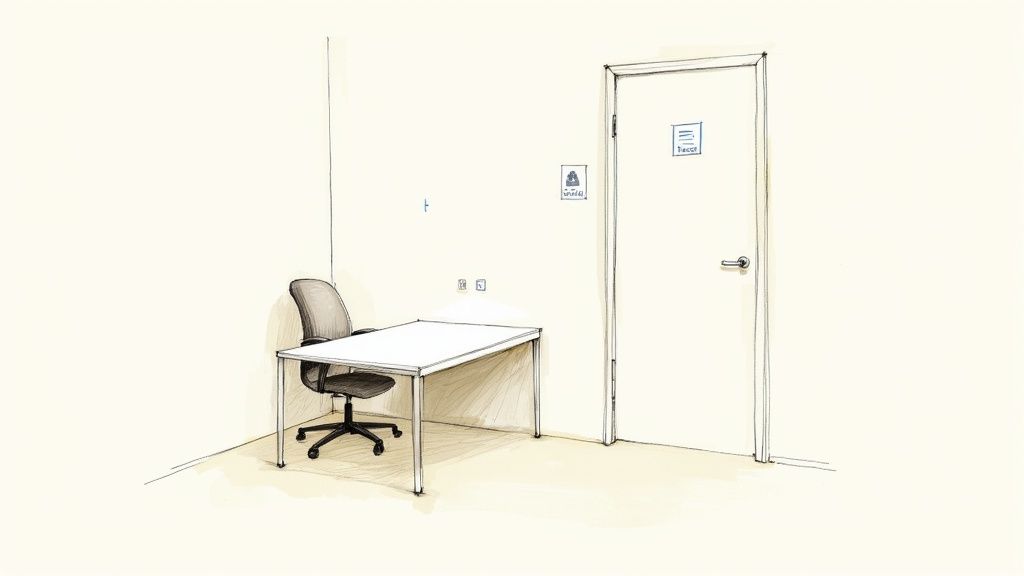
Creating a dedicated, professional space signals respect for the meeting and its attendees. It demonstrates preparation and allows your contributions to take center stage, free from the disruptions of a chaotic environment. This practice helps maintain the meeting’s flow and boosts overall productivity.
Why This Is a Critical Step
A distraction-free environment is the virtual equivalent of closing the conference room door. It prevents common remote work interruptions, such as family members walking into view, pets making noise, or phone notifications derailing a thought. By controlling your surroundings, you ensure that your focus remains sharp and your presence remains professional.
For example, a sudden loud noise from your microphone can break the concentration of every person in the meeting. Similarly, a messy or busy background can subconsciously distract others from what you are saying. By taking a few moments to prepare your space, you contribute to a more effective and focused collaboration for everyone involved. Learn more about how to set up an effective home office to create a productive workspace.
How to Create a Distraction-Free Zone
Follow this checklist to prepare your environment and present a professional image:
- Choose a Quiet Location: If possible, join from a room with a door you can close. Inform household members of your meeting schedule to prevent interruptions.
- Curate Your Background: Position yourself in front of a neutral, uncluttered wall. If that isn’t possible, use a high-quality virtual background that appears professional and is not distracting.
- Silence All Devices: Put your phone on silent and turn off notifications on your computer and any other nearby devices. Close unnecessary applications and browser tabs. To help maintain a focused environment, consider using tools like the best website blockers to minimize digital temptations.
- Optimize Your Lighting: Ensure your face is well-lit, preferably from the front, to avoid being silhouetted. Natural light from a window is ideal, but a desk lamp also works well.
4. Use the Mute Function Strategically
One of the most powerful yet simple virtual meeting best practices is mastering the mute button. Strategically muting your microphone minimizes distracting background noise, prevents unintentional interruptions, and ensures the active speaker has everyone’s full attention. This small act of digital etiquette is fundamental to maintaining a professional and productive virtual environment.
Using the mute function isn’t about discouraging participation; it’s about creating a clean audio environment where conversations are clear and focused. When participants are not speaking, their open mics can introduce a surprising amount of ambient noise, from a dog barking to keyboard typing, which can derail a presenter’s train of thought and frustrate other attendees.
Why This Is a Critical Practice
Strategic muting is the digital equivalent of not speaking over someone in a physical room. It is a sign of respect for the speaker and an acknowledgment that clear communication is a shared responsibility. In large meetings or webinars, this practice is non-negotiable for maintaining order and clarity.
For instance, during a critical client presentation, an unmuted participant’s unexpected phone call can completely undermine the presenter’s credibility. Similarly, in a large team meeting spanning multiple time zones, someone joining early in their morning might have household sounds that are disruptive to others. Effective muting habits prevent these entirely avoidable distractions, keeping the meeting on track and professional.
How to Implement Strategic Muting
Follow these simple but effective guidelines to make muting a seamless part of your virtual meeting etiquette:
- Default to Mute: Join all meetings with your microphone muted. Most platforms, like Zoom and Google Meet, allow you to set this as your default preference.
- Master the Shortcut: Learn the keyboard shortcut for muting and unmuting (e.g., Alt+A in Zoom, Ctrl+D in Google Meet). This allows you to quickly chime in without fumbling for the on-screen button.
- Unmute with Intention: Only unmute your microphone when you are actively speaking. Remember to mute yourself again as soon as you have finished your thought.
- For Hosts: Mute Upon Entry: If you are hosting, configure the meeting settings to automatically mute all participants as they join. This is especially critical for large groups and webinars.
- Set Expectations: Briefly mention muting etiquette at the beginning of the meeting or include it in the agenda so everyone is aligned on the expectations.
5. Actively Engage Participants and Encourage Interaction
The passive nature of staring at a screen makes it easy for virtual meeting attendees to disengage, multitask, or simply tune out. A crucial virtual meeting best practice is to intentionally foster an interactive environment. By actively engaging participants, you transform a one-way presentation into a collaborative two-way conversation, which significantly boosts focus, information retention, and overall meeting effectiveness.
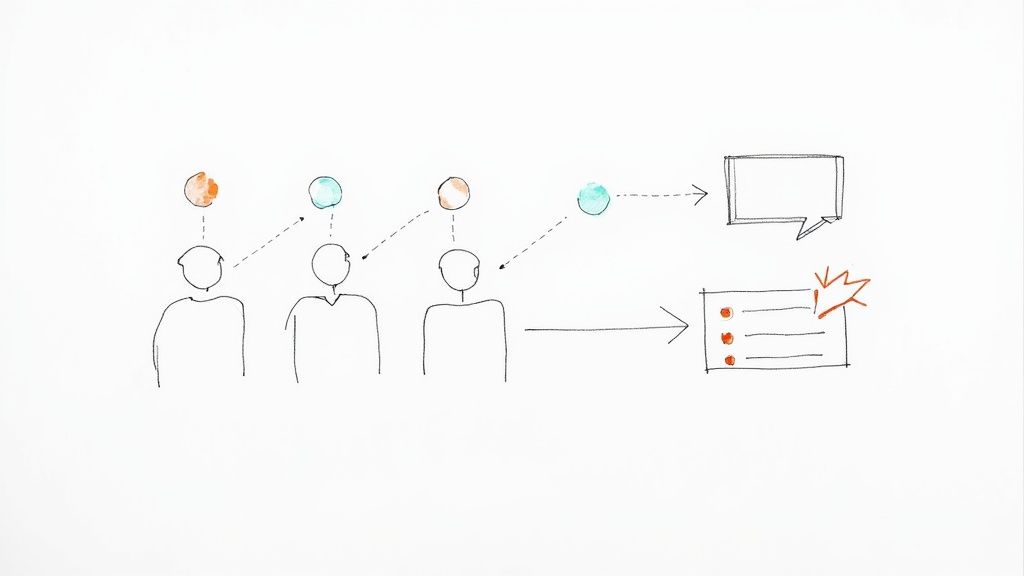
This practice is about creating deliberate opportunities for involvement rather than just hoping for it. When participants know they might be called upon or asked for input, they remain more present and mentally invested. This proactive approach turns passive viewers into active contributors, leading to richer discussions and better outcomes.
Why This Is a Critical Engagement Strategy
In a physical room, it’s easier to read body language and gauge engagement levels. In a virtual setting, silence can be easily misinterpreted. Active engagement techniques provide clear, direct channels for feedback and participation, ensuring everyone has a voice. This is vital for inclusive team collaboration and accurate decision-making.
For example, a project manager can use a quick poll at the beginning of a status update to gauge the team’s confidence in meeting a deadline. This instantly provides a data point and gets everyone involved from the start. Similarly, a trainer leading a virtual workshop can use breakout rooms to facilitate small-group problem-solving, mirroring the collaborative energy of an in-person session.
How to Implement Active Engagement
Incorporate these techniques into your virtual meetings to keep energy levels high and encourage valuable contributions:
- Use Interactive Tools: Leverage built-in features like polls, Q&A, and chat. For more advanced options, integrate third-party tools like Slido or Mentimeter to create live word clouds or anonymous surveys.
- Ask Direct, Open-Ended Questions: Instead of asking, “Does anyone have questions?” try, “Maria, based on your experience with the marketing data, what potential challenges do you foresee?” This invites specific, thoughtful responses.
- Facilitate Breakout Sessions: For longer meetings or brainstorming sessions, divide participants into smaller breakout rooms. This encourages quieter individuals to speak up and allows for more focused discussions before regrouping.
- Acknowledge Contributions: Actively monitor the chat and verbally recognize comments and questions. Saying, “Great point in the chat from David…” makes participants feel heard and valued, encouraging further interaction.
6. Practice Active Listening and Avoid Multitasking
The digital barrier in virtual meetings makes it tempting to check emails or finish another task, but multitasking is a significant obstacle to effective communication. Giving your full, undivided attention demonstrates respect, enhances comprehension, and prevents misunderstandings. This practice of active listening is a cornerstone of virtual meeting best practices, ensuring all participants are present and engaged.
This isn’t just about etiquette; it’s about effectiveness. When team members are mentally checked out, the quality of discussion, decision-making, and collaboration plummets. Committing to being fully present ensures you absorb crucial information, contribute meaningfully, and help maintain the meeting’s momentum and purpose.
Why This Is a Critical Discipline
Active listening in a virtual setting requires conscious effort. Unlike in-person meetings where social cues are more obvious, it’s easy to disengage behind a screen. Banning multitasking ensures that complex problems receive the full brainpower of the team and that subtle but important non-verbal cues aren’t missed. It transforms a passive viewing experience into an active, collaborative session.
For instance, some executive teams enforce a “no-laptops” rule (or “no other tabs open”) during crucial virtual strategy sessions to guarantee focus. This isn’t about control; it’s about maximizing the value of a significant time investment. By eliminating distractions, you cultivate a culture of mutual respect and focused productivity.
How to Implement Active Listening and Avoid Multitasking
Make being present a deliberate habit with these actionable steps:
- Create a Distraction-Free Zone: Close all unnecessary applications, browser tabs, and software before the meeting begins. Keep only the documents relevant to the discussion open.
- Put Your Phone Away: The urge to check notifications is a powerful distraction. If possible, place your phone in another room or turn it on silent and face down.
- Take Notes by Hand: Typing can easily lead to navigating to other windows. Writing notes on a physical notepad helps retain information and keeps your focus on the meeting itself.
- Show You’re Engaged: Look at your camera when you speak and use non-verbal cues like nodding and smiling to show you are listening. This practice signals attentiveness to the speaker. If you’re looking to boost your focus, explore some effective productivity tips for working from home.
7. Use Proper Video Camera Positioning and Lighting
How you appear on camera significantly impacts how others perceive you in a virtual meeting. Strategic camera placement and appropriate lighting are not vanity metrics; they are essential components of effective communication. Proper video setup ensures you are clearly visible, appear professional and engaged, and reduces visual fatigue for other participants, making it a key virtual meeting best practice.

When your video is well-lit and framed correctly, it minimizes distractions and helps maintain a strong professional presence. This simple effort signals respect for the meeting and its attendees, fostering a more focused and productive environment. It’s the digital equivalent of making eye contact and presenting yourself well in a physical boardroom.
Why This Is a Critical Visual Step
Your visual presentation directly influences non-verbal communication. A camera angled from below can be unflattering and distracting, while poor lighting can obscure your facial expressions, making it harder for others to gauge your reactions. Investing a few moments to optimize your setup can dramatically improve engagement and perception.
For instance, many remote workers use laptop stands or external webcams to achieve an eye-level view, mirroring a natural, face-to-face conversation. Similarly, content creators and professional broadcasters use dedicated lighting like ring lights to ensure they are always seen clearly, a practice easily adopted for important business meetings. Taking these steps prevents you from becoming a shadowy figure or a pixelated distraction.
How to Implement Proper Video and Lighting
Use this checklist to create a professional on-camera appearance for every meeting:
- Achieve Eye Level: Position your camera at or slightly above your eye level. Use a stack of books, a laptop stand, or an external monitor to raise your device.
- Find Your Light Source: Your primary light source should be in front of you, not behind. Facing a window is an excellent way to use natural light. Avoid sitting with a window behind you, which creates a silhouette effect.
- Invest in Lighting: For consistent results, consider a simple ring light or a small LED panel. These tools eliminate shadows caused by harsh overhead lighting and ensure you look your best regardless of the time of day.
- Frame Yourself Correctly: Position yourself so your head and upper shoulders are visible in the frame, leaving a small amount of space above your head.
For a deeper dive into creating the perfect lighting setup, this video provides practical tips:
8. Establish and Communicate Meeting Etiquette Expectations
Ambiguity around behavior can quickly undermine a virtual meeting’s effectiveness. Establishing and communicating clear etiquette expectations beforehand creates a professional, predictable, and respectful environment. This proactive approach, a key component of virtual meeting best practices, ensures all participants understand the norms for participation, from camera usage to punctuality.
Setting these ground rules is not about rigid control; it’s about fostering a culture of mutual respect and focus. When everyone knows what is expected, they can engage more confidently and productively, minimizing distractions and misunderstandings. A shared understanding of etiquette allows the meeting to concentrate on its objectives rather than on navigating social uncertainties.
Why This Creates a Professional Environment
Clearly defined etiquette acts as a social contract for the virtual space. It prevents common frustrations like participants talking over one another, late arrivals disrupting the flow, or disengagement from those with cameras off. It levels the playing field, ensuring everyone has an equal opportunity to contribute in a structured manner.
For instance, a corporate policy requiring cameras on during client calls ensures a consistent and professional front. In contrast, a remote-first company might set flexible expectations, asking for cameras on during introductions but allowing them off for focused work sessions. This clarity removes guesswork and aligns behavior with the meeting’s purpose. For more insights on building a cohesive remote environment, explore the best practices for virtual teams.
How to Implement and Uphold Meeting Etiquette
Integrate these guidelines into your meeting workflow to build a consistent and respectful virtual culture:
- Communicate in Advance: Include a brief section on etiquette in your meeting invitations or agenda. Specify norms for camera usage, muting, and how to signal a question (e.g., using the “raise hand” feature).
- Lead by Example: As a host or leader, consistently model the desired behaviors. Start on time, keep your camera on when required, and actively listen without interrupting.
- Clarify Communication Norms: Beyond just proper camera positioning and lighting, clear verbal communication is paramount. Consider tips for speaking English more clearly on video calls and presentations to enhance your presence.
- Address Violations Privately: If someone consistently disregards the etiquette, address it in a private, one-on-one conversation rather than calling them out publicly during the meeting.
9. Record and Share Meeting Notes or Summaries
A meeting’s value diminishes rapidly if its outcomes are forgotten or miscommunicated. One of the most impactful virtual meeting best practices is to diligently document key decisions, action items, and discussion points. Sharing a concise summary afterward ensures alignment, promotes accountability, and keeps stakeholders who couldn’t attend fully informed.
This practice transforms a fleeting conversation into a permanent, actionable record. When key takeaways are documented and distributed, teams can move forward with clarity and confidence, eliminating ambiguity about who is responsible for what. This systematic follow-up reinforces the meeting’s purpose and maximizes its return on investment.
Why This Is a Critical Follow-Up Step
Without a shared record, attendees may leave with different interpretations of the discussion and action items. This can lead to misaligned efforts, missed deadlines, and the need for follow-up meetings to clarify the same points. A well-crafted summary serves as a single source of truth that the entire team can reference.
For instance, a project kickoff meeting might involve numerous decisions about scope and responsibilities. Circulating detailed notes prevents the classic “I thought you were handling that” scenario down the line. It also provides an essential resource for asynchronous collaboration, allowing team members in different time zones to catch up effectively. Many modern platforms support this with features that integrate with the top asynchronous communication tools to streamline workflows.
How to Implement Meeting Documentation
Incorporate these steps into your meeting routine to create a reliable system for documentation and follow-up:
- Designate a Note-Taker: Assign one person the specific role of capturing notes during the meeting. This allows other participants to remain fully engaged in the discussion.
- Use Collaborative Tools: Leverage shared documents in Google Docs or Notion for real-time, collaborative note-taking where everyone can contribute and see the notes as they are written.
- Structure Your Notes: Start with the basics: meeting title, date, and a list of attendees. Then, clearly organize notes under headings like Key Decisions and Action Items.
- Record with Consent: Always ask for permission from all attendees before recording a meeting. Use built-in transcription features in platforms like Zoom or Microsoft Teams to create a searchable transcript.
- Distribute Promptly: Send out the meeting summary and a link to the recording (if applicable) within 24 hours. This ensures the information is fresh and allows team members to act on their tasks immediately.
10. Manage Meeting Length and Schedule Strategically
The default one-hour meeting slot inherited from traditional office calendars is often inefficient in a virtual setting. One of the most impactful virtual meeting best practices is to strategically manage the length and timing of your sessions. This approach respects participants’ time, combats video call fatigue, and ensures that the focus remains sharp and productive from start to finish.
Rethinking the standard meeting duration prevents conversations from expanding simply to fill the allotted time, a phenomenon known as Parkinson’s Law. By scheduling shorter, more focused meetings and building in buffer periods, organizations can cultivate a culture of efficiency and protect their employees’ most valuable asset: their attention.
Why This Is a Critical Scheduling Practice
Back-to-back virtual meetings leave no room for mental breaks, bio-breaks, or preparation for the next discussion. This relentless scheduling leads directly to burnout and diminished engagement. Adopting shorter default meeting times, such as 25 or 50 minutes, creates built-in buffers that allow attendees to recharge and context-switch effectively.
For example, a team that defaults to 25-minute meetings for status updates can cover essential topics without veering into unproductive tangents. This practice forces the host to create a tight, focused agenda and encourages all participants to be concise. It also acknowledges the cognitive load of constant virtual interaction and provides necessary downtime between calls.
How to Implement Strategic Meeting Scheduling
Integrate these tactics into your team’s scheduling habits to optimize your virtual calendar and boost productivity:
- Adopt Shorter Defaults: Change your calendar settings to default to 25 or 50-minute meetings instead of 30 or 60. This simple change automatically creates buffer time.
- Respect Global Time Zones: For teams spread across different regions, use a time zone converter and rotate meeting times. This ensures no single group is consistently burdened with inconveniently early or late calls.
- Consolidate and Prioritize: Group related topics into a single, well-structured meeting rather than scheduling multiple smaller ones. Conversely, if a topic only requires a quick update, consider using asynchronous tools like Slack or a brief Loom video instead.
- End Early When Possible: If the agenda is completed ahead of schedule, give everyone their time back. Conclude the meeting rather than searching for new topics to fill the remaining minutes. This reinforces a culture of efficiency and respect for everyone’s time.
10-Point Virtual Meeting Best Practices Comparison
| Practice | 🔄 Implementation Complexity | ⚡ Resource Requirements | 📊 Expected Outcomes | Ideal Use Cases | ⭐ Key Advantages & 💡 Tip |
|---|---|---|---|---|---|
| Test Technology and Connectivity Before Meetings | Low — simple checks and diagnostics | Low — basic devices, optional hotspot | Fewer disruptions; smoother start to meetings | All virtual meetings, client calls, interviews | ⭐ Prevents technical failures; saves time. 💡 Test 10–15 min early |
| Establish Clear Meeting Agendas and Objectives | Medium — requires preparation and coordination | Low — time and a shared document | Higher productivity; shorter, focused meetings | Team syncs, decision meetings, client calls | ⭐ Clarifies expectations; enables prep. 💡 Send agenda 24 hrs prior |
| Minimize Distractions and Create a Professional Environment | Medium — physical or virtual setup required | Medium — space, background tools, possible equipment | Improved focus and professional perception | Presentations, client-facing calls, interviews | ⭐ Enhances engagement; reduces interruptions. 💡 Use quiet space & silence devices |
| Use the Mute Function Strategically | Low — simple feature management | Low — built-in platform controls | Reduced background noise; clearer audio | Webinars, large meetings, multi-location calls | ⭐ Cuts noise and echo; preserves flow. 💡 Start muted; use shortcuts |
| Actively Engage Participants and Encourage Interaction | Medium — facilitation and tool use | Medium — interactive tools or moderators | Higher engagement and real-time feedback | Trainings, workshops, webinars, collaborative sessions | ⭐ Boosts participation and retention. 💡 Use polls and call on names |
| Practice Active Listening and Avoid Multitasking | Medium — behavioral change and discipline | Low — personal focus; minimal tools | Better clarity, fewer misunderstandings, stronger decisions | Leadership meetings, decision-making sessions | ⭐ Improves communication and trust. 💡 Close unrelated apps; take focused notes |
| Use Proper Video Camera Positioning and Lighting | Medium — setup and possible equipment | Medium–High — stands, lights, quality camera | More professional appearance; clearer non-verbal cues | Presentations, interviews, client demos | ⭐ Enhances video quality and engagement. 💡 Camera at eye level; front light |
| Establish and Communicate Meeting Etiquette Expectations | Medium — policy creation and communication | Low — documentation and enforcement | Consistent behavior; smoother meeting flow | Organization-wide meetings, client interactions | ⭐ Sets norms and reduces disruptions. 💡 Include etiquette in invites |
| Record and Share Meeting Notes or Summaries | Medium — note-taking and storage processes | Medium — recording tools, storage, consent management | Accountability, reference for absentees, reduced follow-ups | Decision meetings, cross-team syncs, onboarding | ⭐ Preserves decisions and actions. 💡 Ask consent; share within 24 hrs |
| Manage Meeting Length and Schedule Strategically | Medium — calendar planning and discipline | Low — scheduling tools and norms | Reduced fatigue; better focus; increased productivity | Knowledge work, global teams, dense schedules | ⭐ Lowers burnout; respects time zones. 💡 Use 25–30 min defaults and buffer times |
Putting Theory into Practice: Your Next Steps to Meeting Mastery
Navigating the landscape of remote collaboration has transformed virtual meetings from a niche activity into a cornerstone of the modern workplace. We’ve journeyed through a comprehensive set of virtual meeting best practices, from the foundational necessity of testing your technology to the nuanced art of strategic facilitation. The core message is clear: exceptional virtual meetings don’t happen by accident. They are the direct result of intentional planning, conscious effort, and a shared commitment to making every interaction count.
Moving forward, the goal is not to feel overwhelmed by a long list of rules. Instead, view these practices as a toolkit. You now have a collection of proven strategies to address common pain points like disengagement, “Zoom fatigue,” and unclear outcomes. The power lies in knowing which tool to use and when. Whether it’s crafting a crystal-clear agenda to prevent scope creep, using interactive features to reignite a quiet audience, or simply positioning your camera for better human connection, each practice is a step toward more productive and satisfying collaboration.
From Knowledge to Action: Your Implementation Roadmap
The true test of these principles is in their application. Adopting new habits requires a deliberate and incremental approach. Rather than attempting a complete overhaul overnight, focus on building momentum through small, consistent wins. This method makes the change manageable and demonstrates immediate value, encouraging wider adoption across your team.
Here is a simple, actionable plan to begin implementing these virtual meeting best practices today:
- For Your Very Next Meeting: Choose just one practice to focus on. If you’re the host, make it sending a structured agenda with clear objectives at least 24 hours in advance. If you’re an attendee, commit to practicing active listening and eliminating all other distractions.
- For the Coming Week: Select two or three complementary practices. For example, pair a commitment to shorter meetings (like the 25⁄50-minute model) with a renewed focus on strategic muting and using non-verbal cues to show engagement.
- For the Next Month: Propose a “meeting reset” with your team. Dedicate 15 minutes in your next team meeting to discuss your current meeting culture. Collaboratively decide on three key “rules of engagement” from this guide that everyone agrees to adopt, such as always using a “raise hand” feature or standardizing how notes are captured and shared.
The ultimate goal is to transform your meeting culture from a passive obligation into an active, strategic asset. Effective meetings accelerate projects, strengthen team bonds, and foster innovation. Ineffective ones do the opposite, draining energy and resources.
The Lasting Impact of Mastering Virtual Communication
Mastering these skills is more than just an operational upgrade; it’s a critical career competency. In a world where remote and hybrid work models are prevalent, your ability to communicate effectively through a screen is a direct reflection of your professionalism and leadership potential. Companies that prioritize strong communication are often the most successful and sought-after employers. They understand that a culture built on respect for each other’s time and attention is a culture that thrives.
By championing these virtual meeting best practices, you are not just improving a single event. You are contributing to a healthier, more productive, and more inclusive work environment. You are demonstrating that you value your colleagues’ contributions and are dedicated to making your shared time as impactful as possible. This commitment is what separates high-performing teams from the rest and marks you as an invaluable asset in any remote-first organization. Keep this guide as a reference, revisit it often, and lead by example. Your colleagues, and your career, will thank you for it.
Ready to join a company that already values the principles of effective remote communication? The best remote-first companies build their culture on the very virtual meeting best practices outlined here. Find your next opportunity with an organization that respects your time and empowers you to do your best work by exploring the curated listings on Remote First Jobs.