When you sit down to write your resume, it’s easy to get lost in the weeds. But if you remember three things, you’ll be ahead of the game: a clean, scannable layout, keywords that match the job description, and achievements backed up by real numbers. This isn’t just about listing your work history; it’s about building a marketing document that sells you.
Crafting a Resume That Beats the 7-Second Scan
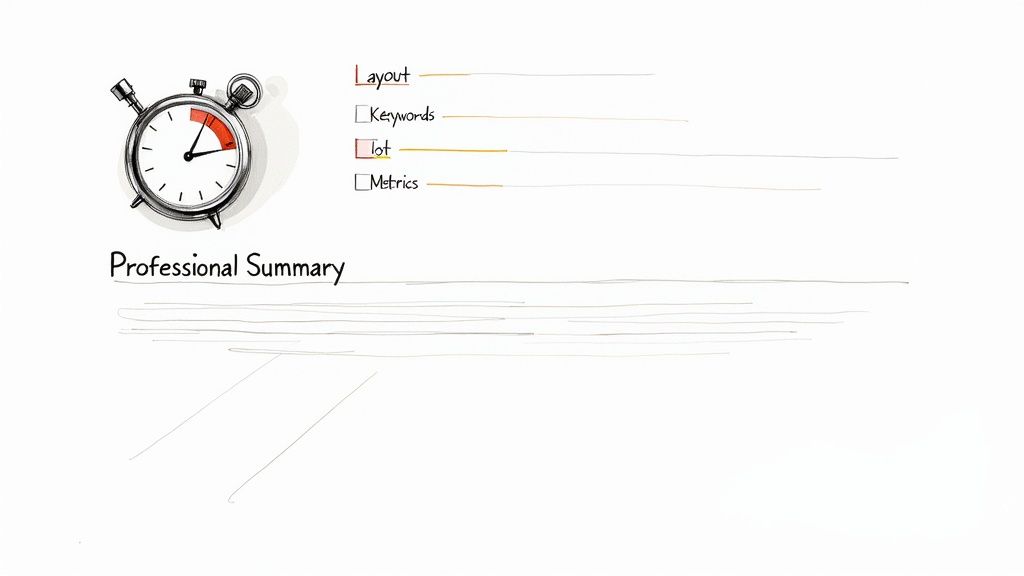
Here’s a sobering fact: recruiters spend an average of just 6-8 seconds on each resume. With a single job post often pulling in 250 applicants, you have a tiny window to make an impression. Standing out isn’t just a nice-to-have, it’s essential.
This means every word and every section has to earn its place. Your resume needs to be engineered for speed, delivering the most important information at a glance. Think of it less as a history lesson and more as a highlight reel designed to get you in the door for an interview.
The Anatomy of a High-Impact Resume
A truly effective resume is built on a foundation of clarity, guiding the hiring manager’s eye right where you want it to go. Every single section should have a clear purpose, making it painfully obvious why you’re the perfect fit.
Here’s a quick rundown of what goes into a modern, high-impact resume. Each piece plays a specific role in telling your professional story.
| Resume Section | Core Purpose | Key Information to Include |
|---|---|---|
| Contact Information | Make it easy to get in touch. | Your name, professional email, phone number, and a link to your LinkedIn profile or portfolio. |
| Professional Summary | Your “elevator pitch.” | A 2-3 sentence snapshot of your key skills, top achievements, and career goals. |
| Work Experience | Prove your value with results. | Bullet points starting with action verbs, focusing on achievements and quantified results (metrics). |
| Skills | Show your technical and soft abilities. | A curated list of skills that directly match the keywords in the job description. |
This table covers the fundamentals. When these sections work together, they create a powerful narrative that quickly shows a hiring manager you can solve their problems.
Your resume has one job: to convince a hiring manager that you have the skills and experience to solve their specific problems. If it doesn’t do that within seconds, it’s not working.
Staying Out of the Rejection Pile
A surprising number of resumes get tossed before a human ever lays eyes on them. Why? They can’t get past the Applicant Tracking Systems (ATS). Simple formatting errors, funky fonts, or a lack of the right keywords will get your application automatically rejected.
This is especially true for remote jobs where the applicant pool is massive. Stick to clean, classic layouts and professional, easy-to-read fonts. To really dial it in, it helps to learn about crafting resumes specifically for remote jobs, since the screening process can be even more competitive.
For some real-world inspiration, check out our guide on work-from-home resume samples at https://remotefirstjobs.com/blog/work-from-home-resume-samples to see these principles in action.
Building Each Resume Section for Maximum Impact
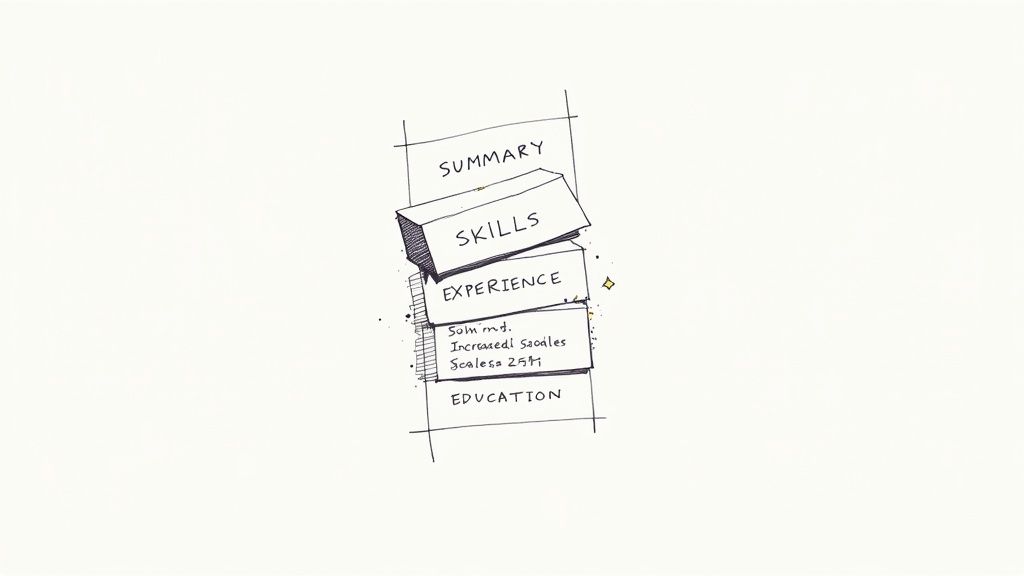
Okay, let’s move past the basics. A truly professional resume isn’t just a list of jobs; it’s a strategic document. Each section needs a purpose, and every word should work hard to tell a compelling story about the value you bring.
It’s time to shift your mindset from simply listing past duties to actively showcasing your biggest wins. This is where you intentionally pick every skill and bullet point to perfectly align with the job you’re trying to land.
The Professional Summary: Your Elevator Pitch
Right at the top of your resume sits your most valuable real estate: the professional summary. It’s the very first thing a hiring manager sees, so it has to pack a punch. Think of it as a concise, 2-3 sentence paragraph that immediately answers the question, “Why should I keep reading?”
This is your highlight reel. Forget the outdated objective statement about what you want. A strong summary shows what you bring to the table. It should neatly wrap up your years of experience, core skills, and a couple of your most impressive accomplishments.
Here’s a great example for a project manager:
A PMP-certified Project Manager with over 8 years of experience leading cross-functional teams to deliver complex software projects on time and 15% under budget. Skilled in Agile methodologies and risk mitigation, with a proven record of improving team productivity by 30% through the implementation of new workflow management tools.
See how that works? It’s loaded with relevant keywords (PMP, Agile), hard numbers (15%, 30%), and shows clear value.
Transforming Your Work Experience Section
The work experience section is the heart and soul of your resume, but it’s also where most people fall flat. The biggest mistake? Listing day-to-day responsibilities instead of achievements. A hiring manager doesn’t need to be told a sales manager “managed a sales team”—that’s a given.
Instead, you need to focus on the results of your work. The easiest way to do this is to kick off every bullet point with a powerful action verb and add a number to quantify your impact whenever you can. This simple tweak turns a boring duty into a standout accomplishment.
A good mental framework for this is the STAR method (Situation, Task, Action, Result). You won’t write out the full story on your resume, but it forces you to think about the outcome of your actions.
Just look at this before-and-after:
- Before: Responsible for managing social media accounts.
- After: Increased social media engagement by 45% across all platforms in six months by developing and executing a new content strategy.
The “after” version is specific, uses a strong verb, and gives a clear, measurable result. Much better.
The Skills Section: Balancing Hard and Soft Skills
Recruiters and ATS bots love the skills section because it’s easy to scan. This should be a curated list of your most relevant abilities, not a brain dump of everything you’ve ever learned. For readability, it’s a good idea to break them down into categories.
Structure really matters here. It might surprise you, but 91% of recruiters want to see soft skills on a resume, and 16% actually value them more than hard skills. With 65% of employers now prioritizing skills over a degree, this section is your chance to show you’re the complete package.
Here’s a simple way to organize it:
- Technical Skills: Python, SQL, Google Analytics, Salesforce, Adobe Creative Suite
- Project Management: Agile, Scrum, Jira, Asana, Risk Management
- Soft Skills: Team Leadership, Cross-Functional Communication, Problem-Solving, Adaptability
This clean layout lets a recruiter see what you can do in seconds. Just remember to tweak this section to mirror the keywords you find in the job description.
Don’t just list skills—provide evidence. Your work experience bullet points should be the proof that you can actually apply the skills you claim to have.
Education and Certifications: Adding Credibility
How you frame your education really depends on where you are in your career. If you’re a recent graduate, this section should be near the top and can include details like your GPA (if it’s impressive), relevant classes, or academic awards.
For experienced professionals, the education section can be short and sweet at the bottom of the resume. All you need is your degree, university, and graduation year.
- B.S. in Computer Science | University of Technology | Graduated May 2018
Certifications, on the other hand, are powerful at any career stage. They offer instant, third-party proof of your skills and show you’re committed to your field. I recommend giving them their own section so they don’t get lost.
- Certifications:
- Project Management Professional (PMP)
- Certified ScrumMaster (CSM)
- Google Analytics IQ Certification
If you’re targeting fully remote roles, highlighting certifications in digital communication or specific remote-friendly tools can give you a real edge. You can find more targeted advice in our guide on creating a standout resume for remote jobs, which will help you tailor your qualifications for a distributed team.
Using Keywords and Metrics to Get Past the Bots
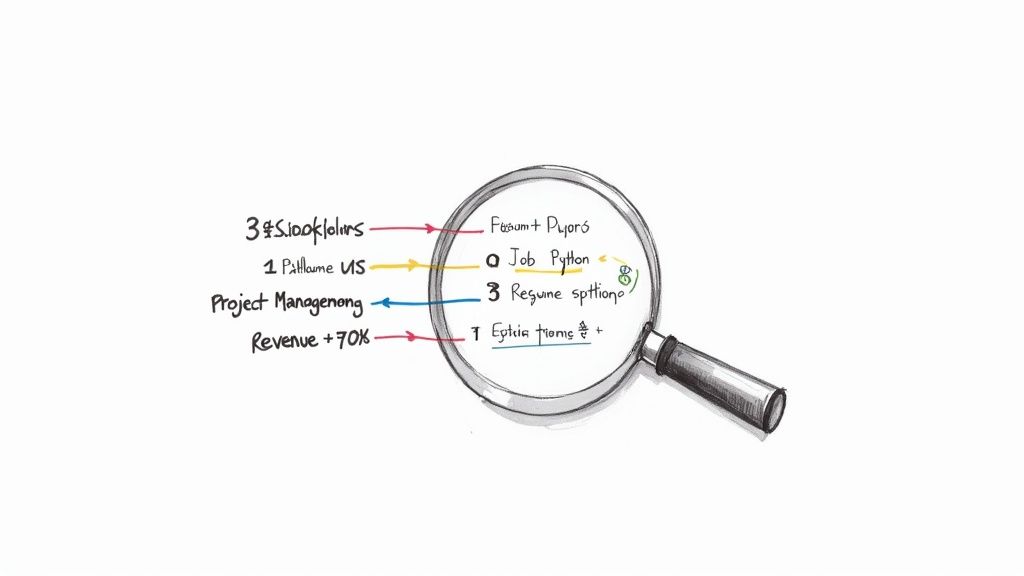
Before your resume ever lands in front of a real person, it has to pass its first test: the Applicant Tracking System (ATS). Think of this software as a bouncer at an exclusive club. Its main job is to scan every resume and filter out anyone who doesn’t look like they belong.
This might sound a little daunting, but once you know how the system works, you can learn to beat it. The trick is to write your resume for two audiences—first the machine, then the human. This means weaving in the right language and backing up everything you say with hard data.
Decoding the Job Description for Keywords
The job description isn’t just a list of duties; it’s your cheat sheet for getting past the ATS. It tells you exactly what skills and qualifications the company is looking for. Your mission is to mirror that language in your resume.
Start by going through the job posting with a fine-tooth comb. Highlight any words and phrases that pop up more than once, especially in the “Requirements” or “Qualifications” section.
Keep an eye out for terms related to:
- Specific software or tools: (e.g., Salesforce, Jira, Python, Adobe Photoshop)
- Industry-specific skills: (e.g., SEO, Agile methodologies, supply chain management)
- Soft skills mentioned: (e.g., team leadership, cross-functional communication, strategic planning)
Once you’ve got your list, you’ll want to sprinkle these keywords naturally throughout your professional summary, skills section, and work experience. The goal is to make it easy for the ATS to see you as a match. But remember, don’t just stuff them in randomly—they have to make sense for the human who will (hopefully) read it next. For a closer look at how these systems operate, check out the key features of an applicant tracking system.
The Power of Quantifiable Achievements
Okay, so keywords will help you get past the bots. But what about the hiring manager? This is where metrics come into play. Numbers give concrete proof of your impact and show recruiters exactly what you can do.
A vague statement like “improved efficiency” is easy to skim over and forget. On the other hand, something specific like “streamlined the reporting process, reducing time spent on weekly updates by 50%” is memorable and powerful. It turns a simple duty into a tangible result.
Key Takeaway: Every bullet point in your work experience should answer the question, “So what?” Back up your accomplishments with numbers, percentages, or dollar amounts to show the real-world value you delivered.
This isn’t just a hunch; the data backs it up. Resumes featuring hard metrics have a 40% better chance of landing an interview, but a surprisingly low 8% of candidates actually use them. It’s also worth noting that while 75% of resumes are rejected by an ATS, getting your keyword alignment right is the best way to avoid that fate. You can dig into more of these resume statistics on Resume-now.com.
Transforming Responsibilities into Results
Let’s get practical. The real magic happens when you reframe every responsibility as a powerful achievement. This mindset shift is the key to writing a resume that actually gets noticed.
Here are a few before-and-after examples to show you what I mean:
Marketing Manager Role
- Before: Managed the company’s email marketing campaigns.
- After: Drove a 25% increase in click-through rates by redesigning email marketing templates and implementing A/B testing protocols.
Customer Service Representative Role
- Before: Handled customer inquiries and resolved issues.
- After: Maintained a 98% customer satisfaction score over 12 consecutive months by resolving an average of 50+ inquiries daily.
Software Developer Role
- Before: Wrote and tested code for new application features.
- After: Developed a new user authentication feature that reduced login errors by 40% and improved overall application security.
See the difference? Each “after” example kicks off with a strong action verb, throws in a specific metric, and clearly spells out the positive outcome. That’s the formula for writing bullet points that make a recruiter stop scrolling and start paying attention.
Choosing the Right Format and Design
Let’s be honest: your resume’s content is king, but the design is the castle it lives in. If the layout is a cluttered mess, a hiring manager won’t spend more than a few seconds trying to figure it out. A clean, professional design is your very first chance to show that you’re organized and pay attention to detail.
Before you write a single word, you need a blueprint. Choosing the right format is the foundation of a good resume—it dictates how your career story unfolds and which parts of your background get the spotlight.
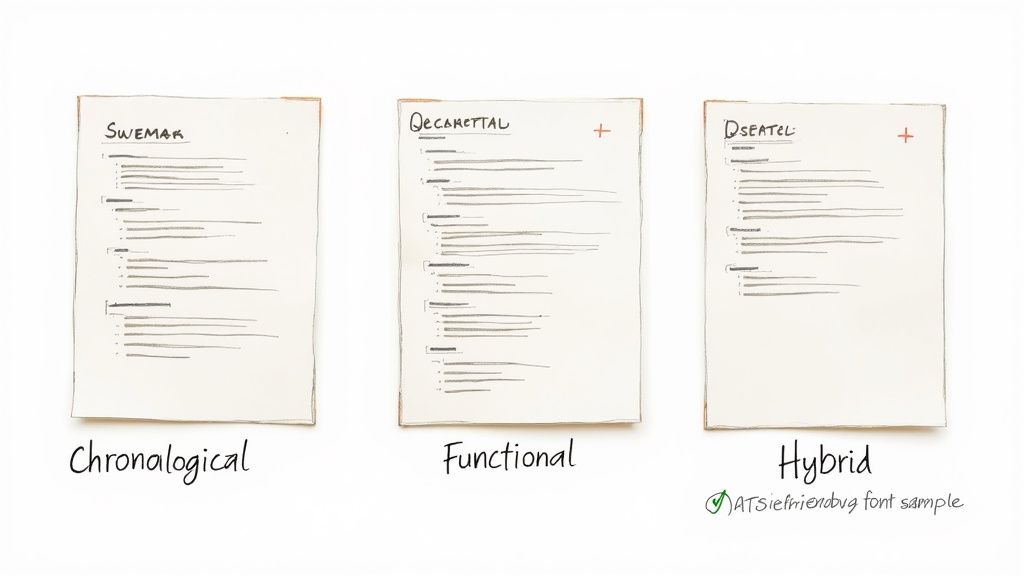
Selecting Your Resume Format
There are three main resume formats, and each one serves a different strategic purpose. Which one you pick depends entirely on your career path, your experience level, and what you’re trying to achieve right now.
1. The Chronological Format This is the classic for a reason. It’s the most common and widely accepted format, listing your work history in reverse-chronological order (your most recent job comes first). It’s simple, recruiters know exactly how to read it, and it clearly shows your career progression.
- Best for: Professionals with a steady work history who are moving up in the same field.
- Avoid if: You’ve got significant employment gaps, you’re making a big career pivot, or your professional experience is still pretty light.
2. The Functional Format This one flips the script. Instead of focusing on where you worked, it puts your skills front and center. Experience gets grouped into skill-based buckets like “Project Management” or “Content Strategy” instead of being tied to specific jobs.
- Best for: Career changers, recent grads with more skills than job titles, or anyone with gaps in their employment history.
- Use with caution: Be aware that some recruiters are wary of this format. It can sometimes feel like you’re trying to hide a scattered job history, so use it thoughtfully.
3. The Hybrid (or Combination) Format Just like it sounds, this format gives you the best of both worlds. It usually kicks off with a powerful skills summary right at the top, followed by a more condensed chronological work history. This lets you showcase your most relevant abilities while still providing that clear career timeline recruiters look for.
- Best for: Just about everyone else—especially mid-career professionals, people in technical fields where specific skills are everything, or anyone looking to emphasize transferable skills for a new industry.
Essential Design Principles for Readability
Once you’ve picked your format, it’s time to dial in the visuals. Your goal is to create a document that’s incredibly easy to scan for both a human and the Applicant Tracking Systems (ATS).
A cluttered resume is an instant no. White space—the empty area around your text—is your best friend. It gives your content room to breathe and makes the whole page feel less intimidating and easier to read.
Beyond the big picture, small details like the optimal font size for your resume can make a huge impact on how your qualifications are perceived. Here are a few key guidelines to follow:
- Fonts: Stick to clean, professional, and ATS-friendly fonts. Think Arial, Calibri, Garamond, or Verdana. Steer clear of fancy script or decorative fonts that computer systems can’t read.
- Font Size: Use 10-12 point font for your main body text. Make your headings a little bigger—around 14-16 points—to create a clear visual hierarchy.
- Margins: Set your margins somewhere between 0.5 and 1 inch on all sides. This simple trick keeps your text from feeling crammed up against the edge of the page.
Pro Tip: Keep it simple. A single-column layout is almost always the safest and most effective choice. While two-column designs might look cool and modern, they often trip up older ATS software, which could get your resume tossed before a human ever sees it.
The Great Debate on Resume Length
So, how long should your resume be? That old “one-page rule” is a solid guideline, but it’s not a law. The real answer comes down to your level of experience.
If you have less than 10 years of experience, you should definitely aim to keep it to one page. Be ruthless. Cut anything that isn’t directly relevant and impactful. This forces you to be concise and laser-focused on what matters for the job you want.
For seasoned pros with a long, relevant career history, a two-page resume is perfectly fine. But that second page needs to earn its keep—the information on it must be just as compelling and directly related to the role you’re targeting.
Ultimately, your resume’s length should be determined by the value of its content, not some arbitrary rule. And while you’re perfecting your resume, don’t forget your online presence is just as critical. Make sure you know how to optimize your LinkedIn profile to ensure it backs up your resume and tells a consistent, compelling story.
Avoiding Common Resume Mistakes and Red Flags
You’ve poured hours into crafting the perfect resume—structuring it, writing killer bullet points, and tailoring it for your dream remote job. The last thing you want is for a simple, avoidable mistake to land it in the virtual trash can. This final once-over is about more than just a quick spell-check; it’s about catching the subtle red flags that recruiters spot from a mile away.
Obvious typos and grammatical errors are instant deal-breakers, of course. But we’re going to look past those and focus on the blunders that scream “lack of polish” or “not paying attention.” Fixing these common slip-ups can be the one thing that separates you from the dozens of other applicants in the running.
Moving Beyond Vague Clichés
Hiring managers have seen it all, and they are absolutely tired of reading the same old empty phrases. Words like “team player,” “results-driven,” or “hard worker” are just noise without any proof to back them up. Instead of telling them you’re a go-getter, you need to show them with cold, hard evidence from your career.
Think about it. Anyone can call themselves a “creative problem-solver.” It’s easy. What’s not easy is being able to say you “developed a new inventory tracking system that cut shipping errors by 15%.” One is a claim; the other is a fact that demonstrates your value.
A professional resume is a document of proof, not a list of claims. Go through your resume and replace every cliché with a specific example or a quantifiable achievement.
Sidestepping Unprofessionalism
A recruiter forms their first impression in just a few seconds. A couple of rookie mistakes can make you look unprofessional before they’ve even had a chance to read about your amazing experience. Luckily, these are super easy fixes that make a huge difference.
One of the most common red flags is a goofy email address. If you’re still using that handle from high school (looking at you, [email protected]), it’s time for a serious upgrade. Head over to Gmail or another provider and create a simple, professional address for your job search, like [email protected].
The same goes for your file name. Sending a document called resume_final_v3_draft.pdf just looks messy and disorganized. A much cleaner approach is FirstName-LastName-Resume.pdf. It’s professional and makes it incredibly easy for the hiring manager to find.
The Critical Sin of Not Customizing
If you’re sending the exact same resume to every single job you apply for, you’re making one of the biggest mistakes in the book. It immediately tells recruiters that you’re just spamming applications and aren’t genuinely interested in their specific role.
Every application you submit deserves a resume that’s been tweaked for the role. No, this doesn’t mean you have to rewrite the whole thing from scratch every time. Just spend 10-15 minutes adjusting your professional summary, skills section, and key bullet points to mirror the keywords and requirements you see in the job description. That small bit of effort shows you’ve actually read what they’re looking for.
Resume Red Flags and How to Fix Them
To make it even clearer, I’ve put together a quick table of common resume mistakes I see all the time and how to give them a professional polish.
| Common Mistake | Why It’s a Problem | How to Fix It |
|---|---|---|
| Generic Buzzwords | Lacks substance and proof, blending in with other applicants. | Replace clichés like “team player” with specific achievements, e.g., “Collaborated with a 5-person team to launch a project 2 weeks ahead of schedule.” |
| Unprofessional Email | Can make you seem immature or careless, undermining your credibility. | Create a clean email address using your first and last name specifically for your job search. |
| Vague File Name | Looks disorganized and is a pain for recruiters to track. | Name your file professionally and clearly, such as FirstName-LastName-Resume.pdf. |
| Including Irrelevant Details | Wastes precious space and distracts from your actual qualifications. | Remove personal info like marital status, photos, or hobbies unless they are directly relevant to the job. |
By catching these common mistakes, you’re not just cleaning up a document; you’re presenting yourself as a polished, detail-oriented professional who respects the recruiter’s time. This final check ensures your resume is sharp, strategic, and completely free of red flags.
Frequently Asked Questions About Resume Writing
Even after you’ve nailed down the perfect resume, a few nagging questions always seem to pop up. These are the little details that can feel tricky but ultimately make a huge difference in how you come across as a candidate.
Let’s clear up some of the most common ones so you can finalize your resume with confidence.
How Long Should My Resume Be?
Ah, the classic resume debate. That old “one-page rule” you’ve heard about is a solid guideline, but it’s not a law. The real answer depends entirely on your experience.
- Under 10 years of experience? Stick to one page. This is a non-negotiable for early to mid-career professionals. It forces you to be ruthless with your editing and highlight only what truly matters. Recruiters will thank you for it.
- Over 10 years of experience? A two-page resume is perfectly fine. If you’ve got a long, relevant career packed with serious accomplishments, don’t try to cram it all onto a single page and sell yourself short.
The golden rule here is value. Every single line on that second page has to earn its spot. If it’s just filler, it has to go.
Do I Still Need a Cover Letter?
Short answer: Yes. A thousand times, yes. I know some applications mark it as “optional,” but that’s your cue to stand out from everyone who skips it.
Think about it this way: an estimated 83% of hiring managers admit that a great cover letter can convince them to interview a candidate, even if their resume isn’t a perfect match. It’s your chance to connect the dots, show some personality, and explain why you want this specific job.
Your resume is the “what.” It shows what you did. Your cover letter is the “why.” It explains why you’re the right person for what this company needs next.
For a complete breakdown, our guide on how to write a compelling cover letter walks you through the entire process.
Should I Use a Creative Resume Format?
This is a tempting one, especially with all the cool templates out there. But for the vast majority of jobs, a creative resume with graphics, wild colors, or funky layouts is a huge gamble.
Here’s why: most companies rely on Applicant Tracking Systems (ATS) to do the first round of screening. These software systems are easily confused by anything that isn’t a clean, traditional format. Columns, images, and weird fonts can get your resume tossed into the digital trash can before a human ever lays eyes on it.
Unless you’re a graphic designer and the resume itself is a portfolio piece, stick to a clean, professional, and ATS-friendly design. It’s just not worth the risk.
How Often Should I Update My Resume?
The worst time to update your resume is when you’re desperately trying to apply for a job. You’re stressed, you’re rushed, and you’ll inevitably forget key accomplishments.
Get into the habit of giving your resume a quick refresh every three to six months. Just pop in, add that big project you just wrapped up, or update a metric that shows a recent win. Doing this while the details are still fresh in your mind means you’re always ready when that perfect, unexpected opportunity lands in your inbox.
Ready to put that polished resume to the test? Remote First Jobs is the best place to find genuine remote-first roles from companies you can trust. We have over 40,000 live vacancies you can browse and apply to directly—no sign-up needed. Find your next opportunity today at https://remotefirstjobs.com.