If you want to get past an Applicant Tracking System, you need to think less like a job applicant and more like a programmer. Your resume needs to be loaded with the right keywords from the job description and formatted in a simple, single-column layout.
Think of the ATS as a digital gatekeeper. Your only job is to create a resume that this software can easily scan and understand. Get that right, and you’ll sail past the first automated screening.
Your Resume Is Being Read by a Robot First
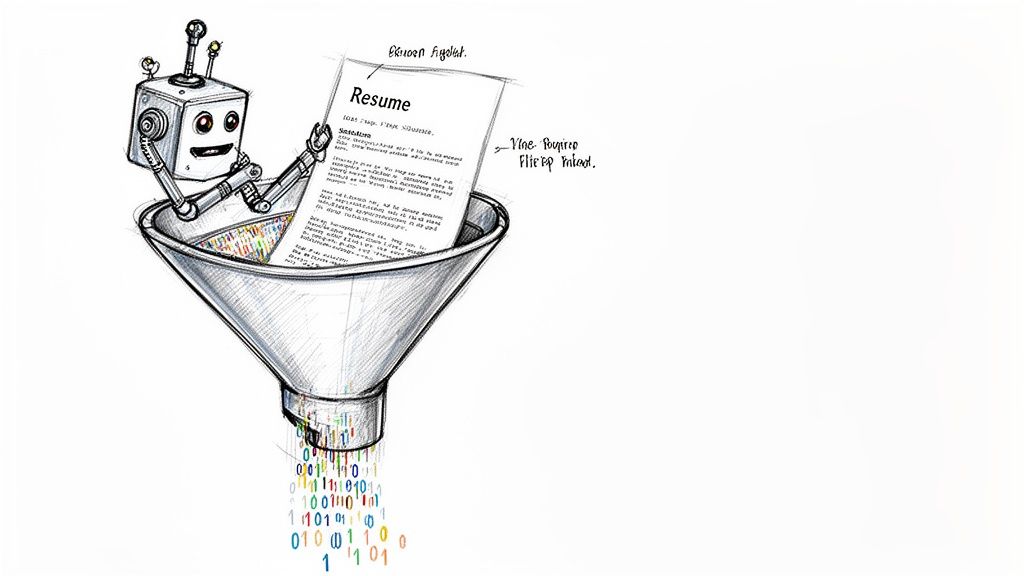
Have you ever sent out what you thought was the perfect resume, only to be met with complete silence? It’s not you, and it’s probably not your qualifications. The uncomfortable truth is that a human being likely never even saw your application.
More often than not, it was scanned—and then immediately discarded—by an Applicant Tracking System, or ATS.
These systems are the unsung gatekeepers of the hiring world. When a single corporate job post can pull in 250 resumes, recruiters simply can’t review them all by hand. That’s where the ATS comes in to do the initial heavy lifting.
This isn’t a niche practice, either. A staggering 99% of Fortune 500 companies use an ATS to manage their hiring funnel, and about 70% of all large companies do, too. You can dig into more data on ATS usage and its effects on hiring to see just how widespread this is.
How an ATS Actually Scans Your Resume
An ATS doesn’t “read” your resume the way a person does. It’s a parsing tool, plain and simple. It scans your file for two things: specific keywords and a format it can digest. If the software can’t find the terms it’s looking for or gets tripped up by your layout, your resume is instantly moved to the digital “no” pile.
I’ve seen this trip up countless qualified people. Here are a few all-too-common ways it happens:
- The Formatting Black Hole: You download a beautiful, two-column resume template with slick graphics for your skills section. The ATS parser tries to read it from left to right, line by line, and ends up with a mess of jumbled text. It discards your resume as unreadable.
- The Keyword Mismatch: The job description specifically asks for experience with “project management software.” Your resume, however, lists “Asana and Trello.” The ATS is looking for an exact phrase match, fails to make the connection, and gives you a low relevancy score.
- The Header and Footer Void: You cleverly placed your name and contact info in the document’s header to save space. Unfortunately, most ATS parsers are programmed to ignore headers and footers, so the system concludes your resume has no contact details.
The most important thing to remember is this: your first audience isn’t a person. It’s a robot. To beat an applicant tracking system, you have to learn how to write for it first.
This doesn’t mean your resume should become a bland, keyword-stuffed list. It just means you need a two-step approach: first, optimize your resume so the machine passes it through. Second, make sure the content is compelling enough for the human who will see it next.
Most ATS rejections stem from a handful of simple, avoidable mistakes. The table below breaks down the most common triggers and gives you the quick fix for each one.
Quick Fixes for Common ATS Rejection Triggers
| Common ATS Mistake | Why It Fails | Your Quick Fix |
|---|---|---|
| Using tables, text boxes, or columns | ATS parsers read from left to right and can’t process content inside cells or boxes. This jumbles or completely hides your information. | Keep all text directly on the page in a single-column flow. Use simple horizontal lines if you need a visual separator. |
| Creative or unusual fonts | Fancy or decorative fonts (think Papyrus or anything script-like) are tough for the software to parse, leading to scanning errors. | Stick to standard, universal fonts like Calibri, Garamond, or Georgia in a 10-12 point size. |
| Graphics, logos, or icons | The ATS is blind to images. A five-star rating for a skill or a social media logo next to your profile link is completely invisible. | Describe everything with text. Instead of icons, just write out the words “Python,” “Photoshop,” or “Project Management.” |
| Non-standard section titles | Using a creative heading like “What I Bring to the Table” instead of “Work Experience” can confuse the ATS, causing it to misfile your info. | Use universally recognized headings the system will understand, like “Work Experience,” “Education,” and “Skills.” |
Nailing these fundamentals is half the battle. By cleaning up these common errors, you drastically improve the odds that your resume will make it past the initial scan and into human hands.
Mastering the Art of Keyword Mirroring
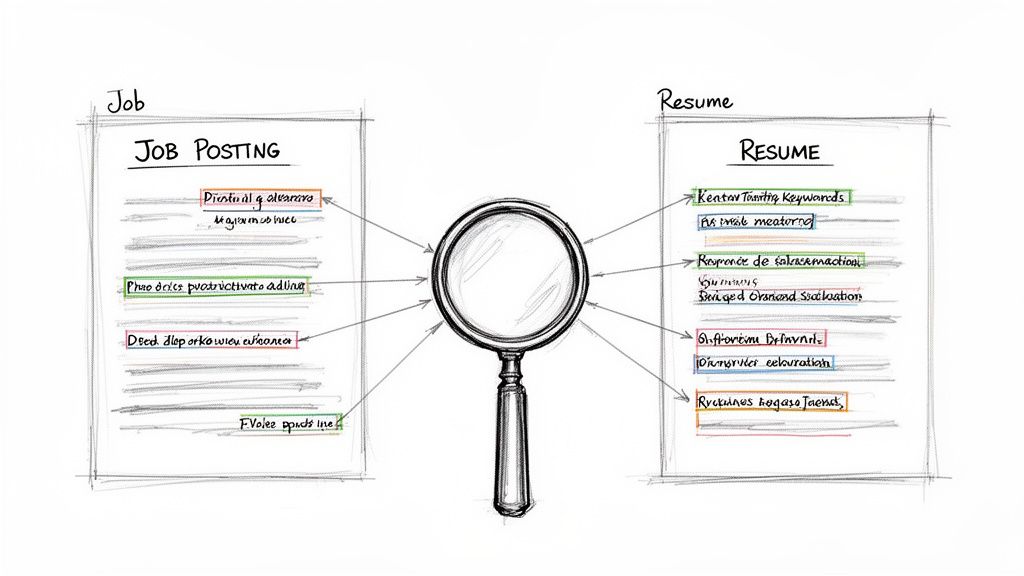
You’ve probably heard the advice to “add keywords” to your resume. It’s well-meaning, but it’s also vague and misses the real trick to getting past an applicant tracking system. What you actually need to do is practice keyword mirroring.
This isn’t about just cramming in buzzwords. It’s a surgical approach to speaking the exact language the job description uses. Think of it like a password—if the system requires “P@ssw0rd123,” entering “Password123” just won’t cut it. The ATS is looking for precise, exact matches.
It’s a simple concept, but it’s where so many great candidates get tripped up. In fact, a staggering 88% of employers feel they miss out on top talent because resumes don’t contain the specific terms their systems are searching for. If you want to dive deeper, you can find more data on how applicant tracking systems impact talent acquisition and see just how widespread the issue is.
Deconstructing the Job Description
First things first: you need to play detective with the job description. I like to print it out or open it in a separate window, ready to be marked up. Your mission is to pull out every hard skill, soft skill, tool, and qualification the employer mentions.
Don’t just give it a quick scan. Go through line by line with a highlighter and mark every term that seems like a core requirement.
Keep an eye out for these keyword categories:
- Hard Skills and Technologies: These are your non-negotiables. Pinpoint specific software, programming languages, or technical skills like “Salesforce,” “Python expertise,” or “Google Analytics.”
- Job-Specific Duties: Look for the action phrases that describe what you’ll actually be doing. Think “manage cross-functional teams,” “develop marketing campaigns,” or “conduct A/B testing.”
- Soft Skills: While they’re a bit tougher for an ATS to weigh, many systems still scan for words like “communication,” “leadership,” and “team collaboration.”
- Certifications and Qualifications: Make a note of any degrees, licenses, or certifications, such as “PMP Certified,” “CPA,” or “Google Ads Certification.”
Once you’ve got your highlighted list, you’ve essentially created a blueprint. This is the exact vocabulary the ATS has been told to find.
A word of caution: don’t get creative here. If the job description asks for “Agile methodologies,” your resume needs to say “Agile methodologies”—not “experience in an Agile environment.” The machine values a direct match far more than a clever synonym.
Strategic Placement for Maximum Impact
With your list of keywords ready, it’s time to weave them into your resume. But please, don’t just dump them all into one big section. That’s called keyword stuffing, and it’s a dead giveaway to any human recruiter who eventually sees your file.
Instead, sprinkle these terms thoughtfully across three key sections of your resume. This ensures you’ll get past the machine and impress the hiring manager.
1. The Professional Summary
This is prime real estate at the very top of your resume. It’s the first thing the ATS scans and the first thing a recruiter reads. Aim to place 3-5 of your most crucial, high-level keywords here for an immediate punch.
Example: For a Digital Marketing Manager Role
- Before: “Experienced marketing professional looking for a new challenge.”
- After: “Results-driven Digital Marketing Manager with 8+ years of experience developing successful SEO strategies, managing PPC campaigns, and leading content marketing initiatives to drive brand growth.”
2. The Skills Section
This is where you can create a dedicated keyword hub. A clean, simple bulleted list of your hard skills and technologies is perfect. It makes it incredibly easy for the ATS to parse the information and check off its list. Just be sure to avoid any fancy formatting like graphics or skill-level bars.
- Bad Example: Using a visual five-star rating for “Python.”
- Good Example: A simple bullet point that just says “Python.”
3. The Work Experience Section
This is where you bring it all home by providing context. For each important keyword, find a spot in your experience bullet points to show how you’ve actually applied that skill. This is your chance to prove your qualifications to the human on the other side.
Example: From a Project Manager Job Description
- Keyword: “Risk mitigation”
- Resume Bullet: “Developed and implemented proactive risk mitigation plans for three major product launches, reducing potential budget overruns by 15%.”
By mirroring the job description’s language and placing those terms strategically, you create a resume that satisfies the robot while telling a compelling story to the human. That’s how you beat the system.
The Unbreakable Rules of ATS Friendly Formatting
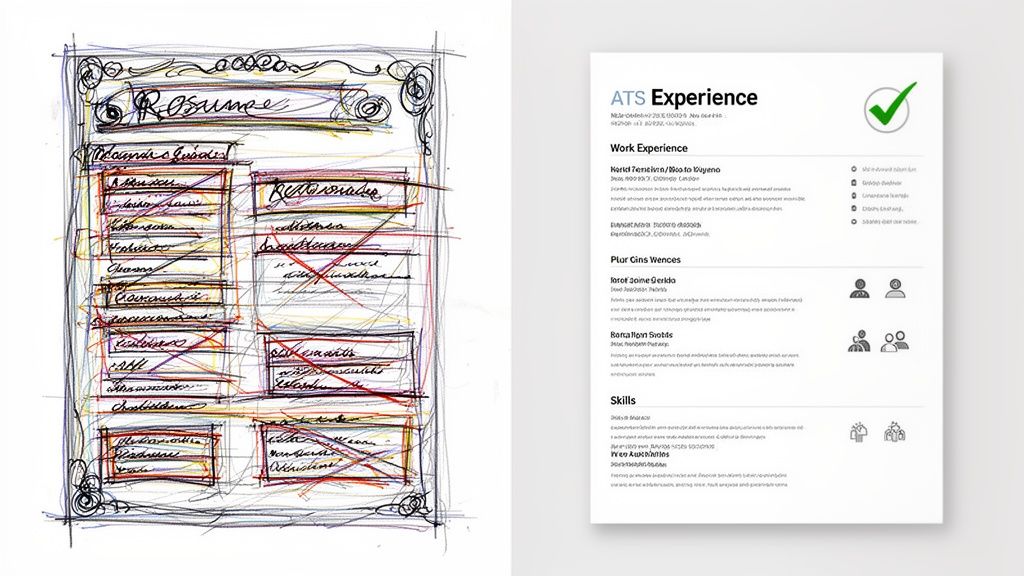
It’s a tough pill to swallow, but that beautifully designed resume you poured hours into might be the very thing holding you back. While human eyes appreciate a creative flair, an Applicant Tracking System is a simple parsing robot. It craves predictability.
Complex layouts, custom graphics, and fancy fonts are its kryptonite.
When your first hurdle is a machine, your new mantra has to be simplicity is strategy. Every single formatting choice needs to be made with the robot in mind. This doesn’t mean your resume has to be bland, but it absolutely must be clean, logical, and easy for software to read.
The good news? The formatting mistakes that get resumes tossed are surprisingly easy to fix once you know what to look for.
Choose Your File Type Wisely
Your first decision point is saving the file. It almost always comes down to .docx versus PDF. While most modern ATS platforms can handle PDFs just fine, some older, stubborn systems still trip over them—especially if the PDF was saved as an image instead of a text-based document.
If you want to play it safe, a .docx file is your best bet. It’s the universal key that ensures just about any ATS, old or new, can read your text without a problem. Only submit a PDF if the application specifically asks for it.
Build on a Foundation of Standard Fonts
Believe it or not, your font choice is a big deal. A unique font might show off your personality, but it becomes a major liability if the ATS can’t recognize the characters. You have to stick with universally accepted, “web-safe” fonts.
Here are some of the best fonts for getting past the bots:
- Calibri: A modern, clean sans-serif that’s a default for a reason. It’s professional and incredibly easy for both software and humans to read.
- Garamond: A classic serif font that gives off a traditional, authoritative vibe. It works exceptionally well for academic or executive roles.
- Georgia: A highly readable serif font that was literally designed for screens, making it a fantastic choice.
- Arial: This one is a timeless sans-serif. It’s universally supported and always a safe, professional option.
For the body of your resume, keep the font size between 10 to 12 points. This is the sweet spot for readability, ensuring your text is clear for the ATS and the recruiter who (hopefully) sees it next.
The Layout Elements That Break an ATS
Beyond files and fonts, the actual structure of your resume is where most people get it wrong. An ATS reads a document in a brutally simple way: top to bottom, left to right. It has zero appreciation for clever visual design.
To keep your resume from turning into a garbled mess in the system, you must avoid these common formatting traps.
Formatting Elements to Avoid
- Tables and Text Boxes: An ATS simply can’t “read” inside a table or text box. It will either ignore the content completely or mash all the text together into an incoherent block.
- Headers and Footers: Never, ever put critical info like your name and contact details here. Many parsers are programmed to skip these sections entirely.
- Columns: A two-column resume might look sharp to you, but an ATS reads straight across the page. It will stitch text from both columns together into nonsensical, jumbled sentences.
- Graphics and Icons: Any visual flair—like social media logos, skill-rating stars, or custom bullets—are completely invisible to the ATS. You need to write everything out as plain text.
While these rules apply broadly, those in certain fields may need more specific advice. For instance, there’s a whole art to how to write a technical resume with ATS optimization that goes even deeper.
Ultimately, a clean, single-column layout with standard section headings like “Work Experience,” “Education,” and “Skills” is the unbreakable formula for success. It might not win any design awards, but it will get you through the first gate.
How to Test Your Resume Before You Apply
 After you’ve polished your resume and aligned it with the job description, it’s so tempting to just fire it off and cross your fingers. But that’s a huge mistake. You can’t just assume your resume is ATS-friendly—you have to know.
Skipping this final check is like a pilot skipping the pre-flight inspection. One tiny error you missed could get your application grounded before a human ever sees it. Testing is what separates the hopefuls from the strategic job seekers.
Use Online Resume Scanners
The most direct way to see what an ATS sees is to run your resume through an online scanner. These tools are built to mimic the parsers that big companies use. You just upload your resume and the job description, and the tool spits out a report.
This feedback is gold. Most scanners will give you:
- A match score grading how well your resume fits the job description.
- A list of missing keywords you’ll want to sprinkle in.
- A check for formatting issues that might trip up the software.
Think of it as a dress rehearsal. You get a chance to iron out the kinks before your resume is in the hands of a real recruiter.
A low score from a resume scanner is a gift. It tells you exactly what to fix while you still have time. A high score, on the other hand, gives you the confidence to apply, knowing your resume is technically sound and ready to go.
This step is your best defense against getting knocked out early. When a staggering 92% of job seekers abandon applications because of confusing tech or keyword mismatches, a tested resume puts you way ahead. You can read more about how system friction affects applicant behavior to see just how big of a deal this is.
The Plain Text Sanity Check
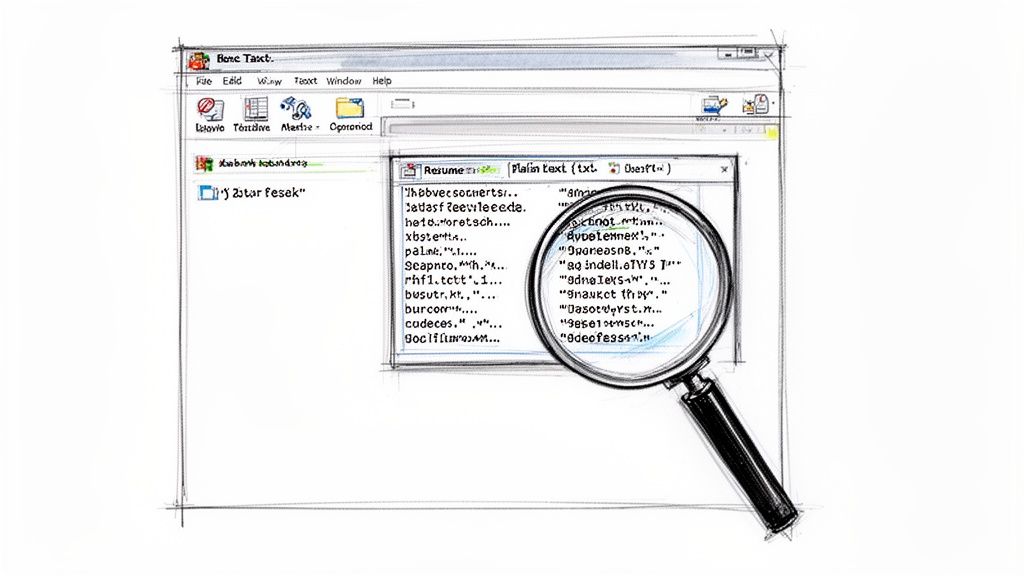
Don’t have access to a scanner? No problem. There’s a super simple, surprisingly effective DIY method you can use right now. All you need is a basic text editor like Notepad for Windows or TextEdit for Mac.
This little trick shows you how a very basic ATS would strip your document down to its text-only core. If your resume looks good after this, it’ll probably handle most real-world systems without a hitch.
Here’s how you do it:
- Open your final resume in Microsoft Word or Google Docs.
- Go to “File” and then “Save As.”
- From the “Save as type” dropdown menu, choose Plain Text (.txt).
- A file conversion window might pop up. Just click “OK” to continue.
Now, open that new .txt file. Does the content look clean and logical? Is the text in the right order, from your summary down to your experience? If everything looks good, your formatting is solid.
But if you see a garbled mess of weird symbols, jumbled sentences, or sections out of place, you’ve got a problem. Whatever you’re seeing is exactly what the ATS will see. That’s a major red flag telling you to go back and simplify your formatting—get rid of any tables, columns, or text boxes that are causing the chaos.
Gain an Unfair Advantage with Your Submission Strategy
Your resume is now perfectly tuned for the ATS. It’s clean, packed with the right keywords, and ready to make a great first impression. But even the best resume can get buried if you just toss it into an ocean of other applicants. To really get ahead, you need a smart submission strategy.
Here’s a hard truth: beating the ATS isn’t just about what’s in your resume. It’s also about where and when you send it. Firing off applications on huge job boards like LinkedIn or Indeed feels productive, but it’s often the least effective way to get noticed. When a good job goes live there, it can easily pull in hundreds, sometimes thousands, of applicants in just a few days.
That flood of applications forces recruiters to crank up their ATS filters to the max, making it even tougher for your resume to land on their desk. You’re not just up against other qualified people—you’re fighting against digital overload.
The First Mover Advantage
The real secret weapon in your job hunt is timing. Recruiters almost always pay the most attention to the first wave of applicants. These early submissions signal that you’re eager, organized, and on top of your game. If you can get your application into the system within the first 24 to 48 hours of a job being posted, your odds of a human actually reading it go way up.
Think of it like being first in line for a concert. The people at the front get the best spots. The ones at the back might not even get in. The same idea applies here.
The goal is to stop being one of the thousand applicants on a mega-job board and start being one of the first ten applicants directly in the company’s system. This shifts you from a needle in a haystack to a high-priority candidate.
So, how do you get to the front of the line? You have to find jobs before they hit the big, crowded platforms. Most companies post new roles on their own career pages first. There’s usually a delay—a few hours or even a couple of days—before those jobs get pushed out everywhere else.
That small window is your golden opportunity. By applying directly through the company’s own ATS, you’re swimming in a much smaller, higher-quality pond.
How to Find Jobs Before Everyone Else
Finding these fresh postings means you have to be more deliberate than just scrolling through a feed. You need to go straight to the source.
Here are a few ways to spot roles the moment they appear:
- Create a Target Company List: Pick 20-30 companies you’d genuinely love to work for. Bookmark their career pages and make a habit of checking them daily.
- Set Up Direct Alerts: Many company career sites let you create a profile and sign up for job alerts. This is a great way to get an email the second a relevant role is posted.
- Use Specialized Job Engines: This is the most efficient way to do it. Instead of you checking dozens of sites manually, you can use a service that scrapes them for you. This is exactly how smart job seekers are finding an edge.
For example, savvy professionals hunting for remote work are now using specialized platforms to skip the line entirely. Some modern job engines pull over 44,000+ verified remote jobs directly from more than 21,135 company ATS and career pages. They detect over 200,000 new listings each month, often before they ever show up on crowded job boards. As you can explore in more detail, the speed of application can be a deciding factor in today’s market.
When you use a tool built for this, you’re not just finding a job; you’re finding it within hours of its creation, putting you first in line. And for those focused on remote work, you can explore thousands of these direct, low-competition listings on sites like Remote First Jobs.
This strategic approach completely changes the job search game. You sidestep the digital noise, avoid the mad rush, and position yourself as an early, top-tier candidate. When you pair this with a perfectly optimized resume, you give yourself a powerful—and completely fair—advantage.
Frequently Asked Questions About Beating the ATS
Even when you feel like you have a great handle on your job search strategy, applicant tracking systems can still throw a few curveballs. Let’s walk through some of the most common questions that come up when you’re trying to get your resume past the bots.
How Much Should I Tailor My Resume for Each Job?
The honest answer? Every single time. But don’t panic—”tailoring” doesn’t mean starting from scratch for every application. That’s a surefire way to burn out.
Instead, you need a solid “master resume” that lists all your skills, experiences, and wins. For each job you apply to, just make a copy and spend about 15-20 minutes making a few strategic tweaks.
Here’s where to focus your effort for maximum impact:
- Mirror Their Keywords: Go through the job description and swap your own words for theirs. If they’re looking for experience with “Salesforce,” make sure your resume says “Salesforce,” not a generic term like “CRM software.”
- Update Your Summary: Rewrite your professional summary to directly address the top 2-3 qualifications they’re asking for. This is the first thing a human will read, so make it count.
- Reorder Your Bullets: Under each relevant job, move the bullet points that best match the role’s requirements to the top of the list.
This approach makes your resume a perfect match for the ATS without you having to spend hours on every single application.
How Do I Handle Career Gaps or Non-Traditional Experience?
First off, career gaps and unconventional career paths are incredibly common. They absolutely do not make you a less valuable candidate. It’s all about how you present them to both the ATS and the human reviewer.
The ATS is mostly looking for a clean, chronological timeline. Big, unexplained gaps can sometimes confuse the software. A simple trick is to use only years for your employment dates (e.g., 2021 - 2023) instead of including the months (May 2021 - August 2023). This simple formatting change can make shorter gaps almost invisible to the system.
When it comes to the person reading your resume, you can tackle the gap head-on with confidence.
- Add a “Professional Development” Section: Did you take courses, earn a certification, or do some freelance work? Create a section to show you were still building skills.
- Use Your Cover Letter: A single, confident sentence is often all it takes. Something like, “After taking a planned year to care for a family member, I’m excited to dive back into marketing with a renewed sense of purpose” works wonders.
The most important thing is to be honest and frame your experience with confidence. A career gap doesn’t define your qualifications. The skills and value you bring to the table are what truly matter.
Are Cover Letters Still Necessary?
This is always a hot topic, but my answer is a firm yes—but only if you do it right. While not every ATS scans cover letters, many do. And more importantly, the cover letter is your secret weapon once your resume makes it past the bots and into a hiring manager’s hands.
A great cover letter does three things your resume simply can’t:
- It tells a story: It connects the dots between your past accomplishments and what this specific company needs right now.
- It shows your personality: This is your chance to show some genuine excitement and prove you’re a good cultural fit.
- It explains the “why”: It’s the perfect place to address a career change, explain a gap, or share why you’re so passionate about this particular opportunity.
Think of it this way: your resume is the “what,” and your cover letter is the “why.” A generic, copy-and-paste cover letter is worse than sending nothing at all. But a thoughtful, well-written one can be the very thing that convinces a company to call you for an interview. Don’t skip it.
Stop letting your applications get lost in the digital void. Remote First Jobs gives you a critical advantage by sourcing over 44,000 verified jobs directly from company career pages, letting you apply hours—or even days—before the competition arrives. Find your next role before it goes viral.