Most advice on computer skills for resumes tells you to list every application you’ve opened. That approach produces a crowded skills section, not a persuasive one. Hiring teams need to see whether you can use the right tools to analyze information, communicate clearly, manage customers, coordinate projects, protect work quality, and operate independently in a distributed environment.
The strongest resume entries follow a simple rule: name the platform, specify what you can do with it, and connect that capability to a work outcome or scenario. “Excel” is weaker than “Excel, PivotTables, lookup functions, reporting templates.” “Slack” is weaker than “Slack, threaded project communication, scheduled updates, workflow integrations.” Only claim the level you can defend in an interview.
The demand is broad. An analysis of 43 million U.S. job postings found that 92% of jobs require at least one digital skill, while about one-third of workers have low or no digital proficiency. Jobs requiring at least one digital skill pay 23% more on average, and jobs requiring three or more pay 45% more than jobs requiring none, according to a National Skills Coalition report. Your goal isn’t to create the longest list. It’s to show useful, applied fluency.
The 10 skills covered below are Excel and Google Sheets, Slack, Zoom, CRM platforms such as HubSpot and Salesforce, Figma, Git and GitHub, Notion, Zapier, SQL, and project management tools such as Asana and Monday.com.
1. Advanced Excel and Google Sheets
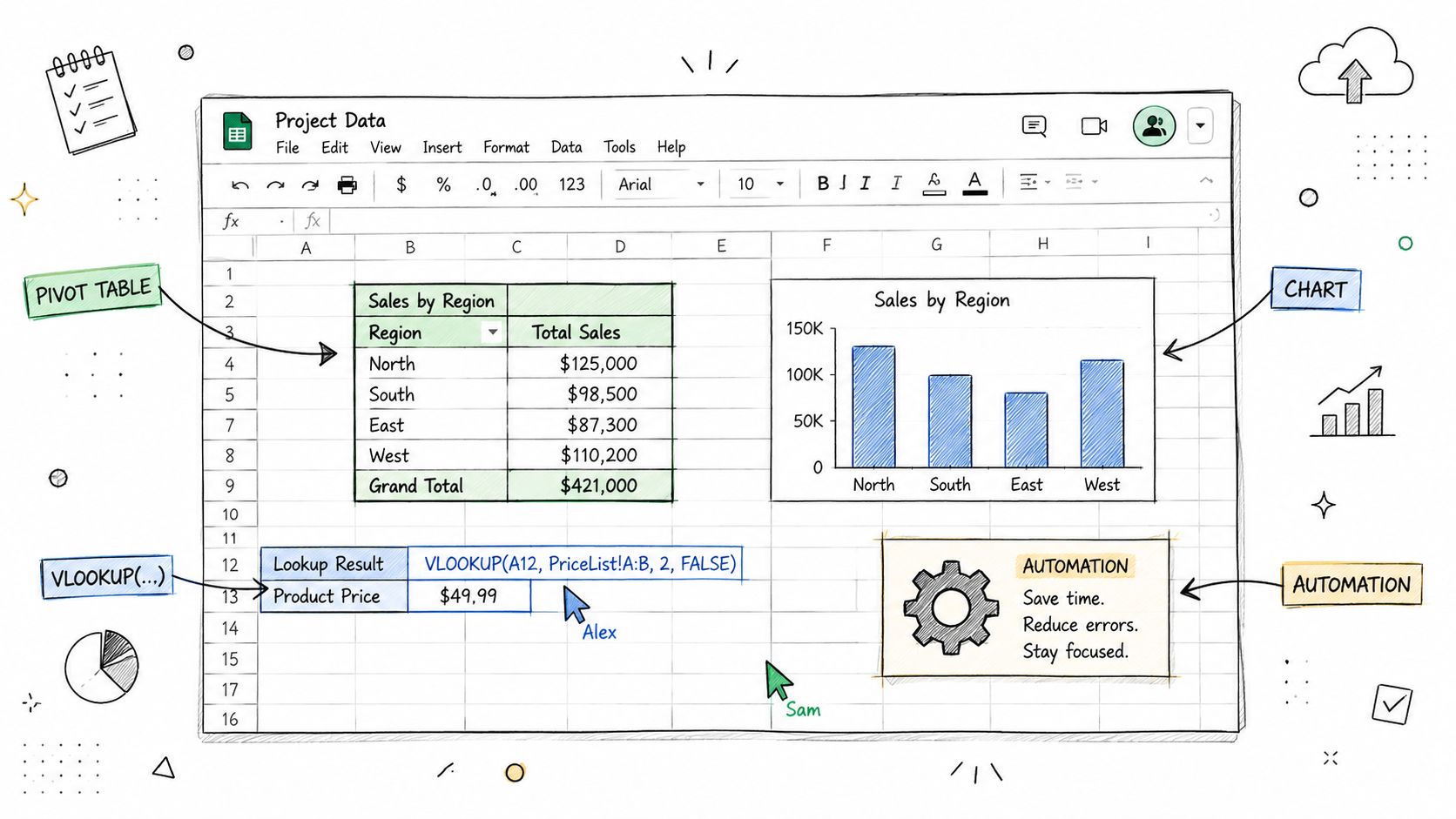
A spreadsheet skill proves more than comfort with rows and columns. It shows that you can turn messy information into a usable decision tool, often without waiting for a live meeting or a data specialist. That matters in remote work, where marketing managers track campaign performance, operations teams reconcile time records, sales professionals maintain forecasts, and product managers examine raw exports independently.
List the specific features you’ve used. PivotTables, lookup functions, filtering, data validation, charts, Power Query, macros, and formula-based templates communicate very different levels of capability. If you’ve only sorted lists and used basic arithmetic, say so through the feature you can thoroughly explain. Don’t call yourself an advanced Excel user if you can’t troubleshoot a lookup, explain a PivotTable, or walk someone through your workbook logic.
Practical rule: A named feature is more credible than a proficiency adjective.
A strong skills entry might read:
- Microsoft Excel: PivotTables, lookup functions, conditional formulas, chart-based reporting
- Google Sheets: shared reporting trackers, data validation, reusable templates, documented formulas
- Spreadsheet automation: formula-driven workflows and recurring report preparation
The remote-work value comes from handoff quality. In Google Sheets, collaborators can work from the same current file, while clear tab names, comments, and documented assumptions help colleagues continue without a synchronous explanation. Reusable templates also reduce repetitive work, whether you’re tracking a sales pipeline or managing a personal job-application database.
If you’re still building this skill, start with filtering, lookup functions, and PivotTables before claiming automation. Those capabilities solve common workplace problems and give you concrete material for an experience bullet, such as: “Built a Google Sheets reporting tracker with lookup formulas and documented update instructions for distributed teammates.”
2. Slack and Asynchronous Communication Tools
Slack proficiency isn’t the same as knowing how to send messages. It proves that you can make work discoverable, reduce unnecessary interruptions, and communicate in a way that colleagues can follow across different schedules. That distinction matters for remote-first hiring, because a distributed team can’t depend on hallway conversations or immediate replies.
Mention the workflows you use. Channel organization, threaded discussions, scheduled messages, reminders, app integrations, and workflow automation are useful distinctions. A marketing coordinator might write, “Slack, campaign channel organization, threaded approvals, scheduled stakeholder updates.” An operations specialist could write, “Slack workflows, automated status reminders, and cross-functional escalation alerts.”
Show that you can communicate without creating noise
Threads keep decisions attached to the original question. Clear channel names make projects easier to locate. Scheduled messages help you share information without expecting someone in another time zone to respond immediately. These practices demonstrate judgment, not just software familiarity.
A remote engineer might use Slack for incident alerts and code-review coordination, while an HR professional might use it to route onboarding reminders. In both cases, the tool matters because it supports a repeatable workflow.
Don’t list “Slack” if you only used it casually. If you’ve administered channels, connected apps, created reminders, or maintained team conventions, name those capabilities. If you’ve only participated in conversations, list Slack without overstating it, then prove your communication habits through experience bullets.
Useful resume wording includes:
- Slack: channel and thread management, scheduled updates, workflow integrations
- Asynchronous collaboration: decision documentation, concise status reporting, time-zone-aware communication
For roles built around distributed teams, you can also explore remote job listings, then mirror the collaboration tools named in each target posting.
3. Zoom and Virtual Meeting Facilitation
A video-conferencing platform becomes a meaningful resume skill when you can run a meeting that produces a clear result. Scheduling a call is basic. Preparing the room, managing access, sharing the right material, recording important discussions, facilitating participation, and deciding when a meeting shouldn’t happen all demonstrate stronger remote-work judgment.
Sales professionals may use Zoom to guide prospects through a product demonstration. Product managers may conduct remote user interviews. HR teams may run virtual onboarding sessions, while engineering leads may facilitate technical discussions for teammates who can’t attend live.
Prove meeting ownership
Mention the functions you’ve used, but tie them to a work context:
- Zoom: meeting setup, screen sharing, recording, waiting-room controls, breakout rooms
- Virtual facilitation: agenda management, inclusive discussion, recorded handoffs, follow-up documentation
- Remote presentation: product demonstrations, onboarding sessions, stakeholder reviews
The proficiency boundary is straightforward. If you’ve only joined calls, don’t write “virtual meeting facilitation.” If you’ve hosted meetings but never managed recordings or breakout rooms, list hosting and screen sharing instead. A hiring manager may ask you to explain how you handle an absent stakeholder, a complicated screen share, or a discussion that should move to an asynchronous document.
Strong experience wording could be: “Facilitated remote product-review sessions, shared prototypes, captured decisions, and distributed follow-up actions through the team workspace.” That sentence proves more than “Proficient in Zoom” because it describes the work around the tool.
Before a remote interview, test your audio, camera, screen sharing, and meeting permissions. You can also look for distributed roles on Remote First Jobs and tailor your wording to whether the employer values presentations, onboarding, customer calls, or internal facilitation.
4. HubSpot, Salesforce, or CRM Platforms
CRM experience proves that you can maintain customer and revenue information as a reliable operating system, not as a private collection of notes. Sales, marketing, account management, and customer-success teams depend on shared records to understand lead status, customer history, follow-up ownership, and pipeline movement without relying on in-person updates.
Name the platform and the functions you handled. “CRM software” is too broad. “Salesforce, opportunity stages, activity logging, dashboards” tells a recruiter what you did. “HubSpot CRM, lead segmentation, email sequences, pipeline reporting” gives a marketing or inbound-sales hiring team a clearer match.
Connect the CRM to a workflow
A CRM entry might include:
- Salesforce: opportunity management, account records, activity logging, reporting dashboards
- HubSpot: lead management, lifecycle stages, email sequences, workflow automation
- Customer operations: follow-up queues, data hygiene, account handoffs, renewal tracking
Remote teams particularly value accurate records because a colleague may need to continue the conversation without a quick desk-side briefing. Email integration, task reminders, custom fields, and clear pipeline stages help preserve that context. If you configured workflows or built reports, say so. If you only updated contact records, use narrower wording.
A sales resume bullet could say: “Maintained Salesforce opportunity records, logged customer activity, and prepared pipeline reports for weekly forecast reviews.” A marketing candidate might write: “Used HubSpot lifecycle stages and email workflows to organize inbound leads and coordinate follow-up with sales.”
Don’t claim CRM administration if you haven’t managed permissions, fields, automations, or reporting architecture. The strongest candidates show both tool fluency and operational discipline.
5. Figma for Design and Prototyping
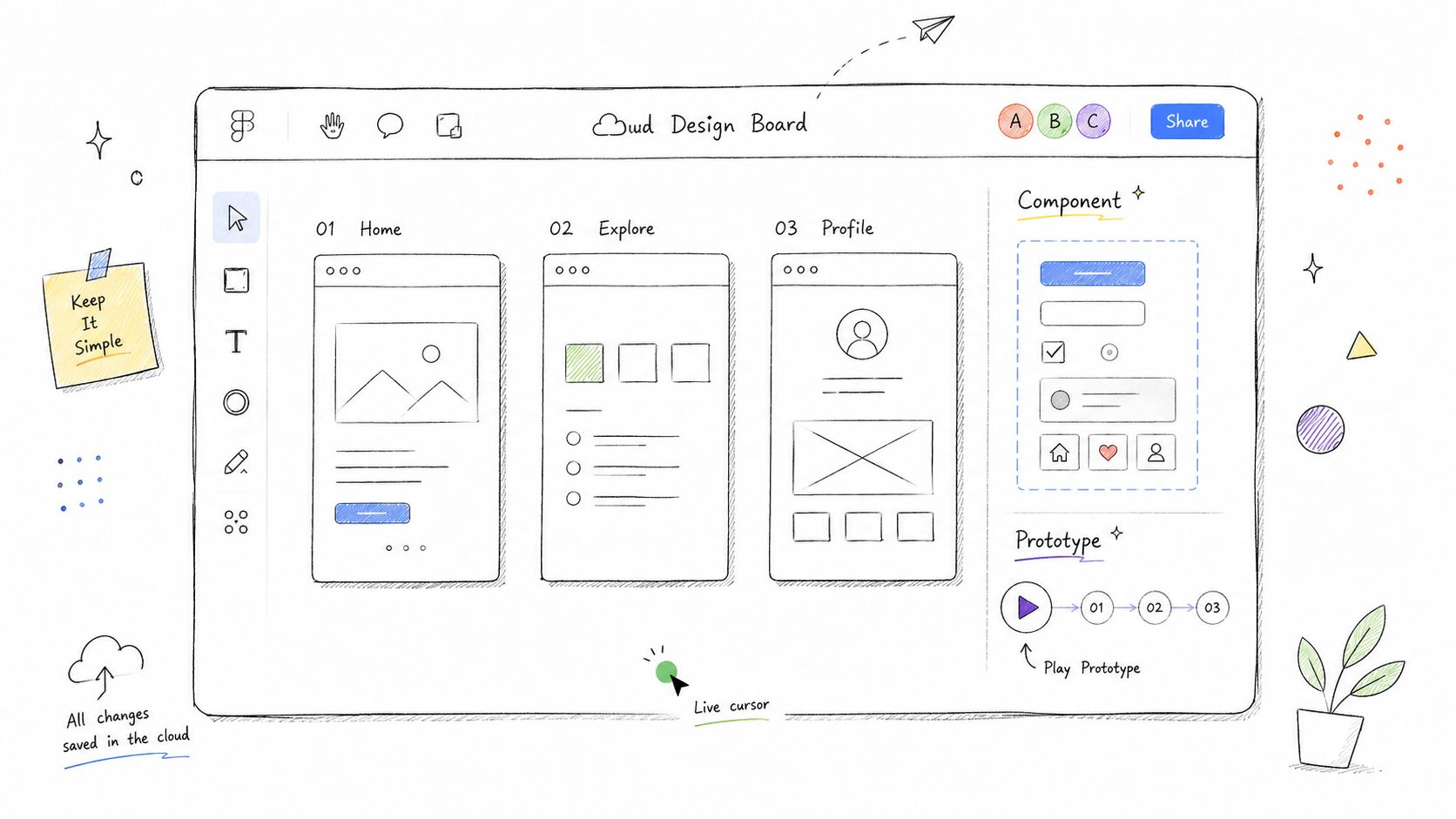
Figma proves that you can turn an idea into a visible interface, test a user flow, and collaborate through a shared design file. It’s relevant to product designers and UX professionals, but it can also strengthen a product manager, marketer, or founder’s resume when that person creates wireframes or communicates requirements visually.
Your entry should identify the level of design work you perform. Wireframes, high-fidelity mockups, interactive prototypes, component libraries, auto layout, design systems, and developer handoff each signal different capabilities. “Figma” alone is acceptable when space is limited, but it doesn’t show whether you can edit a template or build a usable prototype from scratch.
Describe the collaboration layer
Remote design work depends on more than visual output. Comments, version history, shared libraries, and developer-facing specifications help teams review work asynchronously. A product manager could write, “Figma, low-fidelity wireframes, user-flow mapping, prototype reviews.” A product designer might write, “Figma, responsive auto layout, reusable components, design systems, developer handoff.”
Useful wording includes:
- Figma: wireframing, interactive prototyping, auto layout, reusable components
- Design collaboration: async comments, design-system maintenance, developer handoff
- Product communication: annotated flows and prototype-based requirements
Don’t list Figma as an advanced design skill if you’ve only changed text in an existing file. Conversely, don’t hide meaningful product-design work behind the generic phrase “design software.” Explain what you created and who used it.
An experience bullet might read: “Created interactive Figma prototypes for a product workflow, collected feedback through file comments, and documented handoff details for engineering.” That shows visual thinking, remote collaboration, and execution in one line.
6. GitHub and Version Control with Git
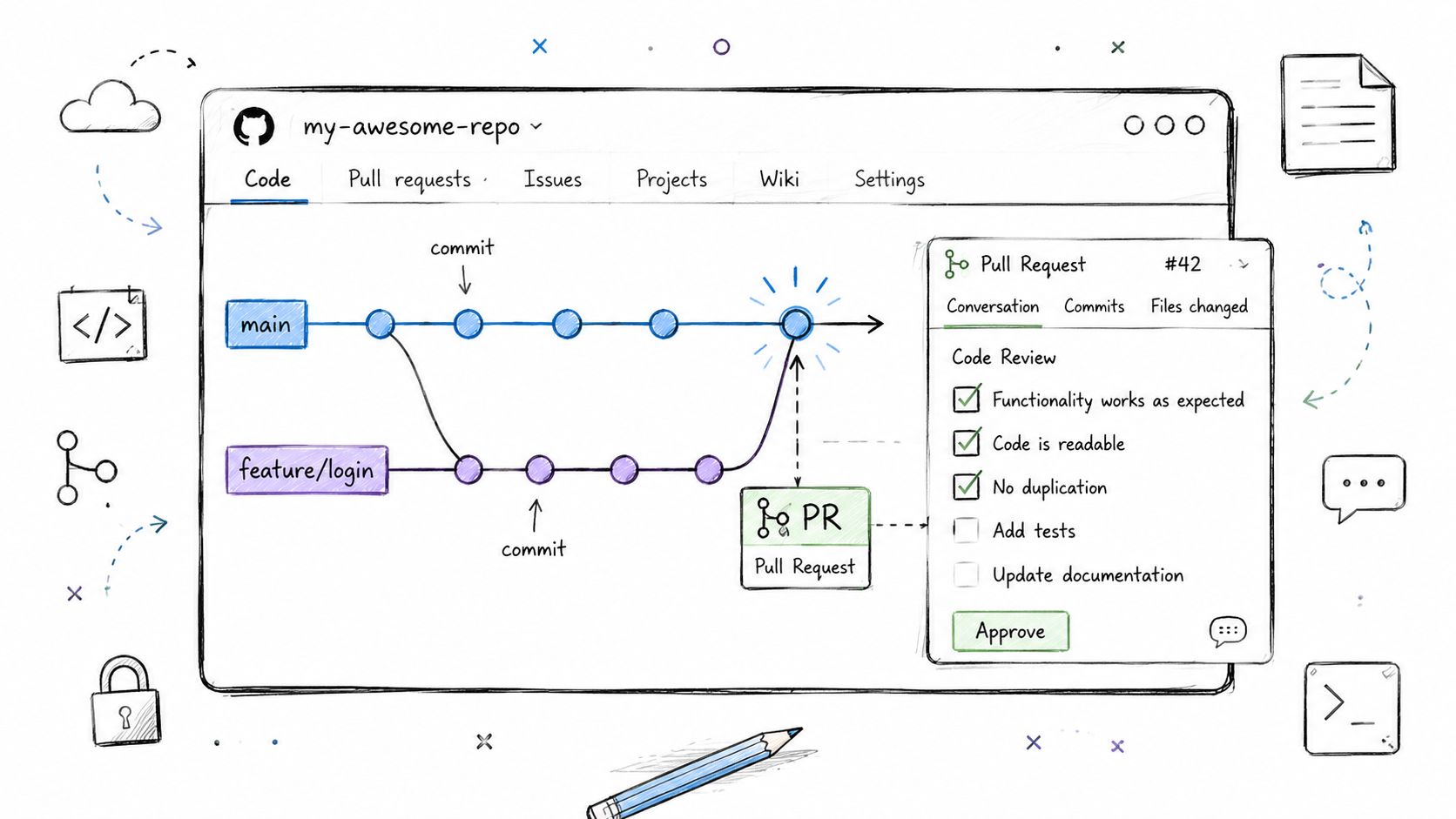
Git and GitHub demonstrate controlled collaboration around code, documentation, and technical change. The value isn’t that you can push files. It’s that you understand branches, commits, pull requests, reviews, merge conflicts, and the history that lets distributed teammates understand why a change exists.
For engineers, this skill belongs near the most important technical capabilities. For technical writers, developer-relations specialists, and product managers, GitHub can still matter if you manage documentation, review issues, or coordinate releases.
Show your contribution model
A useful entry might read:
- Git: branching, commits, rebasing, merge-conflict resolution
- GitHub: pull requests, code review, issue tracking, repository collaboration
- Technical documentation: Markdown-based documentation and change review
A clear commit message helps a future teammate understand the change without reconstructing the entire conversation. Pull requests create a structured review path, which is particularly valuable when colleagues work asynchronously. If you’ve used GitHub Actions or another automation workflow, list it only if you can explain what it validated or deployed.
An engineer could write: “Opened and reviewed GitHub pull requests, resolved branch conflicts, and maintained documented commit history across feature work.” A documentation specialist might say: “Managed versioned product documentation in GitHub, reviewed pull requests, and coordinated updates with engineering.”
Don’t claim expertise because you’ve uploaded a project once. If you can clone a repository, create a branch, make a commit, open a pull request, and respond to review feedback, describe that level accurately. If you’ve maintained release workflows or CI checks, make those capabilities explicit.
Candidates targeting distributed technical teams can browse remote software development jobs and compare their Git workflow experience with the exact requirements in engineering and documentation postings.
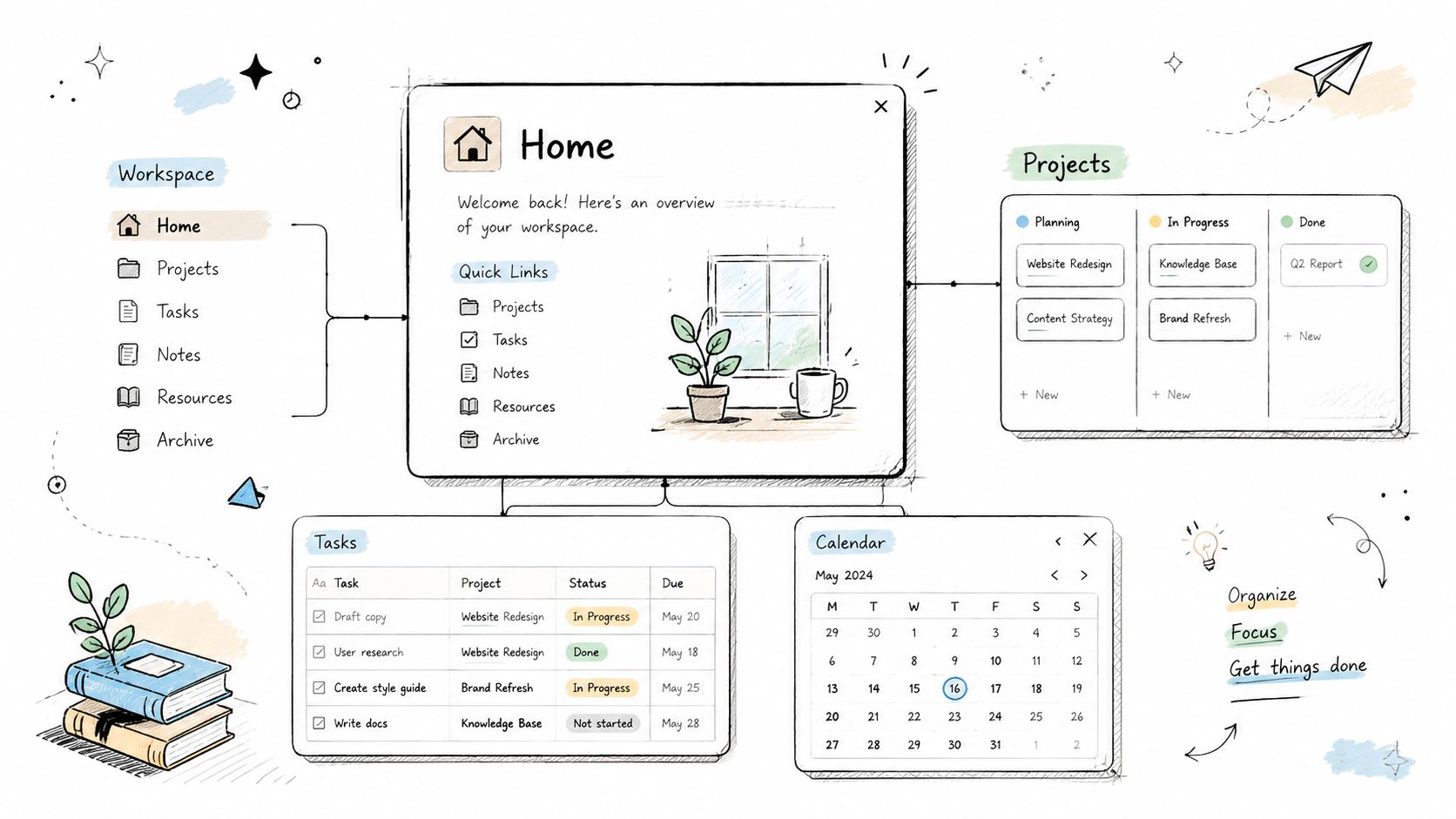
7. Notion for Knowledge Management and Workspace Organization
Notion is valuable when you use it to make information findable. A page of scattered notes doesn’t prove much. A structured workspace with linked databases, standard templates, documented procedures, project pages, and clear ownership shows that you can reduce repeated questions and preserve organizational context.
Remote teams often need a digital headquarters for onboarding instructions, meeting notes, project briefs, team directories, runbooks, editorial calendars, or customer information. The exact structure matters less than the result: someone should be able to find the current answer without asking you to restate it.
Focus on information architecture
Resume wording can distinguish basic use from meaningful workspace design:
- Notion: team wiki creation, relational databases, templates, project documentation
- Knowledge management: standard operating procedures, onboarding resources, decision records
- Workspace organization: linked project pages, ownership fields, reminders, searchable documentation
A strong bullet might say: “Built a Notion knowledge base with templates for project briefs, meeting notes, and onboarding documentation.” If you connected projects to owners, dates, or departments through databases, mention that structure. If you only used Notion for personal notes, list it only when the job specifically values it.
Don’t describe yourself as a Notion administrator if you haven’t managed workspace structure or permissions. The tool is not the achievement. The achievement is making knowledge easier to maintain and use.
You can identify remote roles where documentation is central through Remote First Jobs, then tailor your resume toward employers that mention wikis, SOPs, knowledge bases, or asynchronous collaboration.
8. Zapier and API Integration for Workflow Automation
Automation skill proves that you can examine a repetitive handoff and redesign it so information moves with less manual effort. You don’t need to be a software engineer to create useful integrations. You do need to understand triggers, actions, filters, data fields, testing, failure points, and documentation.
A marketing operations candidate might connect a form submission to a CRM and notification channel. An HR coordinator might trigger onboarding tasks when a new employee record is created. A customer-success professional could route support information into the right workspace. The tool matters because it changes a workflow, not because “Zapier” is popular.
Describe the logic, not just the app
Consider wording such as:
- Zapier: trigger and action design, filters, data formatting, application integrations
- Workflow automation: form-to-CRM routing, alerts, task creation, record synchronization
- Process documentation: automation logic, exception handling, testing procedures
Start with simple automations you can inspect and troubleshoot. Formatter steps can clean names or email fields, while filters prevent irrelevant records from triggering downstream actions. Conditional paths can support more complex workflows, but don’t list them if you’ve never built or maintained one.
A practical experience bullet could read: “Connected lead forms, CRM records, and team notifications through documented Zapier workflows, with filters for priority and status.” That description gives a hiring manager something concrete to discuss.
Be honest about the boundary between configuration and engineering. If you used a prebuilt integration, say that. If you worked with webhooks, API keys, or structured payloads, specify those capabilities only when you can explain authentication, data mapping, and what happens when a step fails.
9. SQL and Database Querying
SQL demonstrates that you can access structured information directly instead of depending on someone else for every report. That makes it useful for analysts, product managers, growth teams, marketers, operations professionals, and engineers. A candidate who can retrieve and validate relevant data can often move from a question to a defensible answer with fewer handoffs.
Begin with the parts you can explain. SELECT and WHERE clauses support straightforward retrieval. JOINs connect related tables. GROUP BY and aggregate functions summarize records. Common table expressions can make complex logic easier to read. The skill level should reflect your actual query work, not a course completion badge.
Phrase SQL according to its use
Examples include:
- SQL: SELECT queries, filtering, JOINs, aggregation, data-quality checks
- Analytics: cohort analysis, campaign reporting, customer segmentation
- Data operations: record validation, duplicate detection, reconciliation queries
A product manager might write: “Used SQL to examine product usage patterns and prepare retention questions for research.” A marketing analyst could say: “Queried campaign and customer tables with JOINs and aggregations to support channel reporting.” An operations candidate might emphasize audit and data-quality work instead.
Don’t claim database engineering if you only ran read-only queries. Don’t claim advanced SQL if you can’t explain how joins affect results or how you would avoid returning unintended records. You also don’t need to list every database dialect unless the job posting asks for one or your experience depends on it. To see how employers actually phrase these requirements, scan a few remote SQL jobs and note which dialects and tasks come up again and again.
The OECD organizes digital work around information and data literacy, communication and collaboration, digital content creation, safety, and problem-solving. That framework supports a useful resume principle: translate “computer savvy” into a named capability that maps to the work, such as data cleaning, self-service reporting, or structured problem-solving through its digital-skills analysis.
10. Asana, Monday.com, or Project Management Tools
Project-management software proves that you can make ownership, timing, dependencies, and progress visible. In a distributed team, that visibility replaces many status questions. The strongest candidates don’t merely move cards. They create a workflow that helps people understand what needs attention, who owns it, and what could delay the next step.
Name the platform and the project behaviors you’ve used. Task assignment, dependency management, timeline planning, recurring templates, status reporting, and backlog organization are useful details. A marketing professional might highlight campaign workflows. An engineering candidate may emphasize backlog coordination and release dependencies. A client-services professional can focus on deliverables, approvals, and deadlines.
Show operational control
Resume entries can look like this:
- Asana: task ownership, dependencies, project timelines, recurring workflow templates
- Monday.com: workflow boards, status tracking, dashboards, cross-functional handoffs
- Project coordination: milestone planning, risk visibility, action tracking, asynchronous updates
Use action-led task names and assign one accountable owner to each deliverable. Dependencies should be explicit, especially when a delayed review can block several downstream tasks. Templates help standardize recurring launches, onboarding, content production, or client delivery.
A strong experience bullet might read: “Managed cross-functional campaign work in Asana, assigning owners, tracking dependencies, and documenting status updates for distributed stakeholders.” That proves coordination rather than software familiarity.
Don’t list five project tools if you only used one lightly. Choose the platform closest to the target employer’s workflow, then describe the functions you performed. You can find relevant distributed opportunities among remote project management jobs and use each job description to decide whether Asana, Monday.com, Jira, or another platform deserves space.
Top 10 Resume Computer Skills Comparison
| Tool | 🔄 Implementation Complexity | ⚡ Resource Requirements | ⭐ Expected Effectiveness | 📊 Expected Outcomes | 💡 Ideal Use Cases & Key Advantages |
|---|---|---|---|---|---|
| Advanced Excel & Google Sheets (Data Analysis & Automation) | Medium–High: advanced formulas, macros, pivots | Low: desktop/web apps; minimal software cost | ⭐⭐⭐⭐ | Structured analysis, reusable reports, visualizations | Data tracking & reporting; universal, async-friendly, low-cost |
| Slack & Asynchronous Communication Tools | Low–Medium: channel design & governance | Medium: subscription tiers + integrations | ⭐⭐⭐⭐ | Faster decisions, searchable knowledge base | Distributed team comms, incident response; rich integrations |
| Zoom & Virtual Meeting Facilitation | Low: tool basics; facilitation skills matter | Medium: bandwidth, licensing for webinars/large meetings | ⭐⭐⭐ | Synchronous alignment; recorded sessions and transcripts | Interviews, presentations, inclusive meetings when sync is needed |
| HubSpot, Salesforce, or CRM Platforms | High: customization, workflows, data model setup | High: licensing + training; integrations | ⭐⭐⭐⭐ | Centralized customer data, measurable pipeline & forecasting | Sales/CS automation, enterprise reporting; single source of truth |
| Figma (Design & Prototyping) | Medium: design systems & component management | Low–Medium: browser-based; paid team features | ⭐⭐⭐⭐ | Faster prototyping, consistent UI, seamless handoff | Product/UX design, cross-time-zone collaboration; real-time editing |
| GitHub & Version Control (Git) | High: Git concepts, branching, PR workflows | Low: free tiers available; CI/CD costs possible | ⭐⭐⭐⭐ | Reliable history, async code review, automated CI/CD | Software development, open-source collaboration; industry standard |
| Notion (Knowledge Management & Workspace Organization) | Medium: schema & page architecture to prevent sprawl | Low: generous free tier; optional team plans | ⭐⭐⭐ | Centralized docs, templates, SOPs | Knowledge bases, onboarding, lightweight project tracking; flexible hub |
| Zapier & API Integration (Workflow Automation) | Low–Medium: trigger/action logic; debugging needed | Medium: subscription scales with task volume | ⭐⭐⭐ | Reduced manual tasks, reliable cross-app flows | No-code automation between apps; quick ROI on repetitive work |
| SQL & Database Querying | High: query logic, joins, performance tuning | Low: free tools to learn; DB access required in practice | ⭐⭐⭐⭐⭐ | Direct access to raw data, fast self-service analytics | Data analysis, cohort & funnel queries; essential for evidence-based decisions |
| Asana, Monday.com, or Project Management Tools | Medium: workflow design, templates, dependencies | Medium: per-user pricing + admin time | ⭐⭐⭐⭐ | Project visibility, fewer status meetings, clear ownership | Cross-functional project delivery; dependency tracking and reporting |
Turn Tools Into Evidence of Value
A skills section should make your experience easier to understand, not substitute for it. Employers have screened for practical computer competence for decades. A historical employer survey summarized by the University of North Carolina Wilmington found that 96% of employers looked for word-processing knowledge, 93% expected email experience, 86% cited spreadsheet knowledge, 83% valued data-entry skills, and 63% expected Internet research and online competence. The same source placed computer skills at 4.12 out of 5 for overall job-skill importance. The tools have expanded, but the underlying question hasn’t changed: can you use technology to perform useful work?
Start by removing anything that doesn’t support the role. Basic Word processing, email, or generic “computer literacy” may be appropriate for an administrative posting, but they usually waste space on a senior marketing, product, engineering, or analytics resume. Replace broad labels with named applications and capabilities, such as “Salesforce opportunity management,” “Figma interactive prototypes,” “SQL joins and aggregation,” or “Asana dependency tracking.”
Next, group the remaining skills by function. A focused structure might use Data and Analysis, Communication and Collaboration, Customer Operations, Design and Prototyping, Automation, and Project Coordination. Grouping helps a recruiter see your working pattern, while specific product names help the resume match the language of the job description. Computer skills are only one part of that section, so if you’re deciding what else belongs next to them, see our guide on what to put under skills on a resume.
Then state your proficiency. Use “advanced” only when your work demonstrates advanced control. If you’re early in learning a tool, describe the narrower capability you can perform independently. Don’t use star ratings, progress bars, or inflated labels. A practical bullet gives better evidence than a decorative score.
Finally, place your most important tools in both the skills section and the experience section. The skills section provides a quick index. The experience bullet explains the setting, your responsibility, and the value created. “Excel” is a keyword. “Built a recurring Excel report with PivotTables for campaign performance reviews” is evidence. Add a result when you have a real one, but don’t invent a percentage or claim an outcome you can’t verify.
Before applying, compare your resume with the target job description. The European Commission’s labor-market data reports that 60% of EU citizens aged 16 to 74 had at least basic overall digital skills in 2025, against an 80% target for 2030, while 10.4 million people were employed in ICT specialist occupations and the region remained short of its stated goal by more than 9.6 million. The same data reports that 72% of EU small and medium-sized enterprises had reached at least basic digital intensity in 2025. These figures reinforce the practical point, cited in the Eurostat digital-skills data, that baseline software use is increasingly assumed. Your resume needs to show depth, relevance, and applied judgment.
AI fluency deserves the same discipline. Don’t add every AI application to your resume. List a tool only when you’ve used it in a real workflow and can explain how you checked its output, protected sensitive information, and improved the work.
Use Remote First Jobs to find direct-hire remote roles, then tailor your skills section to each posting before you apply. If the rest of the document also needs work, our guide to writing a resume for remote jobs covers structure, ATS screening, and how to show remote experience. The right computer skills won’t rescue weak experience, but well-supported tool evidence can make your experience easier to find, easier to trust, and more relevant to the work you want.
Remote First Jobs helps you find verified remote opportunities sourced directly from the career pages of remote-first companies, rather than relying only on crowded general job boards. Visit Remote First Jobs to find roles that match your skills, then tailor your resume and apply while the opportunity is still fresh.