Remote iOS job searches usually fail for a boring reason. Good developers spend too much time on crowded boards, stale listings, and applications that look interchangeable.
The usual advice, to apply widely and hope volume carries you, works worst in remote hiring. Remote roles attract fast attention, and the first wave of applicants is often large enough to bury strong candidates who arrive a day late with a generic resume. That is why the competitive edge is not more effort. It is better targeting, faster timing, and a tighter pitch.
For iOS roles, that matters even more. Hiring managers are not only screening for Swift, UIKit, SwiftUI, or mobile architecture. They are screening for signs that you can ship without hand-holding, communicate clearly in async teams, and make sound product decisions without sitting next to a PM or tech lead.
That changes how you should search.
Use direct-source platforms before mass aggregators. Build a resume that makes remote trust easy. Show portfolio proof that maps to mobile work, release ownership, performance tuning, crash reduction, CI/CD, App Store delivery, and collaboration across time zones. If you want a concrete benchmark for the kind of position worth studying, review this Lead Mobile Software Engineer Role. The details tell you what serious remote teams ask for.
This guide is built as a playbook, not a board dump. It starts with higher-signal platforms such as Remote First Jobs, then shows how to apply in a way that gives you a real advantage in remote iOS hiring.
The best remote iOS candidates are often the ones who look easy to trust, easy to onboard, and ready to contribute in week one.
1. Remote First Jobs
If I had to pick one platform for serious remote iOS job hunting, especially if you’re trying to avoid recycled listings, it would be Remote First Jobs. The core difference is sourcing. Instead of leaning on reposted listings from other boards, it pulls jobs directly from employer ATS pages and company career sites.
Its significance is often underestimated. The first problem in ios remote developer jobs isn’t just volume. It’s latency. By the time a role spreads across LinkedIn and Indeed, you’re already competing with a giant applicant queue and a lot of low-fit noise.
Remote First Jobs is built around speed and directness. It monitors 21,135+ remote-first companies daily and tracks 44K+ active verified remote jobs, with 200K+ new opportunities detected monthly. For someone targeting mobile roles, that means a better shot at seeing a listing while it’s still fresh instead of after it’s gone viral.
Why it works better than mass boards
A lot of job boards feel big because they aggregate aggressively. That also creates duplicate listings, stale listings, and recruiter-posted noise. Remote First Jobs takes the opposite approach. It filters out scams, MLMs, and third-party agency clutter, which keeps the feed cleaner.
That cleaner feed helps in practical ways:
- Faster triage: You spend less time checking whether a company is real, remote-first, and hiring directly.
- Better application timing: The platform’s continuous scanning gives you a real chance to apply before the mainstream rush.
- Lower noise floor: If you’re tired of “remote” roles that turn hybrid halfway through the process, the focus on remote-first companies is a strong filter.
There’s also a useful strategic fit here for iOS engineers. Remote iOS roles increasingly cluster around startups and mid-size distributed companies rather than office-heavy enterprise teams. If you want a current example of the kind of role worth watching for, this Lead Mobile Software Engineer Role is the sort of niche, direct-hire opportunity that benefits from early discovery.
Trade-offs to know
Remote First Jobs is not trying to be everything. That’s part of the appeal, but it also means you’ll miss some hybrid or office-flex roles that appear elsewhere. If your search includes enterprise companies that still want partial in-office time, this won’t be your only tool.
There’s also less public detail around pricing or premium features than some candidates might want. The product leans more on usage and inventory signals than on testimonial-heavy marketing.
Practical rule: Use Remote First Jobs as your discovery engine, not your only engine. Check it first each day, then use a broader board only to backfill gaps.
For mid-level and senior iOS developers who want direct-hire remote roles and hate recruiter spam, this is the strongest starting point on the list.
2. Wellfound
Wellfound is where I’d look if your target is startup iOS work instead of traditional enterprise mobile teams. It still has one of the better startup talent ecosystems for engineers who want product-heavy roles, smaller teams, and direct exposure to founders or early hiring managers.
That’s a good fit for remote iOS work because startup teams tend to hire mobile developers for breadth, not narrow specialization. You’re often expected to ship features, work through product ambiguity, and collaborate directly with design and backend.
Where Wellfound shines
Wellfound’s advantage is focus. You can search specifically for startup roles, filter by company stage, and present a profile that does more than just list prior titles. It also supports skills assessments, including iOS-relevant ones, which can help your profile stand out when a company is moving fast.
For remote iOS developers, that setup is useful because many startups care less about formal pedigree and more about visible proof that you can ship. A strong profile with credible project history, clean portfolio links, and mobile-specific skills usually performs better here than a generic resume blast.
A few ways to use it well:
- Target seed to growth companies: These teams often need iOS engineers who can own features end to end.
- Fill out the profile properly: Treat it like a landing page, not a duplicate of your resume.
- Use assessments selectively: They won’t rescue a weak profile, but they can reinforce a strong one.
Where it falls short
Wellfound is startup-heavy, and that bias comes with trade-offs. Some companies move fast and respond quickly. Others post opportunistically and go quiet. You’ll also see more variability in hiring rigor, compensation structure, and product maturity than on enterprise-focused channels.
For some developers, that’s a benefit. For others, it’s friction.
Startup hiring rewards clarity. If your profile doesn’t instantly show what kind of iOS developer you are, recruiters won’t do the work for you.
If your background includes SwiftUI, rapid product iteration, experimentation, or building features with limited process overhead, Wellfound can be one of the better places to surface remote iOS opportunities that never reach mainstream boards with much visibility.
3. Himalayas
Himalayas earns its spot for one reason. It exposes remote constraints early.
That sounds minor until you spend an hour on listings that turn into “US only,” “Europe preferred,” or “must overlap with Pacific time” halfway down the page. For iOS candidates, especially outside the biggest hiring hubs, that filtering saves real time and helps you focus on roles you can realistically take.
Best use case for iOS candidates
Himalayas is strongest when your search has hard constraints. Geography, visa limits, tax residency, and working-hour overlap all matter in remote hiring, and this platform usually surfaces those details more clearly than general tech boards.
The dedicated iOS category helps too, but the key advantage is how quickly you can cut bad-fit roles. If you’re targeting remote iOS work, that matters more than raw listing volume. A smaller set of accurate opportunities beats a larger set full of hidden restrictions.
The seniority filters are also useful if you’re trying to separate junior-adjacent roles from jobs that expect full ownership. Remote mobile teams often want engineers who can debug production issues, ship without heavy hand-holding, and communicate clearly in async workflows. Himalayas makes it easier to sort for that level of role.
It also includes AI tools for resume edits, cover letters, interview prep, and headshots. I’d treat those as cleanup tools, not strategy. They can help tighten presentation, but they won’t fix weak evidence of iOS work.
The trade-offs
Himalayas works best as a precision tool. Use it to qualify roles, not to run your entire search.
You probably won’t find the same volume you get from broader platforms, and some of the extra tooling sits behind paid plans. That’s fine if your goal is a cleaner pipeline. It’s less useful if you want a high-volume discovery engine.
A practical way to use it:
- Filter hard at the start: Set location, time zone, and seniority before you browse.
- Prioritize roles with clear remote terms: If the constraints are vague, expect friction later in the process.
- Apply with role-matched materials: For senior remote iOS jobs, lead with shipped features, App Store history, architecture decisions, and async collaboration examples.
- Pair it with a broader source: Himalayas is good at narrowing. Another platform should handle top-of-funnel discovery.
For developers who want fewer dead-end clicks and better fit on the first pass, Himalayas does that job well.
4. We Work Remotely
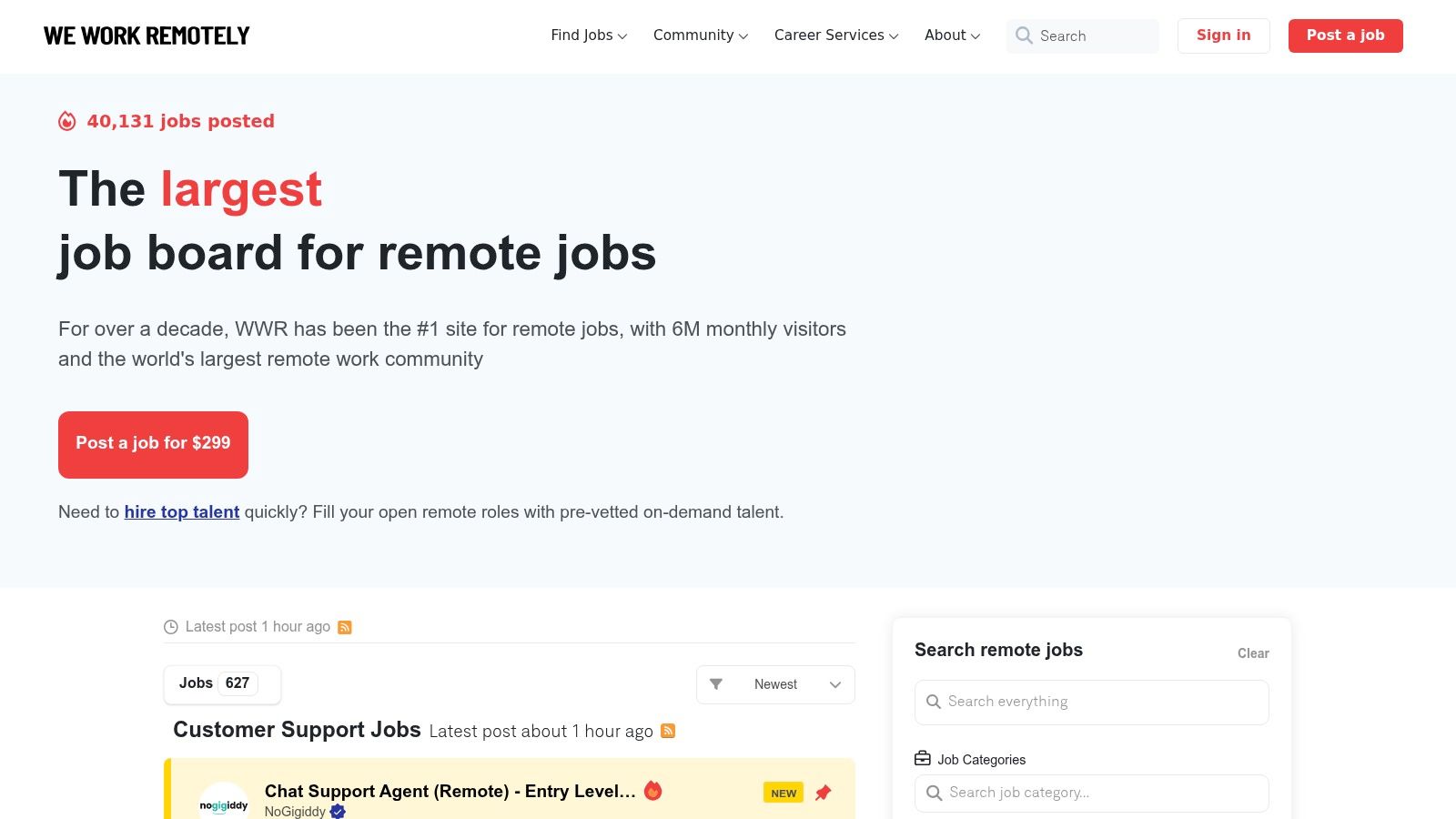
We Work Remotely has been around long enough that most remote job seekers have checked it at some point. The reason it still belongs on this list is simple. Employers know it, candidates know it, and companies continue to post there directly.
A lot of boards either feel too broad or too niche. We Work Remotely sits in the middle. For iOS roles, that means you’ll need to filter carefully, but you’ll also see a steady stream of legitimate remote tech jobs.
A quick look helps:
How to use WWR without wasting time
The mistake on We Work Remotely is browsing too broadly. Search mobile-specific terms like Swift, iOS, UIKit, SwiftUI, and React Native separately because some employers misclassify roles. Save alerts for each, then check the newest posts first.
WWR also works best when you treat it as a monitoring tool instead of a one-and-done application portal. The dashboard and email alerts help keep your search organized, especially if you’re applying across multiple role types.
The catch
Some of the stronger job-seeker features are tied to paid tiers. If you want unlimited applies, multiple alerts, or the AI Job Copilot features, you may hit a paywall.
That doesn’t make the platform weak. It just means the free version is best for disciplined candidates who already know how to search and don’t need extra automation layered on top.
- Strong point: Established remote hiring brand with consistent employer usage.
- Weak point: Not iOS-specific, so search discipline matters.
- Best fit: Developers who want a broad but still remote-centered board in their rotation.
WWR isn’t the sharpest tool on this list, but it’s still a useful one.
5. Remote OK
Remote OK is built for speed. If you like scanning fast, checking tags quickly, and moving on, it fits that workflow well. The dedicated iOS filter is useful, and the benefit and location tags can help you rule in or rule out a role in seconds.
That speed matters because remote iOS hiring is crowded and timing still matters. Remote roles generate outsize candidate attention, so anything that shortens your search-to-apply loop is valuable.
Here’s the interface style you’re dealing with:
Where Remote OK helps
Remote OK is one of the better boards for catching fresh listings quickly. You can browse without an account, spot iOS-tagged roles fast, and jump out to the employer application flow without much friction.
This makes it especially useful for developers who already have a ready-to-send resume and portfolio. If your materials are polished, Remote OK’s value is velocity.
A smart way to use it:
- Check the tags, then verify on the company site: Treat the listing as a signal, not the final source of truth.
- Move on weak matches quickly: Don’t over-read vague posts.
- Use alerts for scan speed: This works better than manual browsing alone.
Where you need to be careful
Remote OK is broad and useful, but it’s not as tightly curated as a direct-source engine. Some listings need more candidate-side vetting. You should always verify role details, location constraints, and whether the position still exists on the employer’s own site.
If a listing on a broad remote board looks promising, the next click should usually be the company careers page, not a long session polishing a custom cover letter.
Remote OK is best as an early-warning radar. It helps you find leads fast, but you still need to validate before investing effort.
6. Arc.dev
Arc.dev is one of the few platforms in this list that can work both as a job board and as a recruiter filter. That matters for remote iOS hiring because many teams are not looking for someone they need to shape from scratch. They want a developer who already looks ready to ship in a distributed setup.
That shifts the strategy. On Arc, your profile does a lot of the selling before any interview starts.
For iOS developers, Arc is strongest when your experience is easy to verify. Clear Swift and SwiftUI work, shipped apps, concise case studies, and a work history that shows ownership tend to perform better here than vague claims about being “passionate” or “results-driven.” If your profile is thin, Arc will feel quiet. If it is sharp, it can reduce the volume of low-probability cold applications.
Why Arc works
Arc rewards candidates who already know their positioning.
If you are targeting remote iOS roles, that means presenting yourself as more than “mobile developer.” Spell out the stack and the kind of product work you handle well: UIKit modernization, SwiftUI adoption, performance tuning, CI/CD for iOS, subscription flows, testing, release ownership, or cross-functional product work with design and backend teams. That level of specificity gives both recruiters and hiring managers a faster reason to shortlist you.
A few practical strengths stand out:
- Profile-driven matching: Useful for getting seen without applying to every role manually.
- Cleaner developer context: Better signal than generic boards that mix engineering with unrelated remote jobs.
- Flexible role types: Good if you are open to contract, freelance, or full-time work.
Where Arc is weaker
Arc is less forgiving if you are junior or still packaging your experience. A weak profile usually stays weak on this platform. You do not get much help from volume alone.
The other trade-off is fit. Arc has broad international reach, which is useful, but remote does not always mean location-agnostic. Some roles still carry overlap-hour requirements, country limits, or contractor-only terms that can make a promising listing a poor match once you read closely.
My advice is simple. Use Arc after you tighten your resume, portfolio, and profile headline. Lead with evidence that you can work independently on a remote iOS team and ship without heavy supervision. If you cannot show that yet, keep Arc in your mix, but put more effort into platforms where direct applications and targeted outreach give you more control.
7. Work at a Startup
Work at a Startup is one of the few platforms where an iOS developer can get closer to the actual hiring decision instead of getting filtered through a generic remote pipeline first. That matters because early-stage teams usually hire for product judgment and execution speed, not just years of Swift experience.
For remote iOS roles, that creates a different kind of opportunity. You are often applying to companies where mobile is tied directly to growth, retention, onboarding, or paid conversion. If you have shipped subscription flows, improved app startup time, owned App Store releases, or built features with weak backend support and tight deadlines, this platform gives you a better chance to make that work visible to a founder-led team.
The profile model is efficient, but the primary advantage is signal. YC startups tend to care less about polished corporate interview performance and more about whether you can ship useful product with limited oversight. A strong WAAS profile should read like proof of output. Lead with shipped apps, measurable product contributions, and the parts of the stack you can own without hand-holding.
There is a trade-off. Startup roles are less stable than remote jobs at larger companies. Compensation can skew toward equity, hiring plans can change quickly, and some teams still say “remote” while expecting heavy overlap with a specific timezone. Read the listing closely before you spend time on a custom application.
WAAS works best as part of a focused search strategy, not as a volume play. I would use it for a smaller batch of high-fit applications where your background lines up with the product. Then follow up with a short note that shows you understand the app, the user problem, and the mobile work that likely matters in the first six months.
A better startup application sounds specific:
I have led iOS release ownership, reduced crash issues in production, and shipped subscription and onboarding work that affected conversion. Your team looks like it needs someone who can own the app experience end to end and make good product calls without a lot of process.
That approach fits the platform. For iOS developers who want greenfield product work, direct founder access, and remote roles with real ownership, Work at a Startup is one of the highest-signal options in this list.
Top 7 iOS Remote Developer Job Platforms Comparison
| Platform | Complexity 🔄 | Resource Requirements ⚡ | Expected Outcomes ⭐ / 📊 | Ideal Use Cases 💡 | Key Advantages ⭐ |
|---|---|---|---|---|---|
| Remote First Jobs | Low, straightforward search/interface, real-time scans 🔄 | Low user effort; pricing unclear for premium features ⚡ | High, early access to verified direct-hire remote roles; strong signal 📊 ⭐⭐⭐ | Mid–senior tech/product/design/marketing pros who need first-mover advantage 💡 | First-mover listings, verified employer ATS pulls, large fresh inventory |
| Wellfound (AngelList Talent) | Moderate, profile + optional assessments to set up 🔄 | Free for candidates; time to build profile and take assessments ⚡ | Good, strong startup match and recruiter visibility 📊 ⭐⭐ | iOS engineers targeting seed–growth startups and VC-backed roles 💡 | Deep startup coverage, assessments boost discoverability |
| Himalayas | Moderate, rich filters and optional AI tools to configure 🔄 | Free basic use; some advanced AI features are paid ⚡ | Good, precise remote metadata yields higher relevance 📊 ⭐⭐ | Targeted searches with timezone constraints; senior/junior iOS tracks 💡 | Strong remote-specific filters and integrated AI toolkit |
| We Work Remotely (WWR) | Low, simple browsing and alerts; Pro tier adds features 🔄 | Free basic access; Pro subscription for unlimited applies/alerts ⚡ | Solid, high volume of remote posts from established employers 📊 ⭐⭐ | Broad remote job hunting, US-centric remote opportunities 💡 | High posting volume, established brand recognition |
| Remote OK | Low, quick-scan UI with live iOS filter; no account needed 🔄 | Minimal effort to monitor; email alerts available ⚡ | Good, fast discovery of new iOS roles but mixed curation 📊 ⭐⭐ | Rapid monitoring for newly posted iOS roles across startups/scale-ups 💡 | Speed of discovery, rich tagging for quick vetting |
| Arc.dev | Moderate, profile and matching process; curated workflow 🔄 | Free to browse/match; time to complete profile and tests ⚡ | Strong, curated matches reduce cold-apply noise; developer-focused 📊 ⭐⭐ | Developers (mid–senior) seeking curated, active-hire mobile roles 💡 | Developer-centric matching; iOS-specific job categories |
| Work at a Startup (YC WAAS) | Low, single centralized profile to apply broadly 🔄 | Free for candidates; may require proactive networking ⚡ | High-signal, many YC-backed iOS roles but startup variability 📊 ⭐⭐ | Candidates targeting YC startups or founder-facing roles 💡 | Direct visibility to YC founders, efficient multi-apply profile |
Your Quick-Apply Playbook for Remote iOS Roles
Most candidates waste time on volume. Remote iOS hiring rewards precision.
The board matters less than the system behind it. Strong applicants get seen early, present clear evidence that they can ship without hand-holding, and avoid spending energy on roles they were never eligible for in the first place. Treat this as a pipeline you can tighten, not a weekly chore.
Start with response speed. For remote iOS roles, timing affects visibility because the first wave of applicants usually sets the review queue. I’ve had better results tracking a short list of high-signal sources and applying the same day than spraying applications across every remote board I could find.
A simple setup works:
- Pick 3 sources, not 10: one direct-source remote board, one startup-focused board, and one broader remote platform
- Check twice a day: once in the morning, once late afternoon
- Keep a base resume ready: edit for the role in 10 minutes instead of rewriting from scratch
- Apply while the post is fresh: strong matches should go out the day you find them
Speed alone will not carry you. Your materials have to reduce risk for the hiring team.
Remote iOS managers are screening for two things at once. They want someone who can build solid app features, and they want someone who can work independently in an async environment. A generic mobile resume usually fails both tests. It hides the stack, and it says nothing about how you communicate or make engineering trade-offs.
Put the technical signals near the top. If you use Swift, SwiftUI, UIKit, Combine, async/await, Core Data, TCA, or MVVM, list them clearly. Then back them up with shipped work. A portfolio for remote iOS roles does not need to be flashy. It needs to answer practical questions fast:
- What did you build?
- How is it structured?
- Why did you choose that architecture?
- Can another developer run it without guessing?
- Did it ship, or is it another half-finished side project?
Good READMEs help more than many candidates realize. A clean repo with setup steps, architecture notes, known limitations, and a short explanation of trade-offs gives a remote team evidence that you can communicate like a teammate, not just code in isolation.
App Store links help too. Screenshots are fine, but shipped software carries more weight.
Location and compensation filters deserve attention before you apply. Remote does not always mean worldwide. Many teams still hire only within specific countries, time zones, or legal regions. Read that part first. It saves time and keeps your pipeline clean.
Compensation varies sharply by market. One summary of iOS developer pay bands shows large differences across the United States, India, and Latin America, which is consistent with how remote employers budget by hiring region and seniority (Zippia iOS developer demographics and salary data). Use ranges in listings carefully, especially when a company says “remote” but hires in only one geography. Instead, the benchmark is the company’s hiring footprint, stage, and the level of independence they expect from the role.
Seniority is the other filter candidates underestimate. Remote iOS openings skew toward people who have already shipped production apps and can work through ambiguity with limited oversight. Junior candidates can still compete, but the strategy changes. A weaker resume needs stronger proof. That usually means tighter portfolio projects, better documentation, and a clearer story about what you owned.
The practical playbook is simple. Monitor a few high-signal sources. Apply early. Customize fast. Show shipped Swift work. Make your written communication part of the application, not an afterthought.
If you’re tired of ghost listings, recycled aggregator spam, and arriving after the applicant pile has already exploded, Remote First Jobs is the best place to start. It pulls roles directly from remote-first company career pages, filters out low-quality noise, and gives you a real first-mover edge on serious remote hiring.